Budget tracker

The wedding budget tracker that knows what's left to pay

Set a total, split it across categories, and log every deposit and final balance — so 'how are we tracking?' always has a real answer.

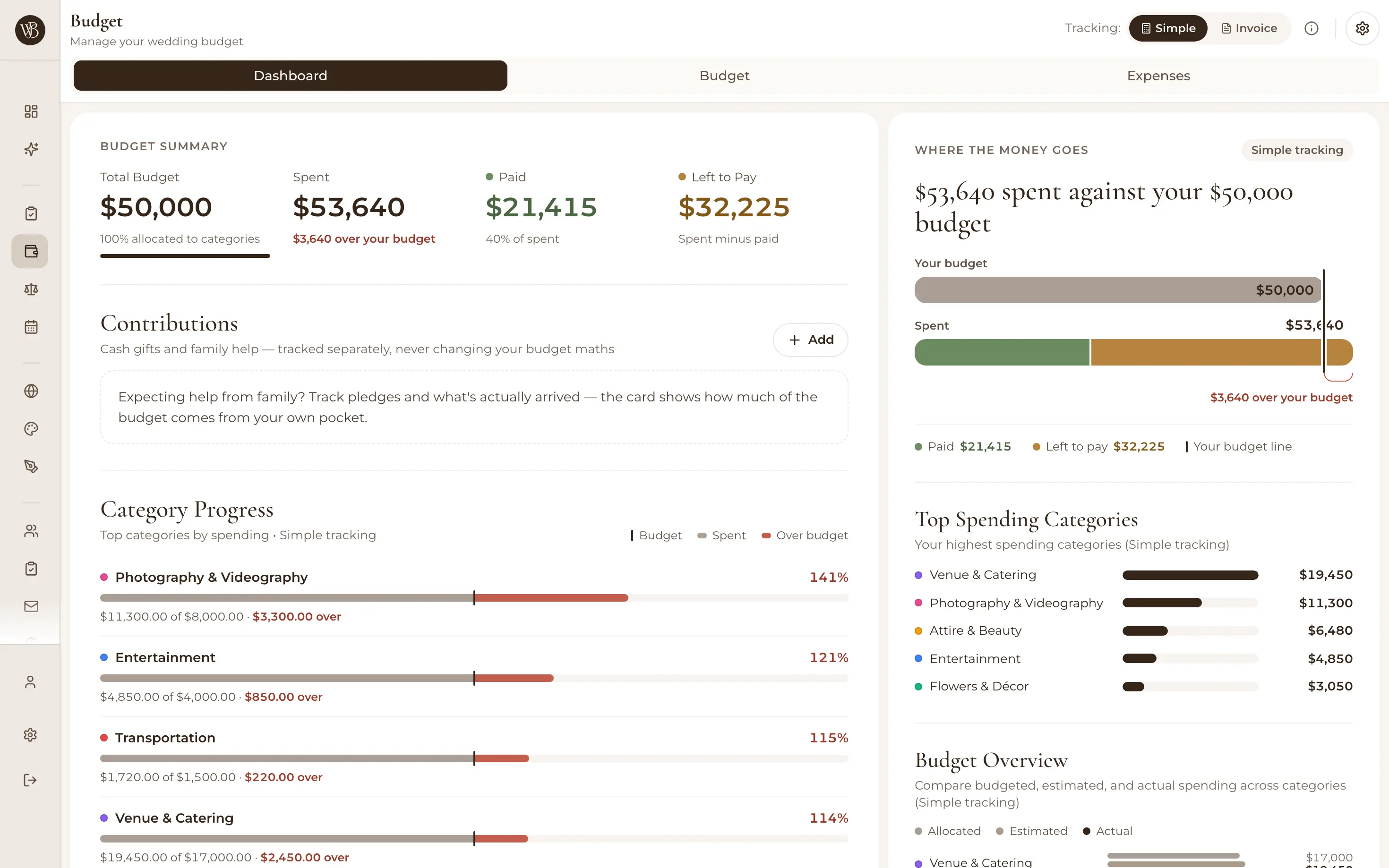
WedBuild wedding budget tracker dashboard with spending charts and category overview

Wedding budgets rarely blow up in one bang — they leak. A deposit here, a 'while we're at it' there, and suddenly the spreadsheet's bottom line is a work of fiction. WedBuild's wedding budget tracker keeps the plan and the reality side by side, in actual dollars, so the leaks show up while you can still do something about them.

Use simple mode for a quick overview, or full expense tracking when you want every invoice and instalment accounted for.

Built for how weddings actually get paid for

Set a total, split it sensibly

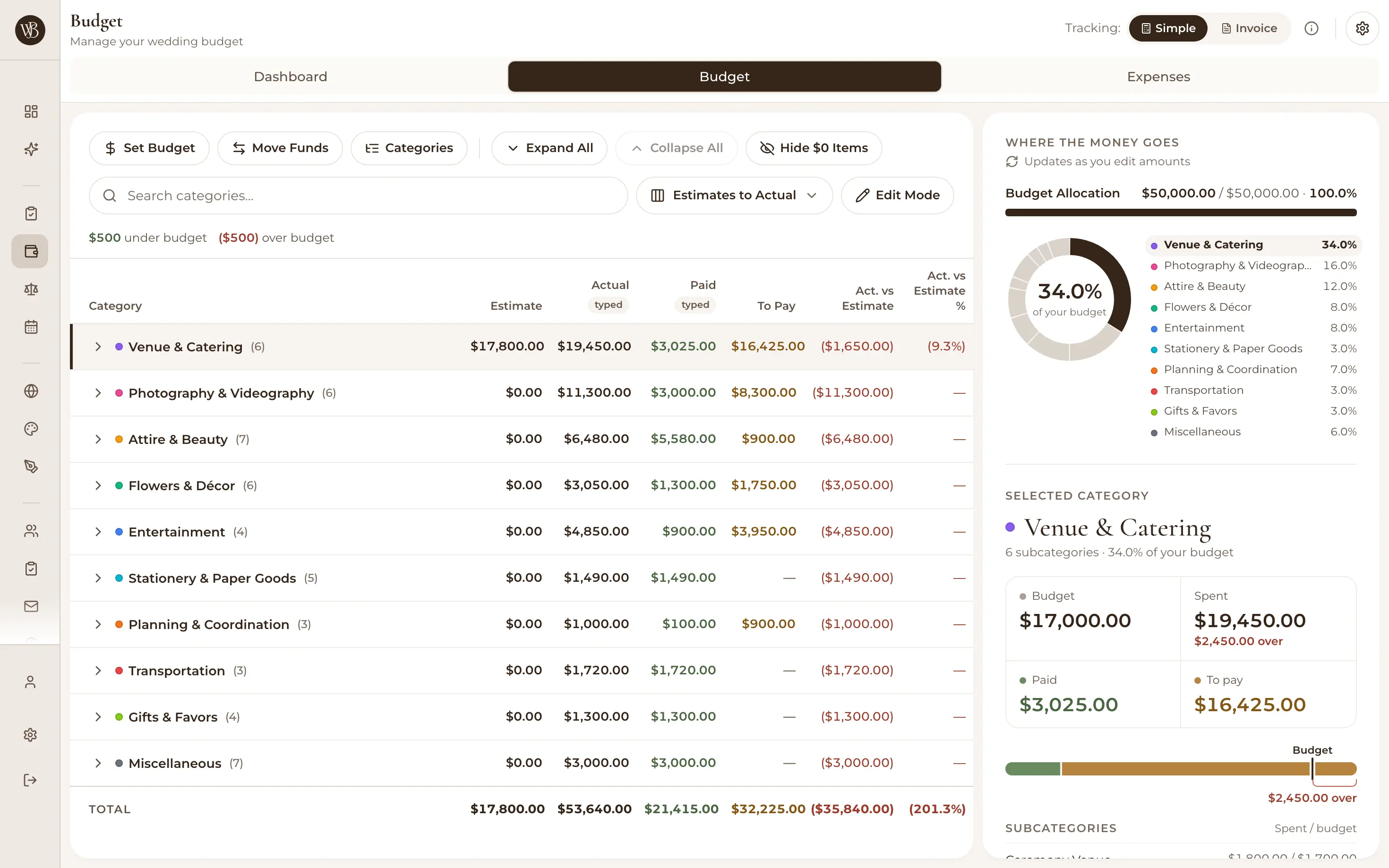
Give WedBuild your overall number and smart allocation spreads it across categories and subcategories you can tune — venue, food and drink, photography, the dress, the lot. Planned versus actual updates in real time as you record spending, with dashboard charts that make the shape of your budget obvious at a glance.
Wedding budget categories and allocation table with planned versus actual amounts

Deposits, instalments and balances — per vendor

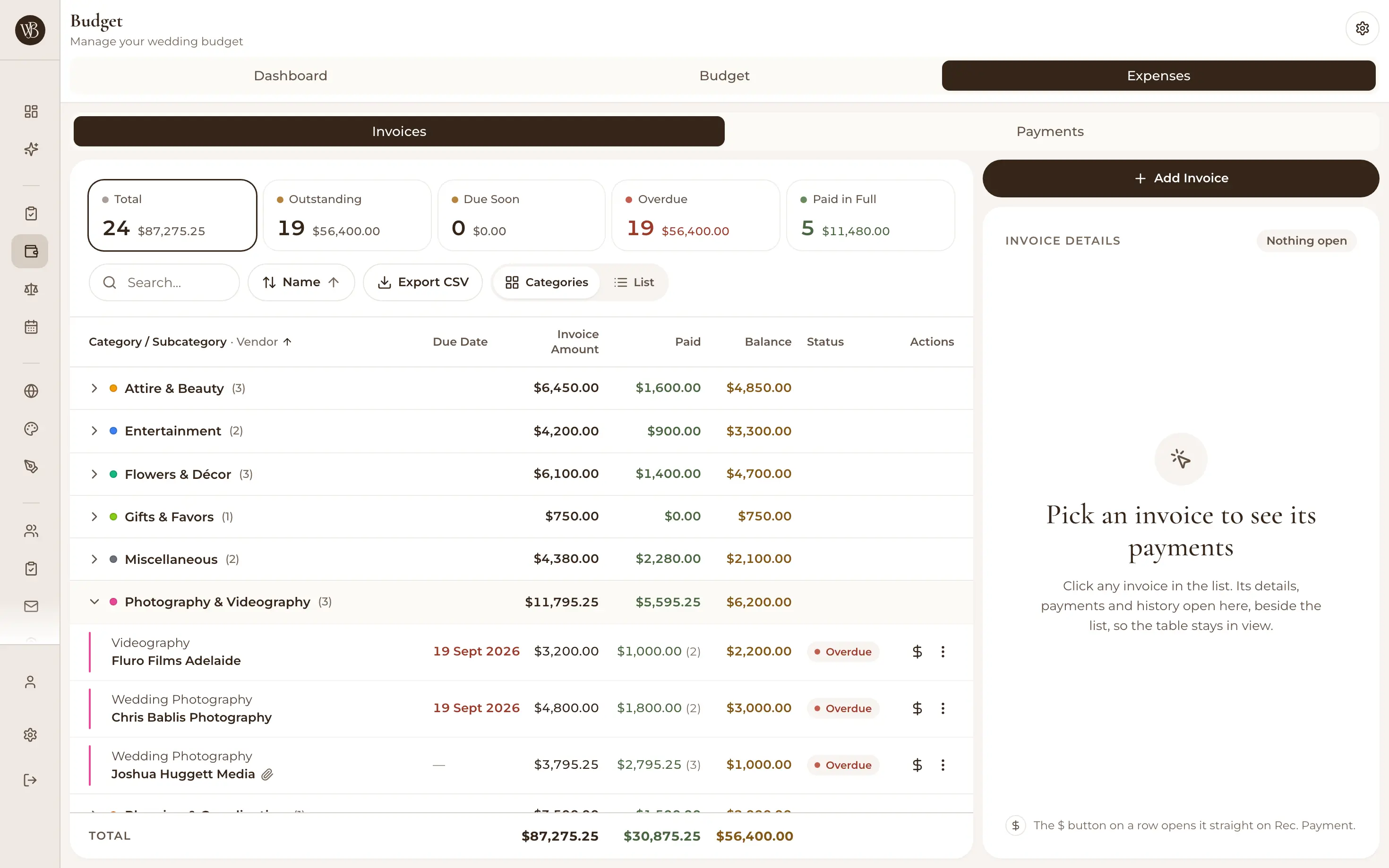
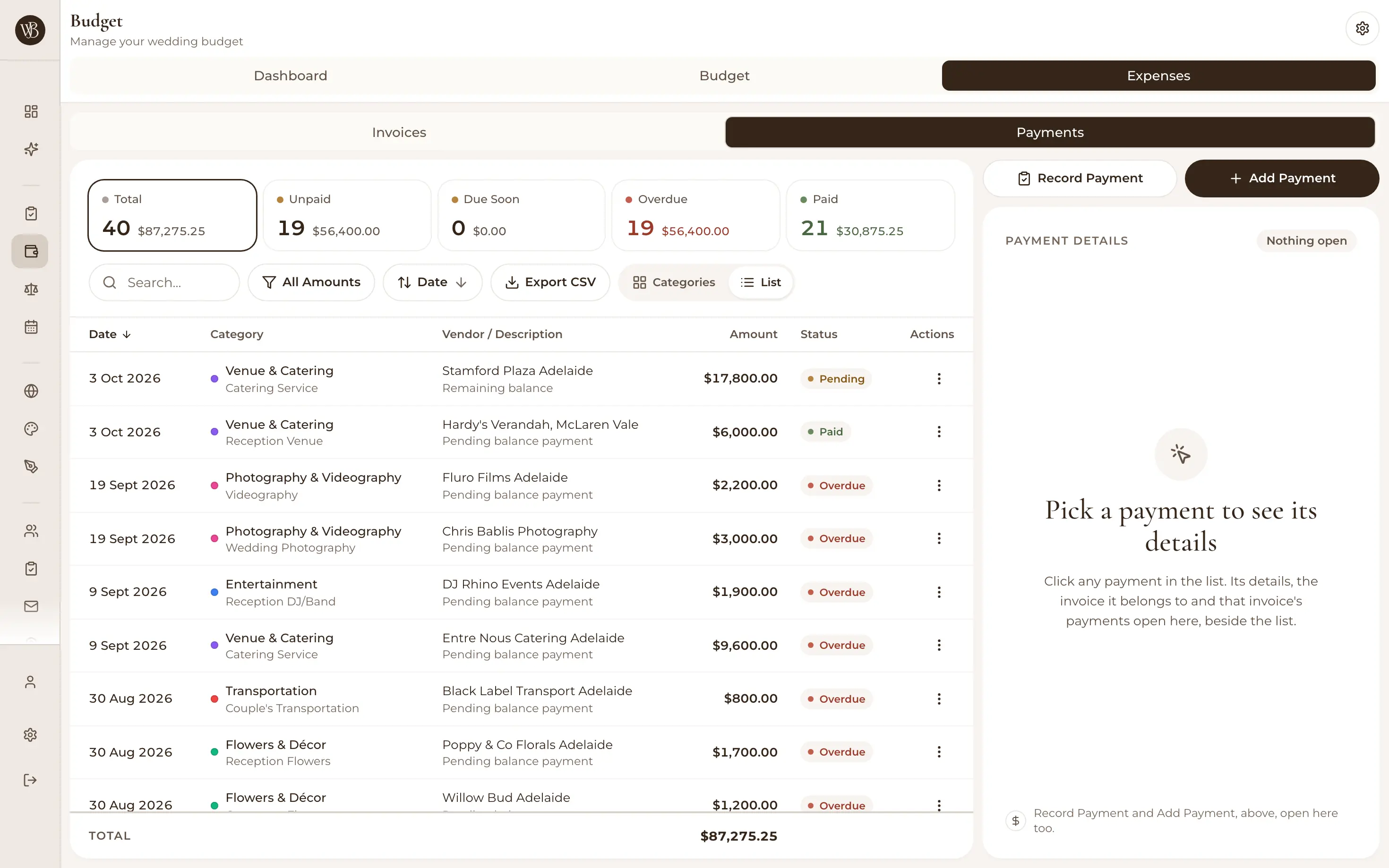
This is exactly where spreadsheets get messy. Log invoices with line items, record each deposit and part-payment against them, and set payment schedules with reminders ahead of due dates — so you always know what's actually left to pay, not just what you've spent so far.

Invoice list in the wedding budget tracker with payment status per vendor

See trouble before it bites

Over-budget warnings flag a category creeping past its plan, and upcoming-payment alerts mean no deposit is remembered at 11:58pm the night before. Hidden costs love the final month — a tracker that watches your categories makes them show their hand early.

Payments view with scheduled, upcoming and recorded wedding payments

One budget, both of you

No 'which version of the spreadsheet is right?' — you and your partner work from the same live budget in the browser, on any device. Whoever fields the photographer's invoice can log it on the spot, and the numbers are current for both of you.

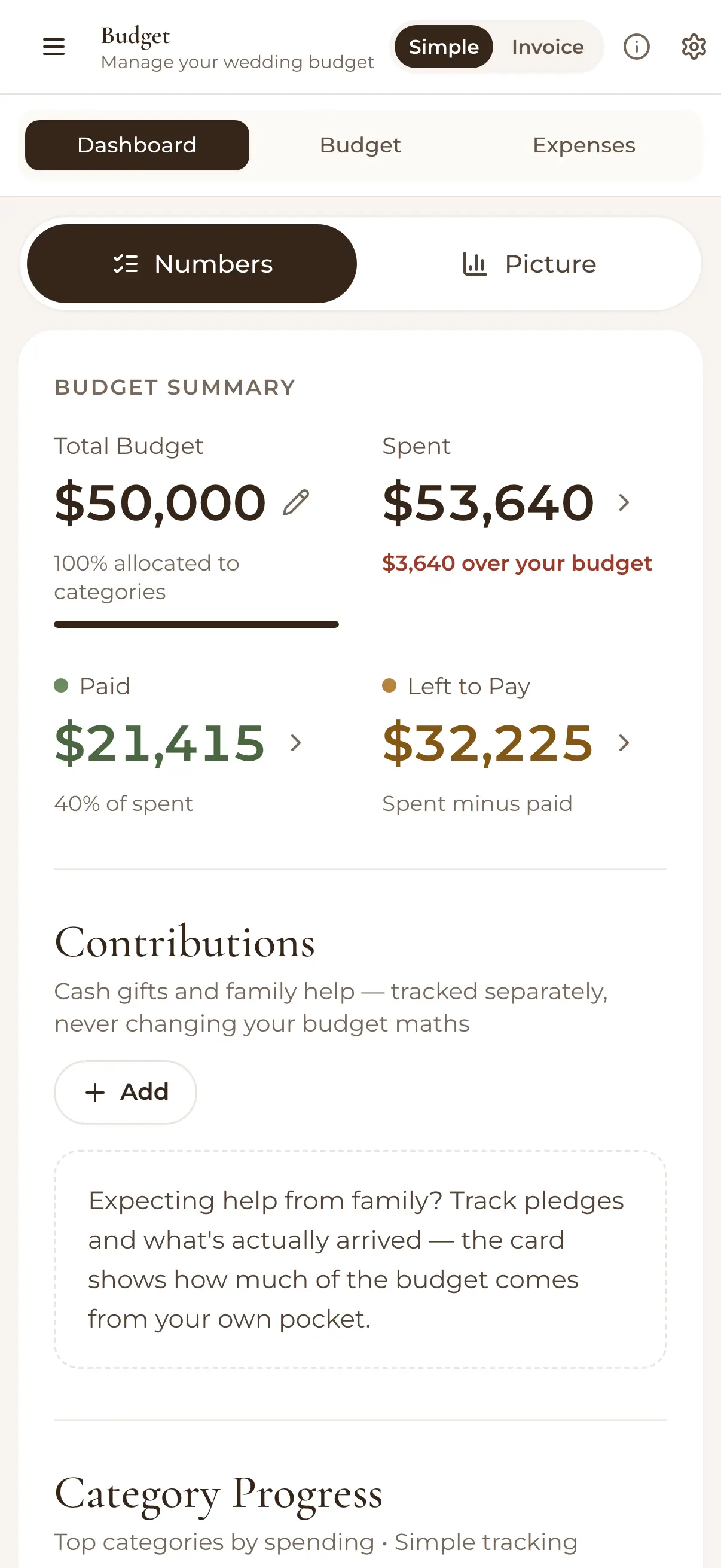
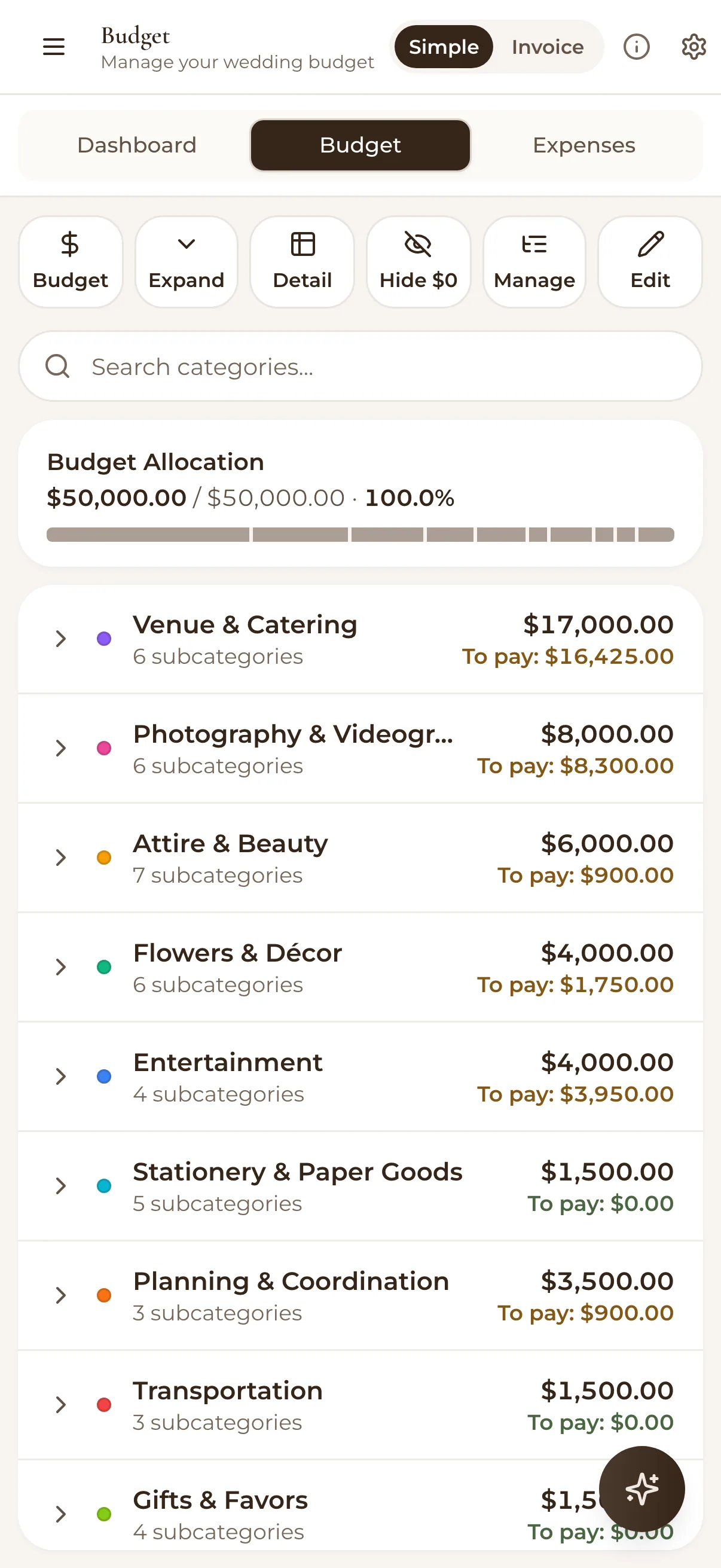
Wedding budget dashboard on a phone with charts and category summary

How it works

  1. Set your total and categories

    Smart allocation starts you off with a sensible split — adjust it until it matches your priorities (more florals, fewer favours).

  2. Log invoices and payments as you book

    Each vendor's deposits, instalments and final balance live in one place, with schedules and reminders for what's due next.

  3. Watch planned vs actual

    Charts and over-budget alerts keep the plan honest all the way to the day — and you always know what's left to pay.

Your guest count is your budget

Most of a wedding budget is your headcount multiplied by dinner — which makes the guest list organiser your first budgeting tool. And since your wedding website and RSVPs are free with WedBuild, that's one line item you can zero out entirely. See all the wedding planning tools for the full picture.

Loved by couples across Australia

Real weddings, brought together in one calm place.

Rated 5 out of 5 stars
Visual seating chart was a lifesaver — printed the dietaries straight for the caterer. 10/10.
Bill & Rachel
Adelaide, SA
122 guests
Rated 5 out of 5 stars
Vendor comparison made picking our photographer actually easy. Loved it.
Karlee & Jim
Adelaide, SA
160 guests
Rated 5 out of 5 stars
Guests scanned a QR code and found their seat. No chaos. Genius.
Ellie & Alo
Adelaide, SA
63 guests

Frequently asked questions

Know your number — and stay under it

Start free with your guest list and website; add the budget tracker when you're ready. One payment, no subscription.

Start Planning Free

7 days of Pro tools free · No credit card · 50-guest list