Online RSVPs

Online wedding RSVPs your guests will actually complete

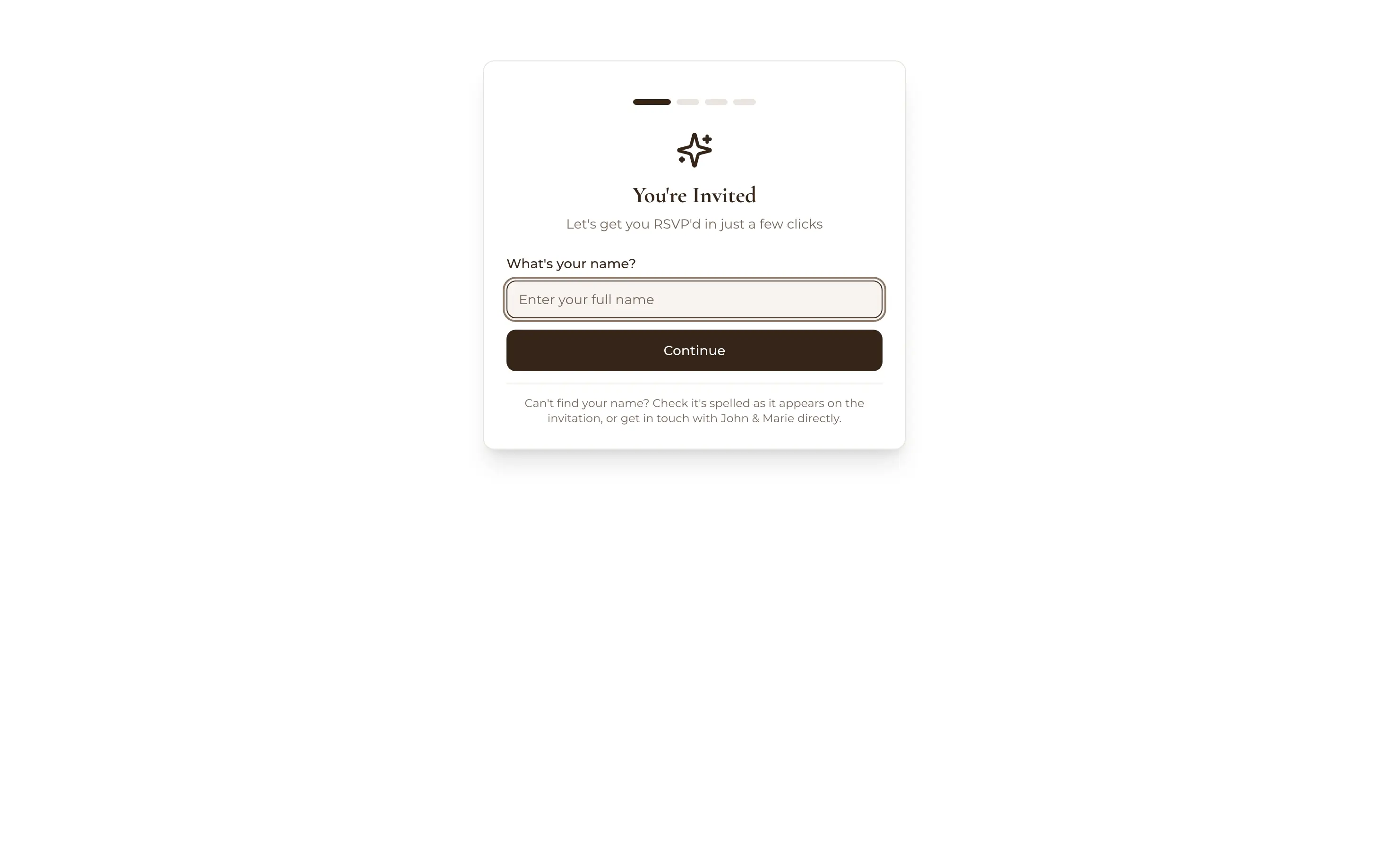
A guest's RSVP on a phone: You're invited, let's get you RSVP'd in just a few clicks, starting with their name
No app, no account

A link on your wedding website, a minute on their phone, and the answer lands in your guest list: meals, dietaries, song requests and all.

Free for up to 50 guests, with every Pro tool for your first 7 days. No card needed.

  • FreeOnline RSVPs and custom questions, up to 50 guests
  • StandardUnlimited guests

Paper RSVP cards are lovely right up until you're deciphering Aunty Sue's handwriting a week after the deadline, wondering if 'chicken?' is a meal choice or a question. Online wedding RSVPs flip the whole job: guests reply from the phone already in their hand, and you never transcribe a thing.

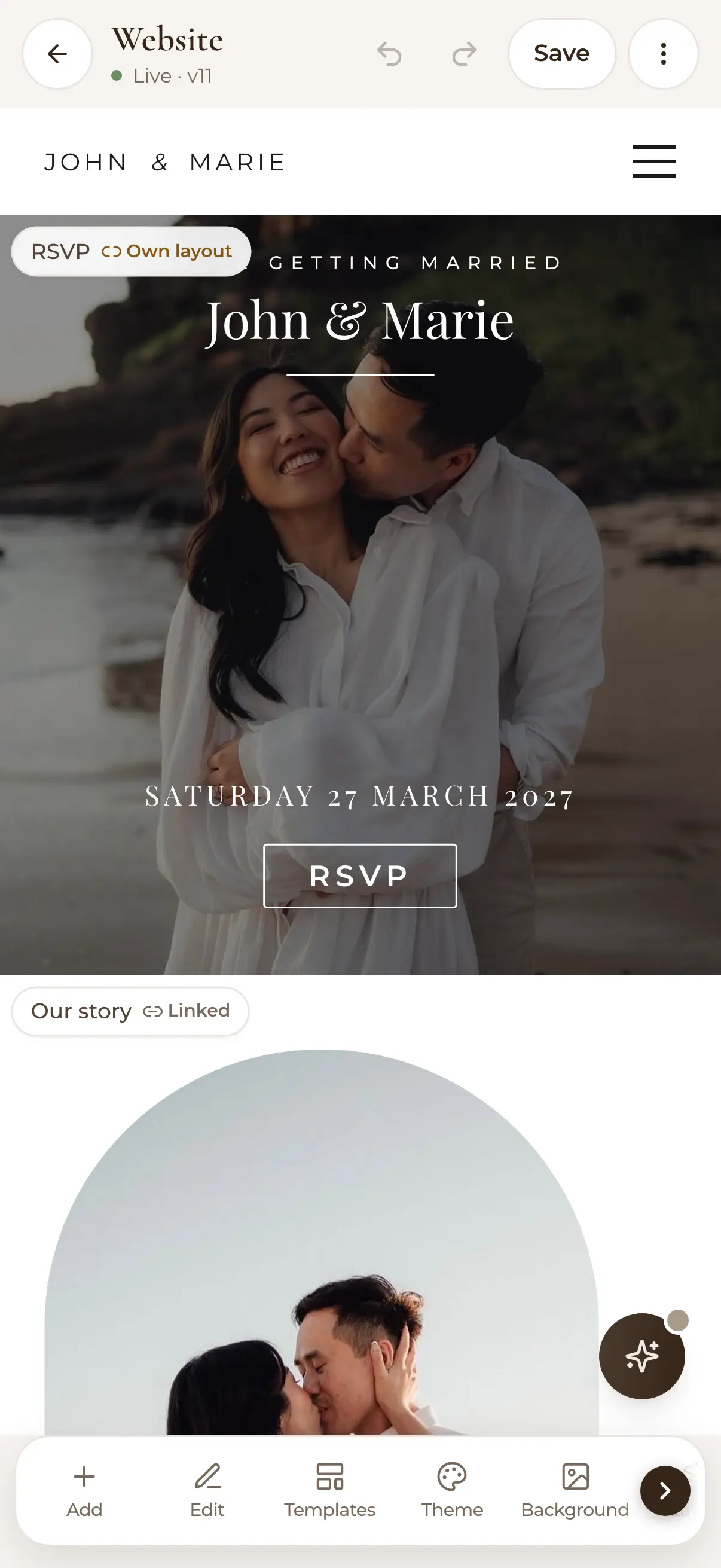
WedBuild's RSVP forms live on your free wedding website (or anywhere you can paste a link), and every response files itself.

How it fits together

RSVPs are only half the story

A response is only useful if it lands somewhere structured. With WedBuild, every RSVP updates your guest list organiser the moment it arrives, and when your numbers firm up, the seating chart seats the exact same list. Browse all the wedding planning tools to see the whole chain.

What you can do

Every reply, filed where it belongs.

Free on Essentials, with no time limit. Every new account also gets every Pro tool for 7 days.

EssentialsFree
  • Guests reply from any phone, with no app and no account
  • Answers per event: ceremony, reception, welcome drinks
  • Meal choices and a dietary library
  • Song requests, and questions of your own
  • Every answer lands against the right guest
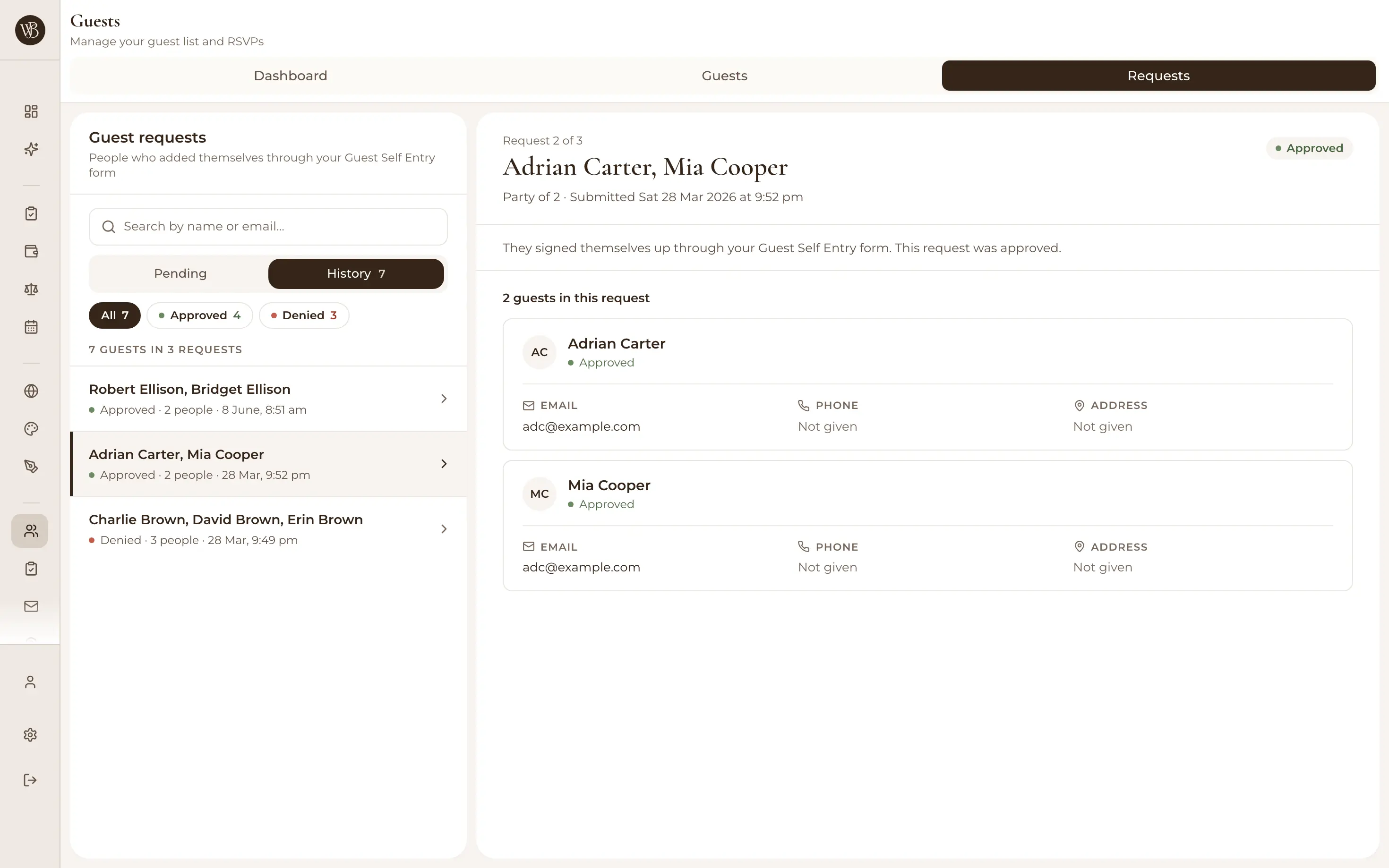
  • Names you don't recognise wait for your approval
  • See who hasn't replied, then email them a reminder
Standard addsA$99 once
  • No cap on guests: invite everyone you want

In your 7-day free Pro trial too. No card needed.

Up close

Easy for guests, effortless for you.

RSVP accept and decline options per wedding event

From the RSVP button on your website to an answer for each event.

RSVP from any phone: no app, no account

Guests open your wedding website or the RSVP link you share, tap through, and they're done in under a minute. Responses work per event, too (ceremony, reception, welcome drinks), so multi-day weddings stay tidy and you know exactly who's coming to what.
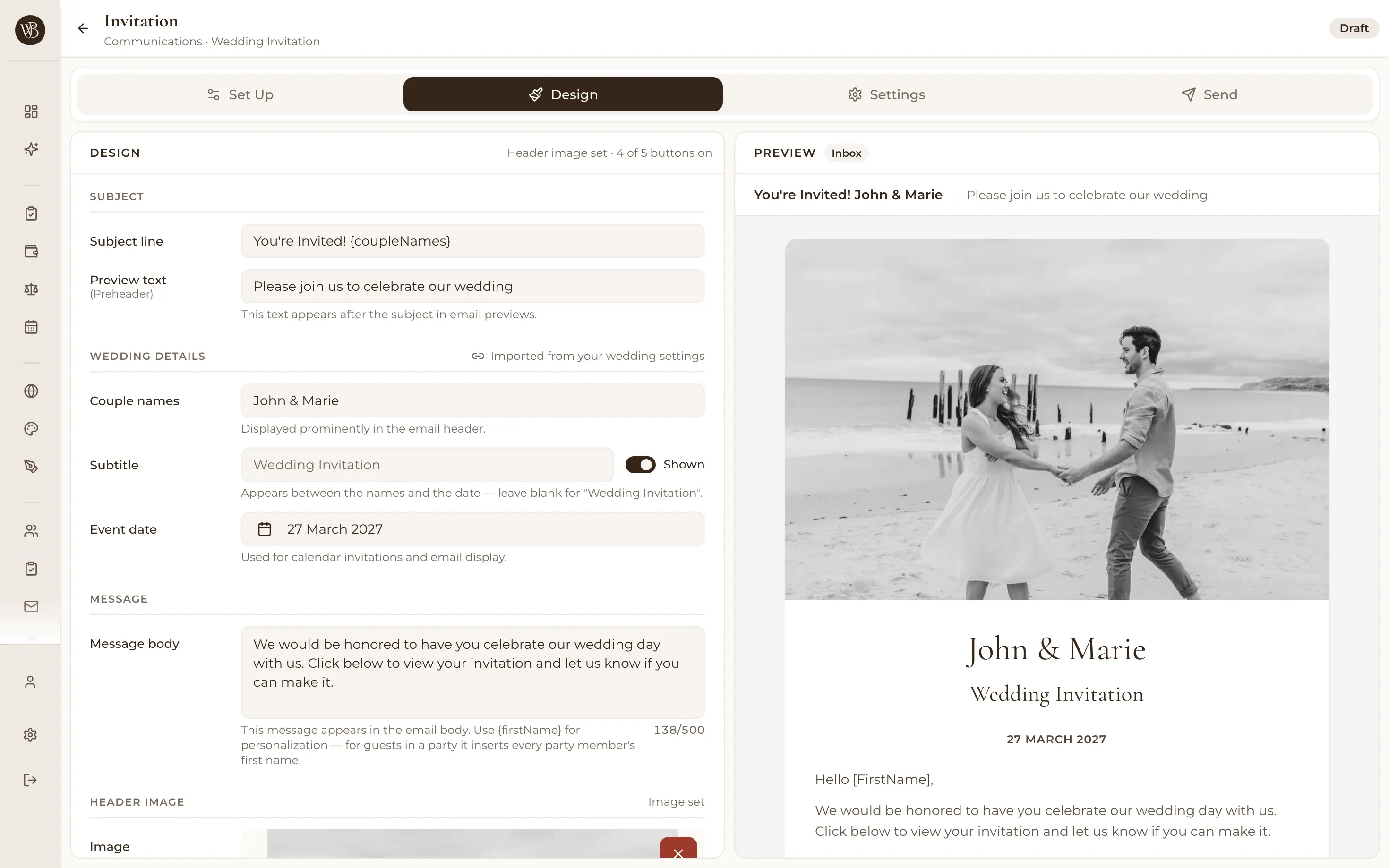
RSVP form setup with custom questions and dietary options

Ask exactly what you need

Meal choices and a structured dietary library, song requests, plus your own custom text or dropdown questions (transport, accommodation, 'staying for the recovery brunch?'). You decide what's on the form, so guests never face a wall of irrelevant fields.

A guest's RSVP screen on a phone: You're invited, what's your name?
Their reply
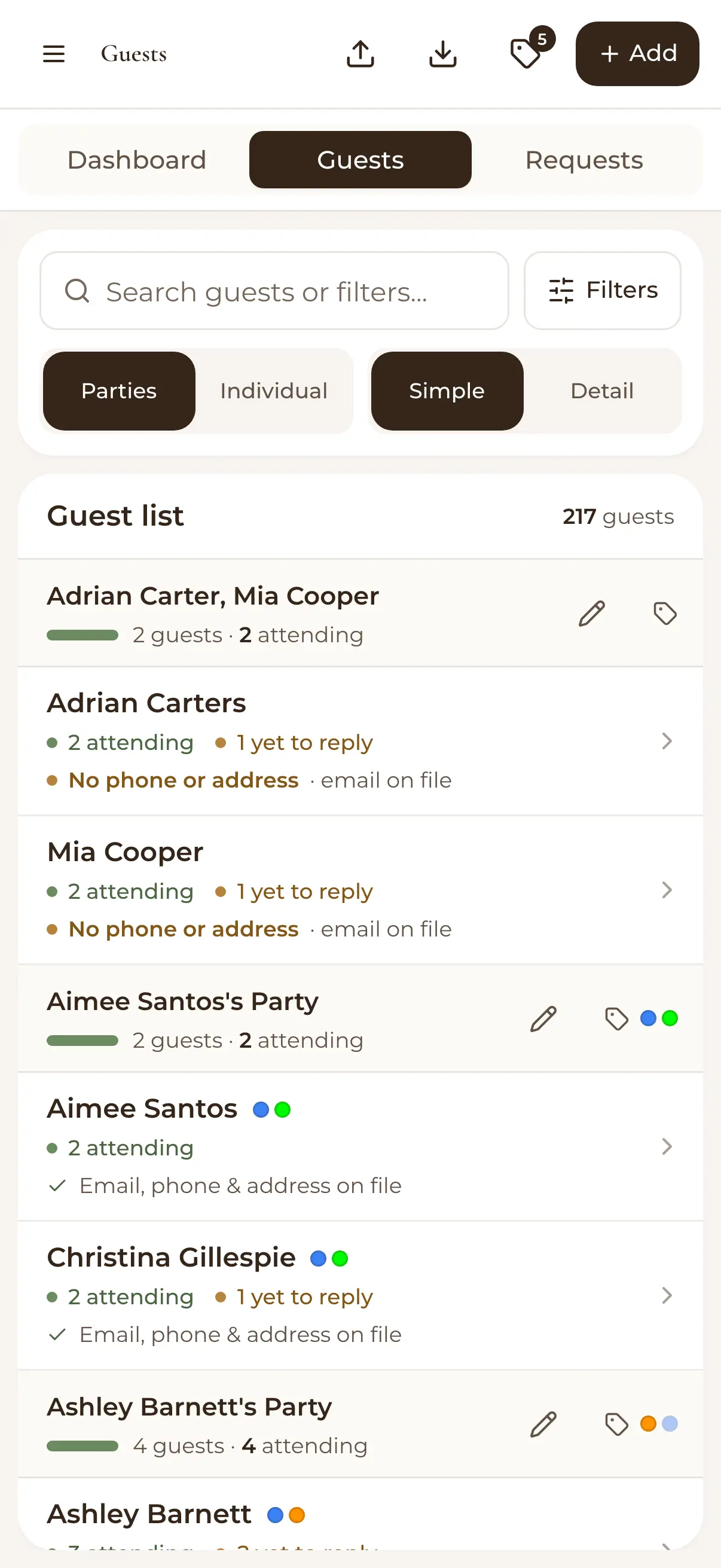
Guest list on a phone: each party showing how many are attending and who has yet to reply
Your guest list

Responses file themselves

Every answer lands against the right guest in your list automatically: RSVP status per event, meals, dietaries, the lot. Names you don't recognise wait in an approvals queue, and the dashboard tallies responses as they arrive, so your headcount is always live.

Email campaign sender for wedding guests with delivery tracking

Chase the stragglers, kindly

Your guest list shows who hasn't replied at a glance. Select them and send a friendly reminder with WedBuild's built-in email campaigns, with open and click tracking, so you know who's seen it and who genuinely needs a phone call.

  • “Visual seating chart was a lifesaver. Printed the dietaries straight for the caterer. 10/10.”
    Bill & RachelAdelaide, SA, 122 guests
  • “Vendor comparison made picking our photographer actually easy. Loved it.”
    Karlee & JimAdelaide, SA, 160 guests
  • “Guests scanned a QR code and found their seat. No chaos. Genius.”
    Ellie & AloAdelaide, SA, 63 guests

How it works

Three steps to a full headcount.

  1. Build your RSVP form

    Pick what to ask: per-event attendance, meals, dietaries, song requests and any custom questions of your own.

  2. Share the link

    Put it on your wedding website, email it, or message it. Guests respond from any phone with nothing to download.

  3. Watch responses land

    Answers file themselves against your guest list, the dashboard tallies the headcount, and reminders mop up the quiet ones.

Which plan has it

Free to start, and free to keep.

  • Essentials

    Freeno time limit, no card

    Online RSVPs and custom questions, up to 50 guests

  • Standard

    A$99once, for 2 years

    Unlimited guests

Every new account gets every Pro tool for 7 days. No card needed. 14-day money-back guarantee on paid plans.

Compare every plan

Questions

Before you send the link.

How do guests RSVP online?

They open your WedBuild wedding website (or the RSVP link you share anywhere), fill in their details, and respond in under a minute. No app download or account needed. Guests can accept or decline each event separately, add meal choices and dietaries, and answer your custom questions as they go.

Can I ask custom questions?

Yes: meal choices, a structured dietary library, song requests, and your own custom questions in text or dropdown form. Transport needs, accommodation plans, plus-one names: if you need to know it, you can ask it.

What about guests who won't use the internet?

Add or update their response manually in the guest list. A phoned-in RSVP takes seconds to record, and everything still lives in one list. No side spreadsheet for the aunties who prefer to call.

When should RSVPs be due?

Usually 4–6 weeks before the day, enough time to finalise catering numbers and the seating chart without leaving a long dead zone where guests forget. Our RSVP guide below covers wording, timing and reminder etiquette.

Guides to go deeper

Read up, then plan.

Still deciding? Compare wedding planning apps in our guide to the best ones in Australia, WedBuild included.

A bride and groom kiss in the aisle as their guests throw confetti

Ready when you are

Retire the spreadsheet, keep the manners.

Online RSVPs are part of WedBuild's free Essentials plan. Wedding website included, no credit card required.

Free for up to 50 guests, with every Pro tool for your first 7 days. No card needed.
Pay once if you upgrade, never a subscription.