

Your wedding website, RSVPs and seating chart, all in one place.

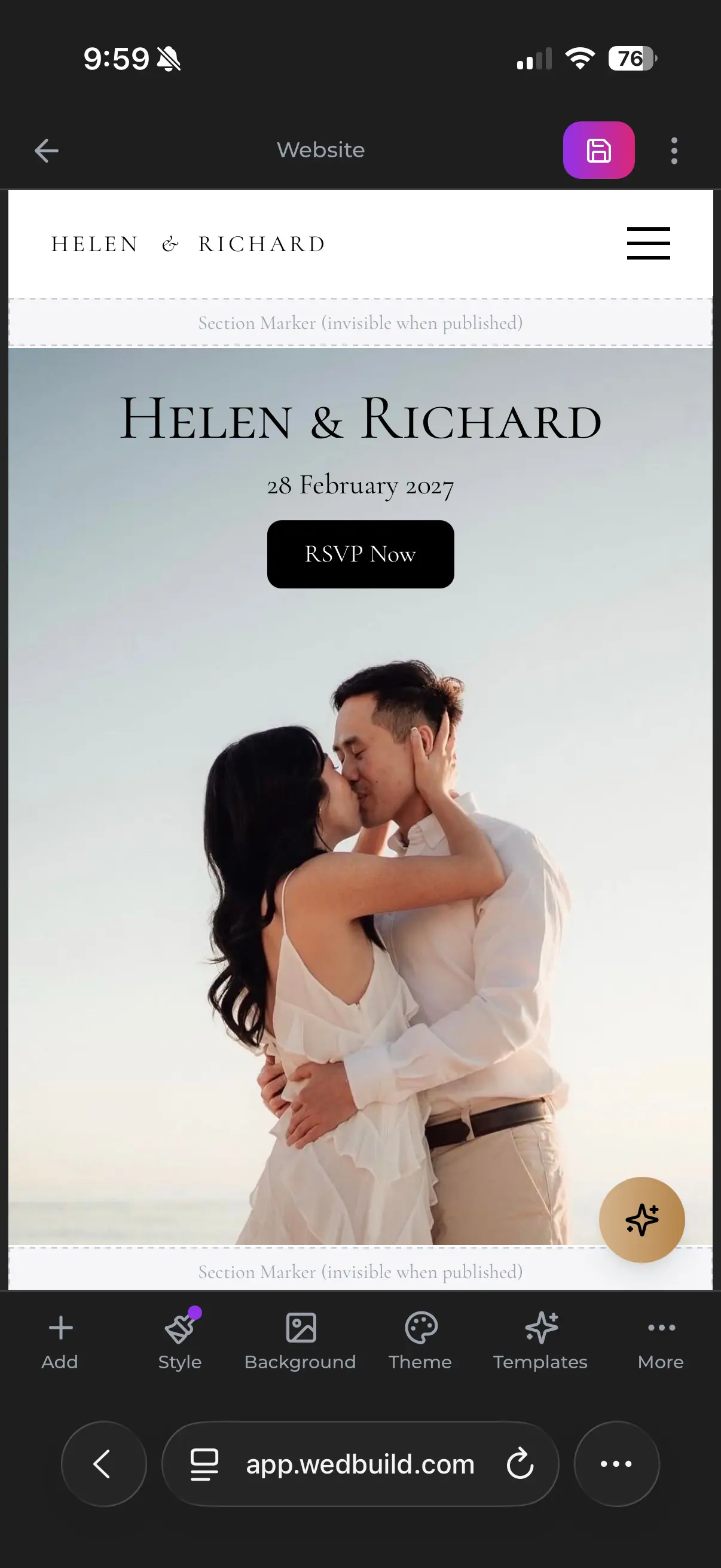
A wedding website on a phone: John and Marie, Saturday 27 March 2027, with an RSVP button
A guest's RSVP screen on a phone: You're invited, what's your name?
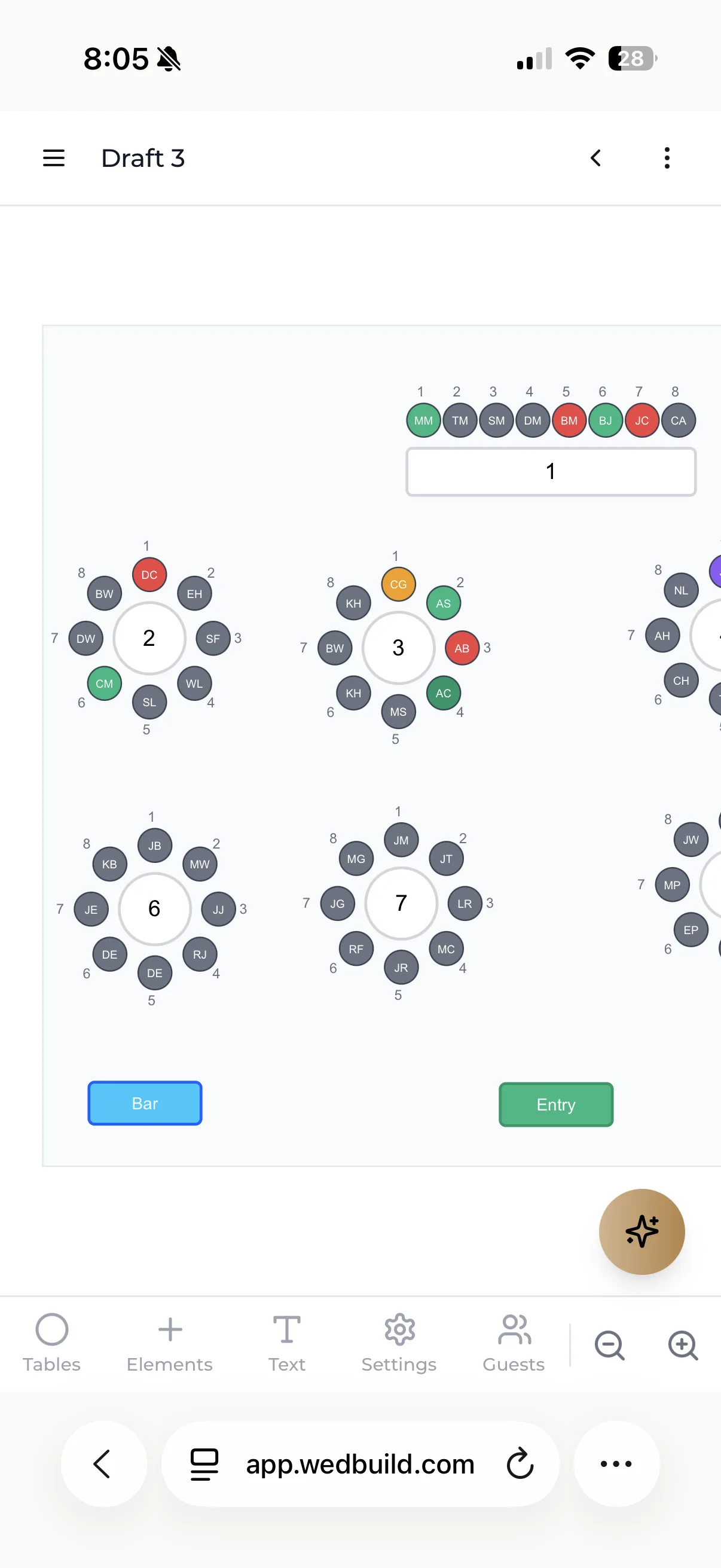
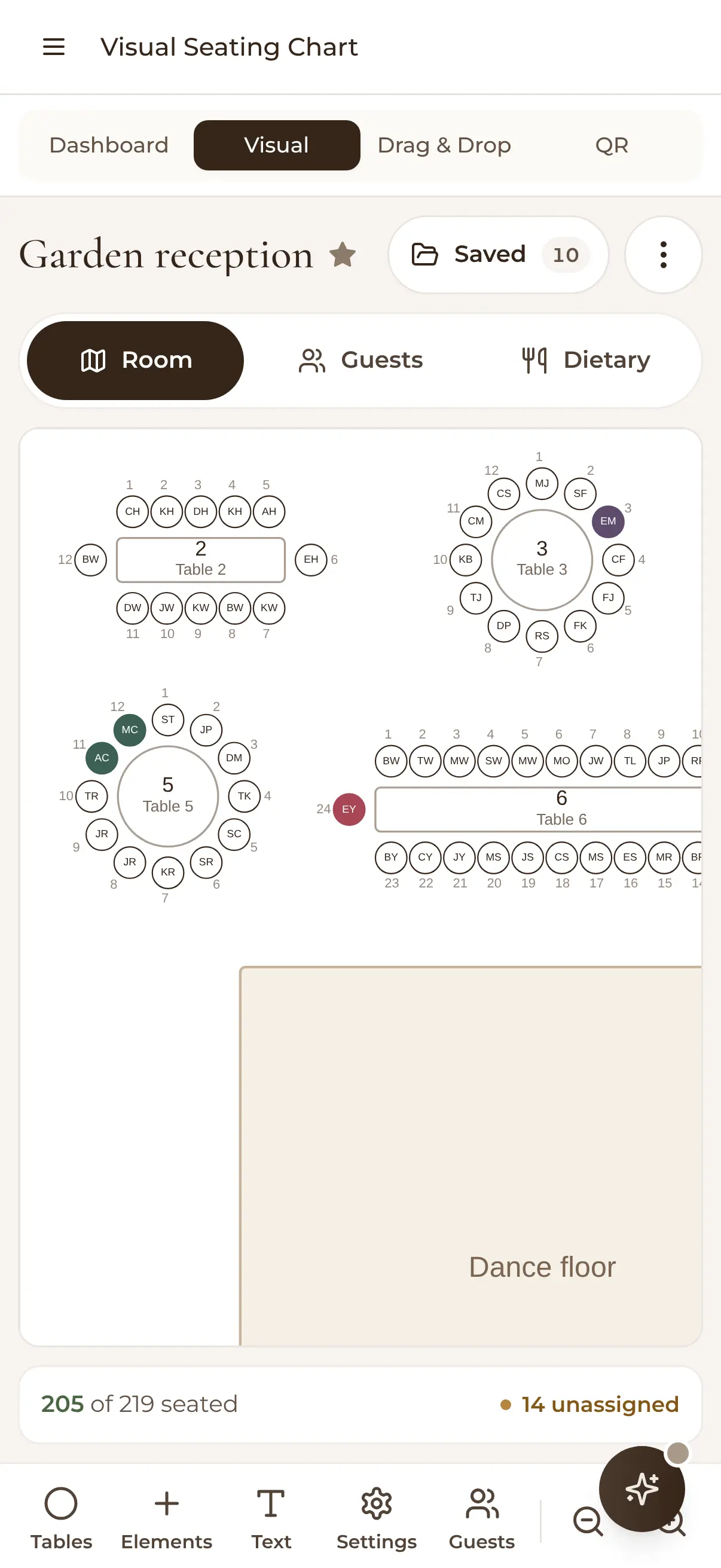
The visual seating chart on a phone: Garden reception, tables around the dance floor, 205 of 219 guests seated
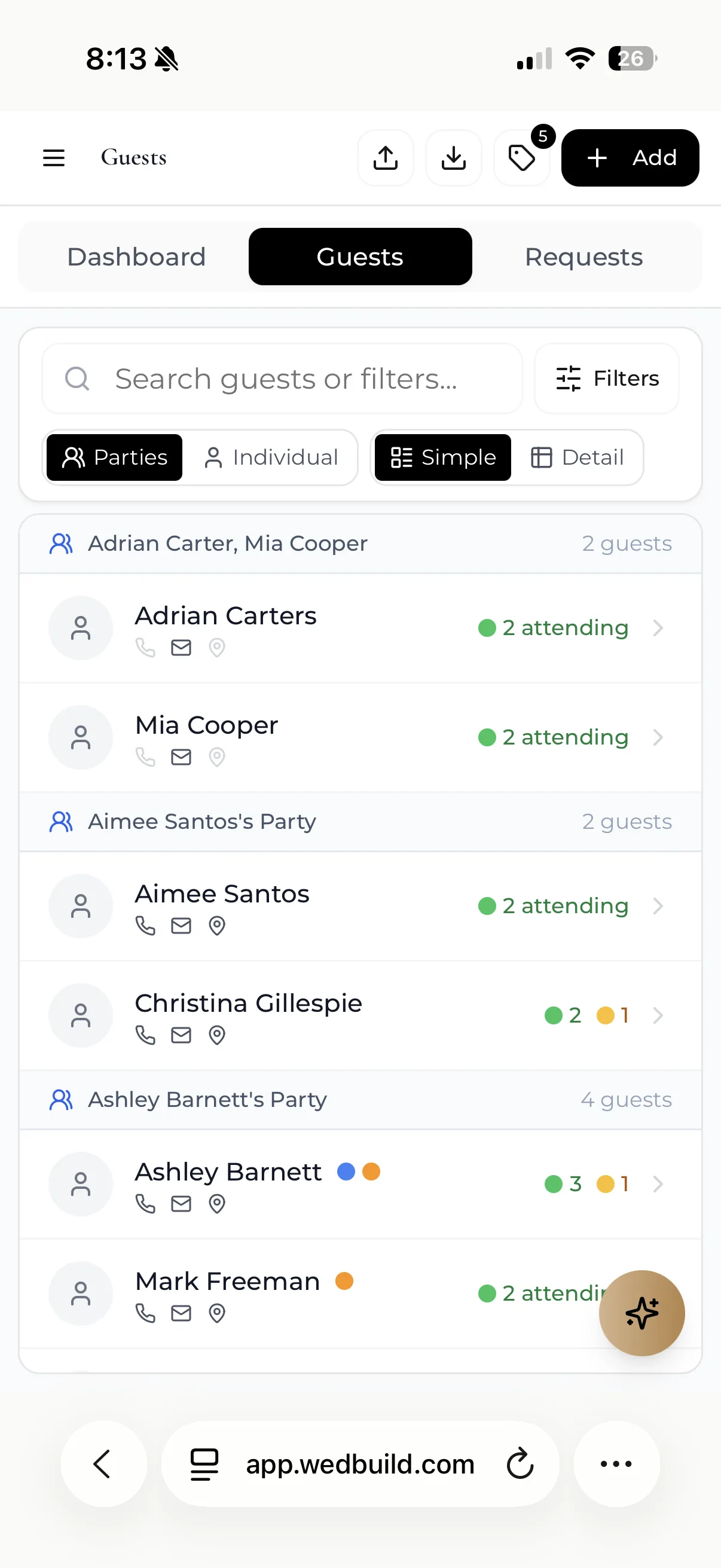
The guest list on a phone: guests grouped into parties, showing who's attending and who has yet to reply
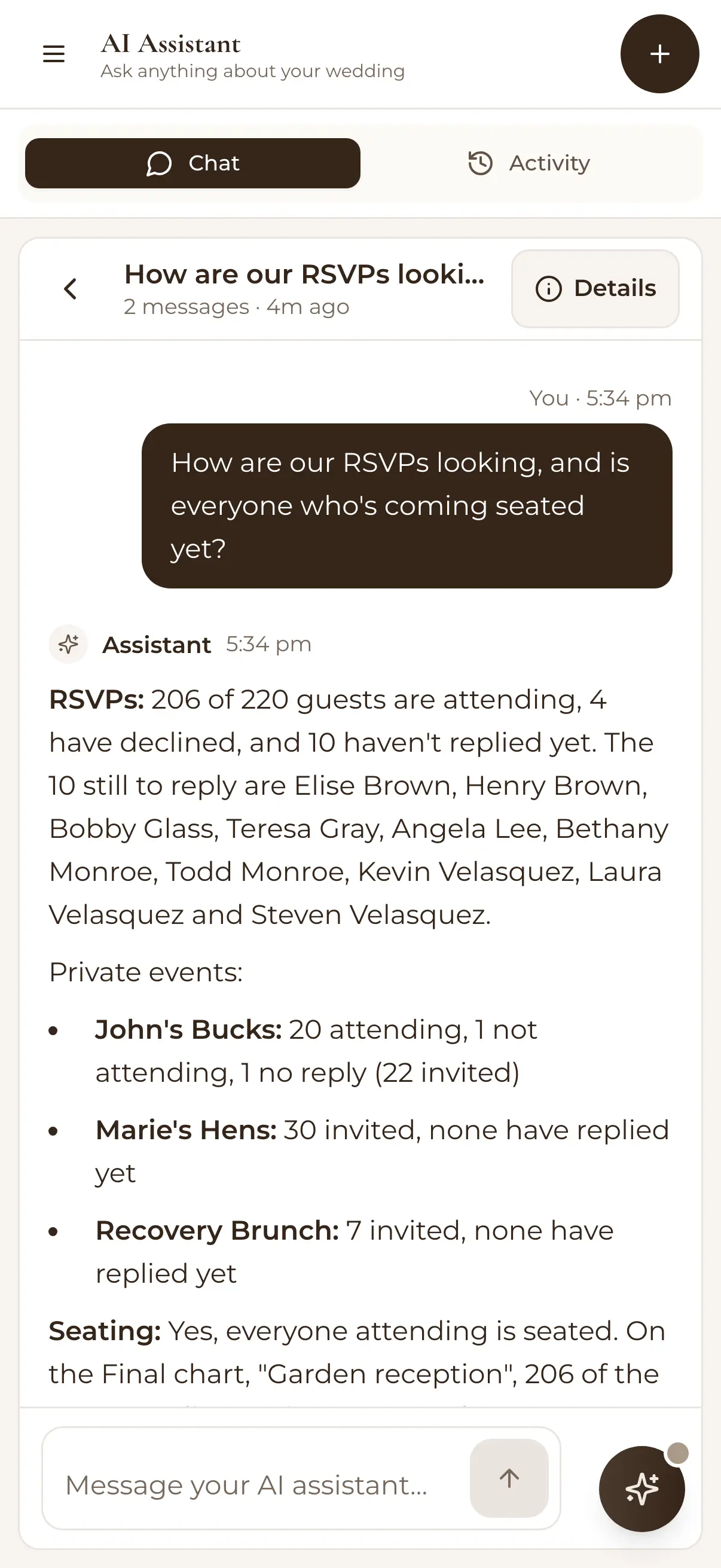
The AI assistant on a phone, answering how the RSVPs look and whether everyone coming is seated

Free for up to 50 guests, with every Pro tool for your first 7 days. No card needed. Pay once if you upgrade, never a subscription.

“Guests scanned a QR code and found their seat. No chaos. Genius.”
Ellie & Alo, Adelaide, SA, 63 guests

How it works

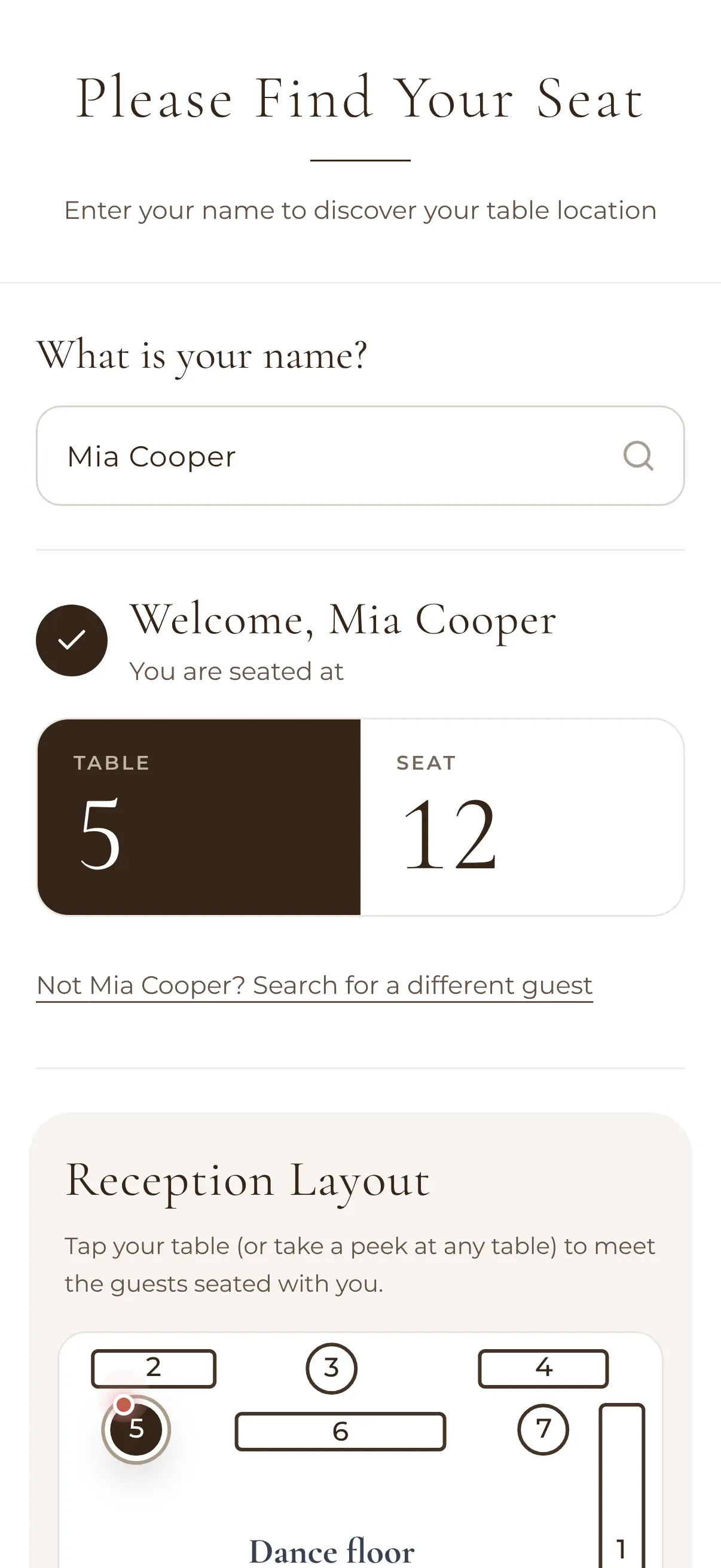
Follow Mia from your list to table 5.

Mia Cooper is one of your guests. Here's what happens at each of the six steps.

  1. Add your guest list

    Mia goes on the list, in a party of two.

    The guest list on a phone: guests grouped into parties, showing who's attending and who has yet to reply

    MiaOn your guest list

    Free

  2. Website and invitations

    Pick a template and add your story. Mia's invitation links straight to it.

    Editing a wedding website on a phone: John and Marie, with Add, Edit, Templates and Theme tools

    MiaInvitation ready

    Free

  3. Email your invitations

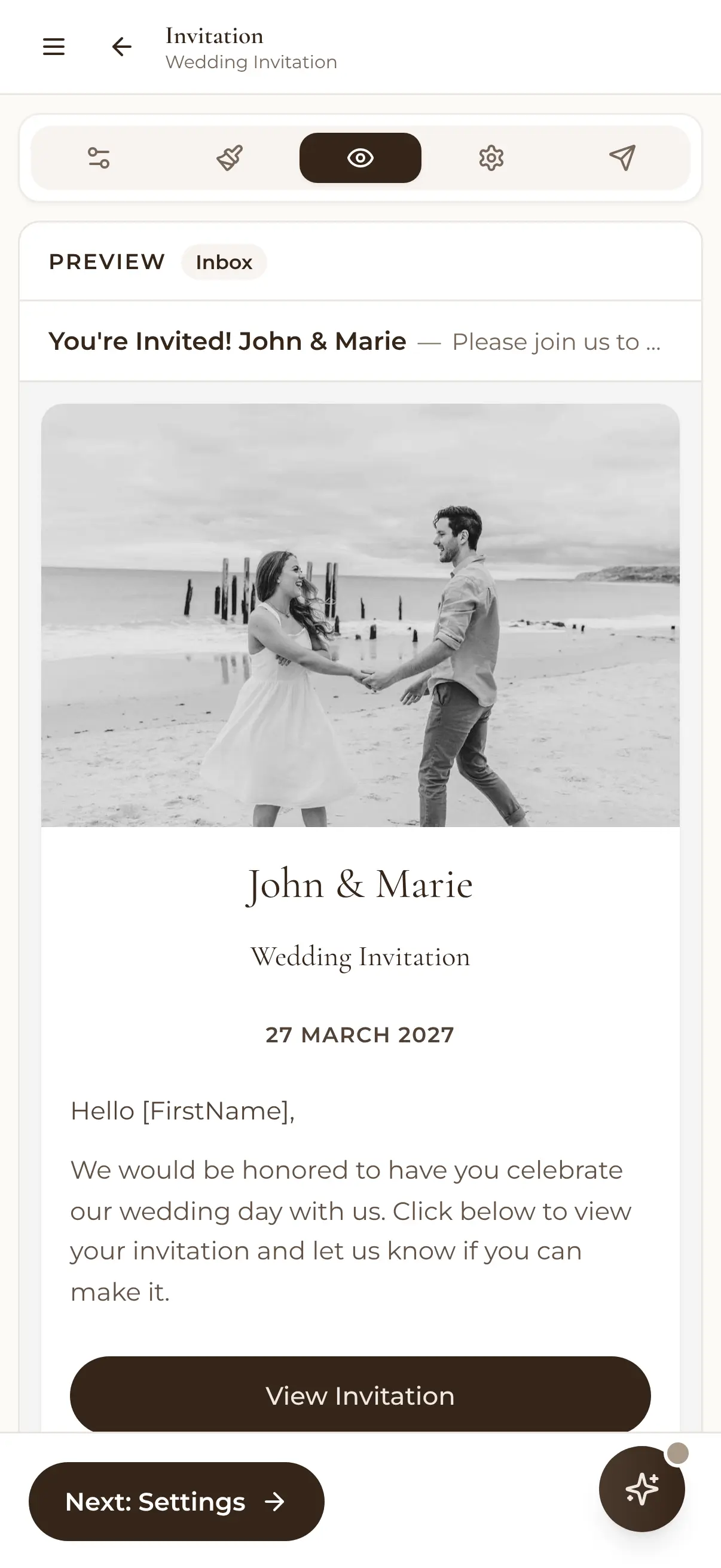
    Send to everyone at once, and see that Mia has opened the invitation.

    Previewing an invitation email on a phone: You're Invited! John & Marie, with their photo and the date, 27 March 2027

    MiaOpened your invitation

    Free

  4. Collect RSVPs

    Mia says yes and ticks vegan. It lands in your list by itself.

    A guest's RSVP screen on a phone: You're invited, what's your name?

    MiaAttending, vegan

    Free

  5. Design the room, seat everyone

    You drag Mia onto table 5, and the dietary comes along.

    The visual seating chart on a phone: Garden reception, round tables around the dance floor, 205 of 219 seated

    MiaTable 5, seat 12

    Standard · Pro

  6. Find their seat by QR

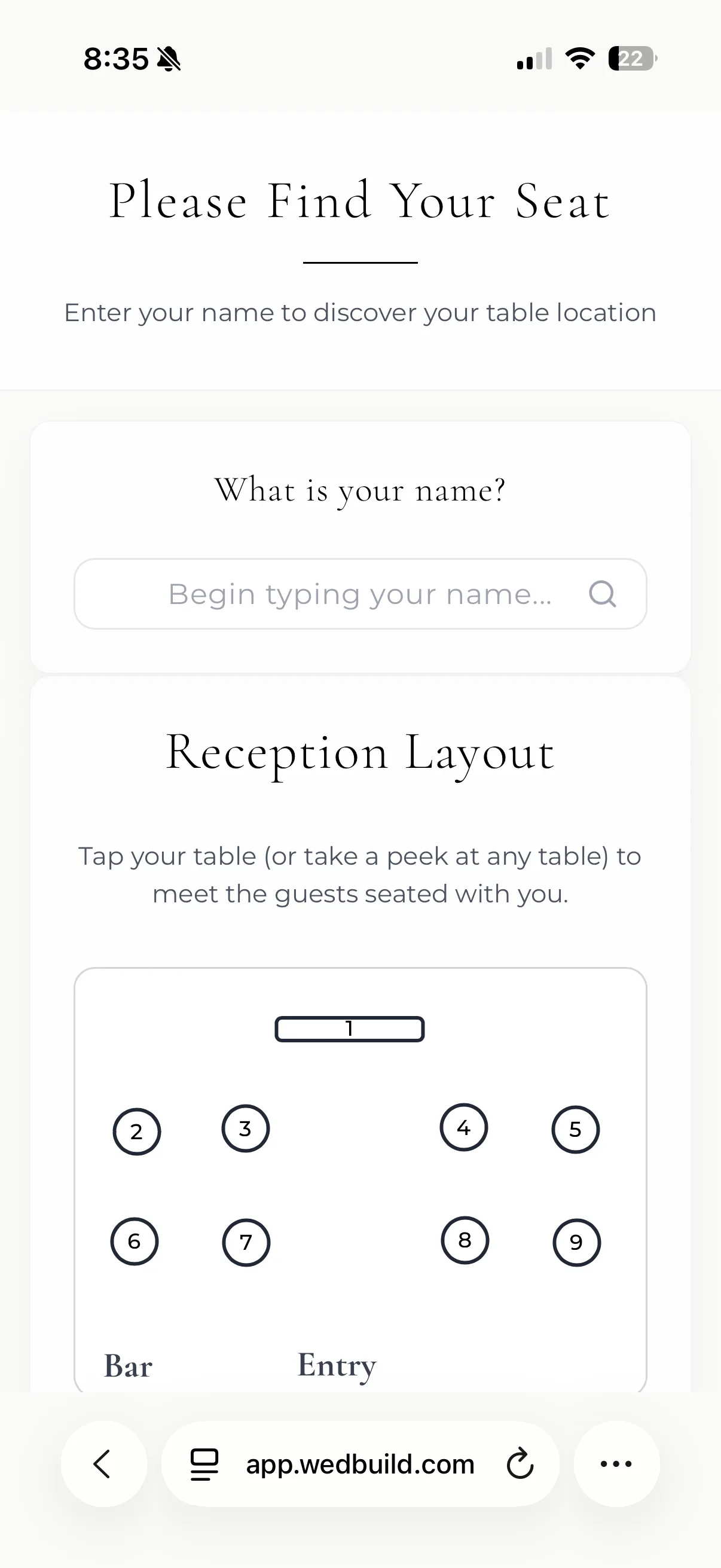
    On the night Mia scans the code and walks straight to seat 12.

    Find My Seat on a guest's phone: Welcome, Mia Cooper, you are seated at table 5, seat 12, with the reception layout below

    MiaFound seat 12

    Pro

Plan it on your laptop. Check it on your phone.

The big jobs, like drawing the room and seating 200 people, are easier on a big screen. The quick ones, like checking who's replied, happen wherever you are. It's the same guest list in both places.

On the laptop
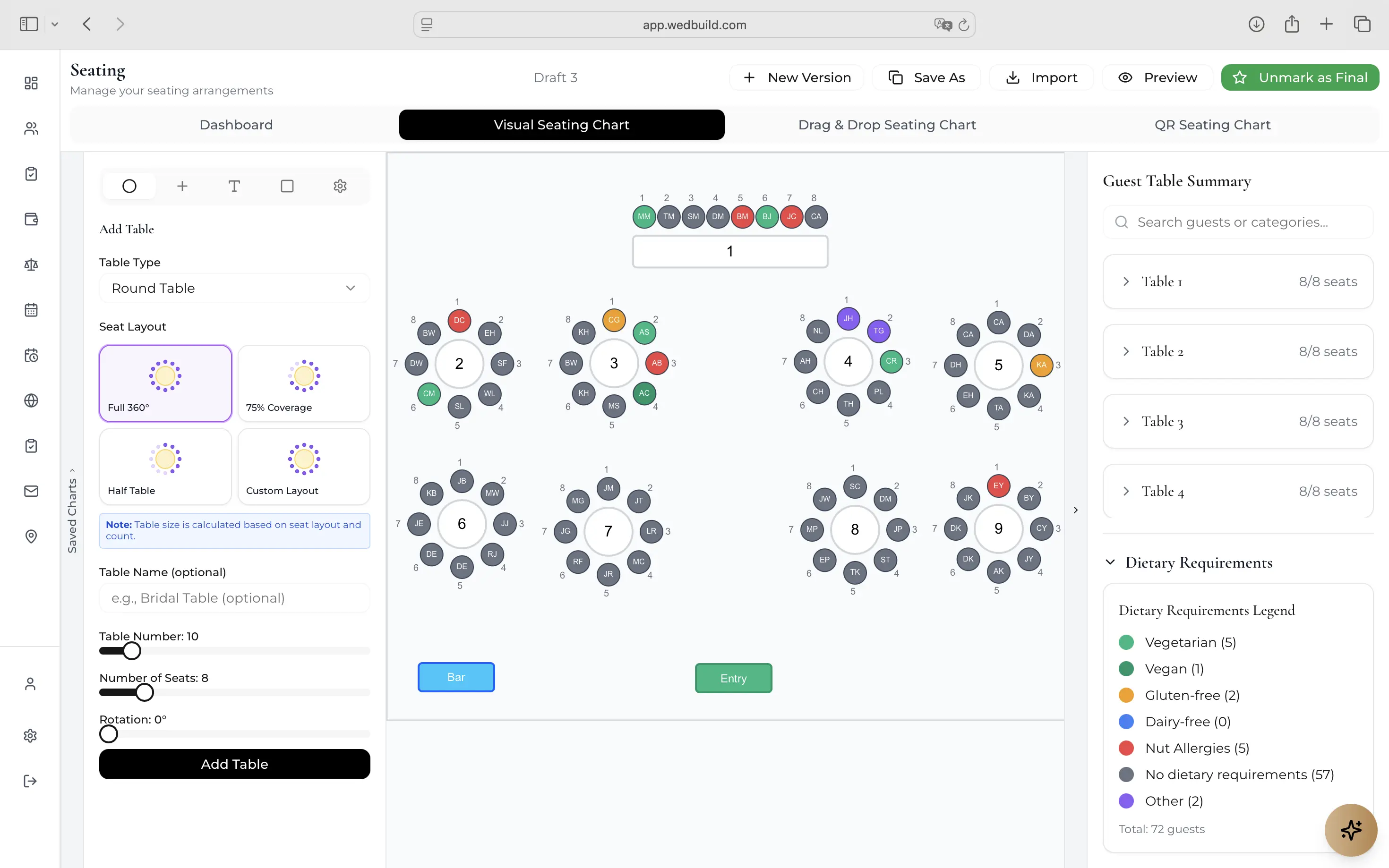
The seating plan, the budget and your website, with room to work.
On the phone
New replies, the next task, and a quick look at who's sitting where.
The seating chart in a browser: Garden reception, round and long tables with each guest's initials in a seat, 205 of 216 seated, and a dietary legend
The guest list on a phone: guests grouped into parties, showing who's attending and who has yet to reply

Contents

Your wedding, in three chapters.

  1. Chapter I Plan & pay

    The money, the vendors you book, and the jobs still to do.

  2. Chapter II Invite & reply

    Your website, your invitations and every reply, landing in one list.

  3. Chapter III Seat & feed

    From who's coming, to where they sit, to what they eat.

What couples say

Couples who planned with it.

  • The visual seating chart on a phone: Garden reception, round tables around the dance floor, 205 of 219 seated

    Seating chart

    “Visual seating chart was a lifesaver. Printed the dietaries straight for the caterer. 10/10.”
    Bill & Rachel122 guests
  • Find My Seat on a guest's phone: Welcome, John Bennett, you are seated at table 1, seat 28

    Find My Seat

    “Guests scanned a QR code and found their seat. No chaos. Genius.”
    Ellie & Alo63 guests
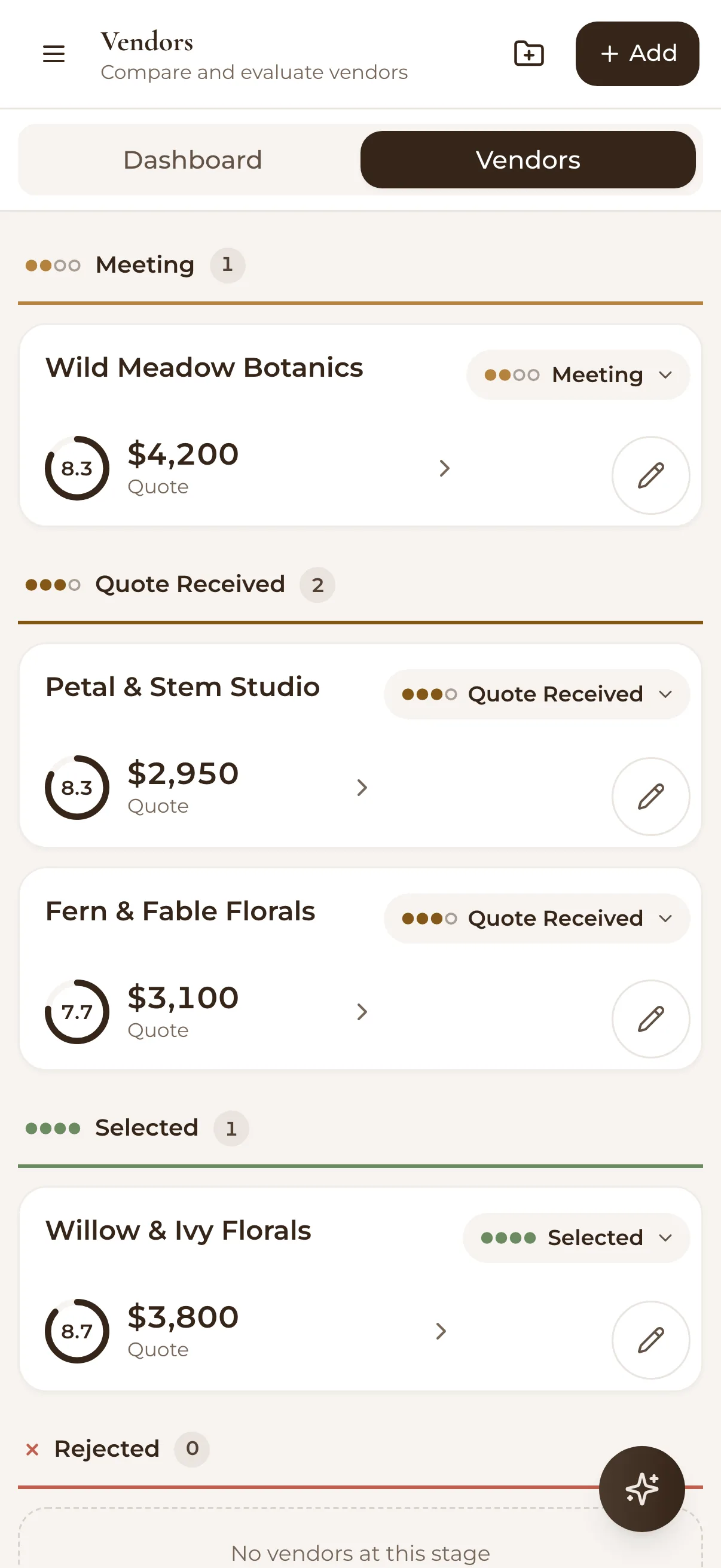
  • Comparing florists on a phone: each with a score, a quote and a stage from Meeting to Quote received to Selected

    Vendor comparison

    “Vendor comparison made picking our photographer actually easy. Loved it.”
    Karlee & Jim160 guests
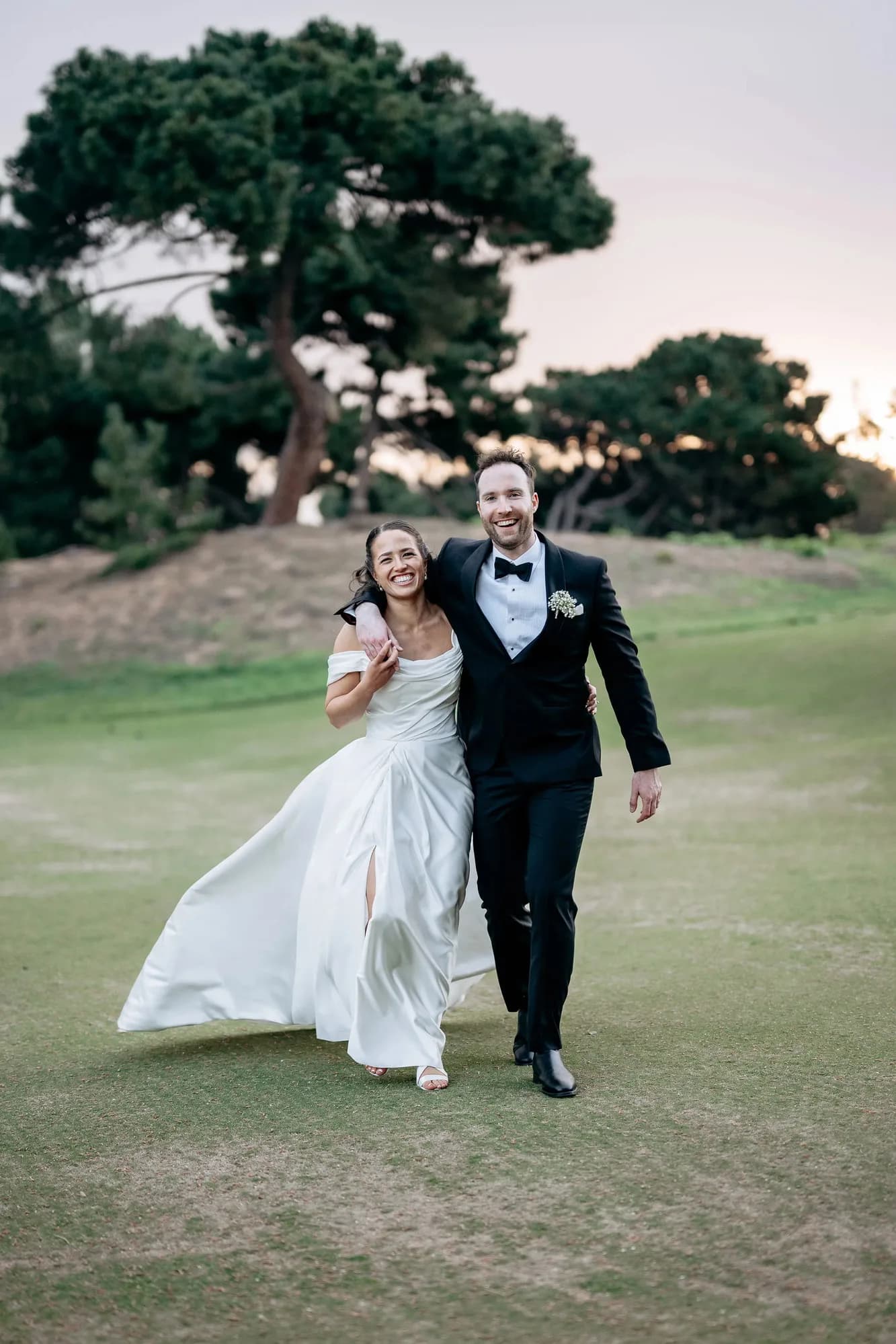
Henry and Elise, who built WedBuild, walking arm in arm on their wedding day

Built by

Henry & Elise

An accountant and an engineer who planned their own wedding at the kitchen table, surrounded by spreadsheets.

Read our story

Before you sign up

Is there a catch?

Every Pro tool free for your first 7 days. No card needed.

Compare Essentials, Standard and Pro
What you getEssentialsFreeno time limitStandardA$99onceEverythingProA$199once
Guests50UnlimitedUnlimited
Wedding websiteIncludedIncludedIncluded
Online RSVPsIncludedIncludedIncluded
Guest list & importIncludedIncludedIncluded
Wedding checklistIncludedIncludedIncluded
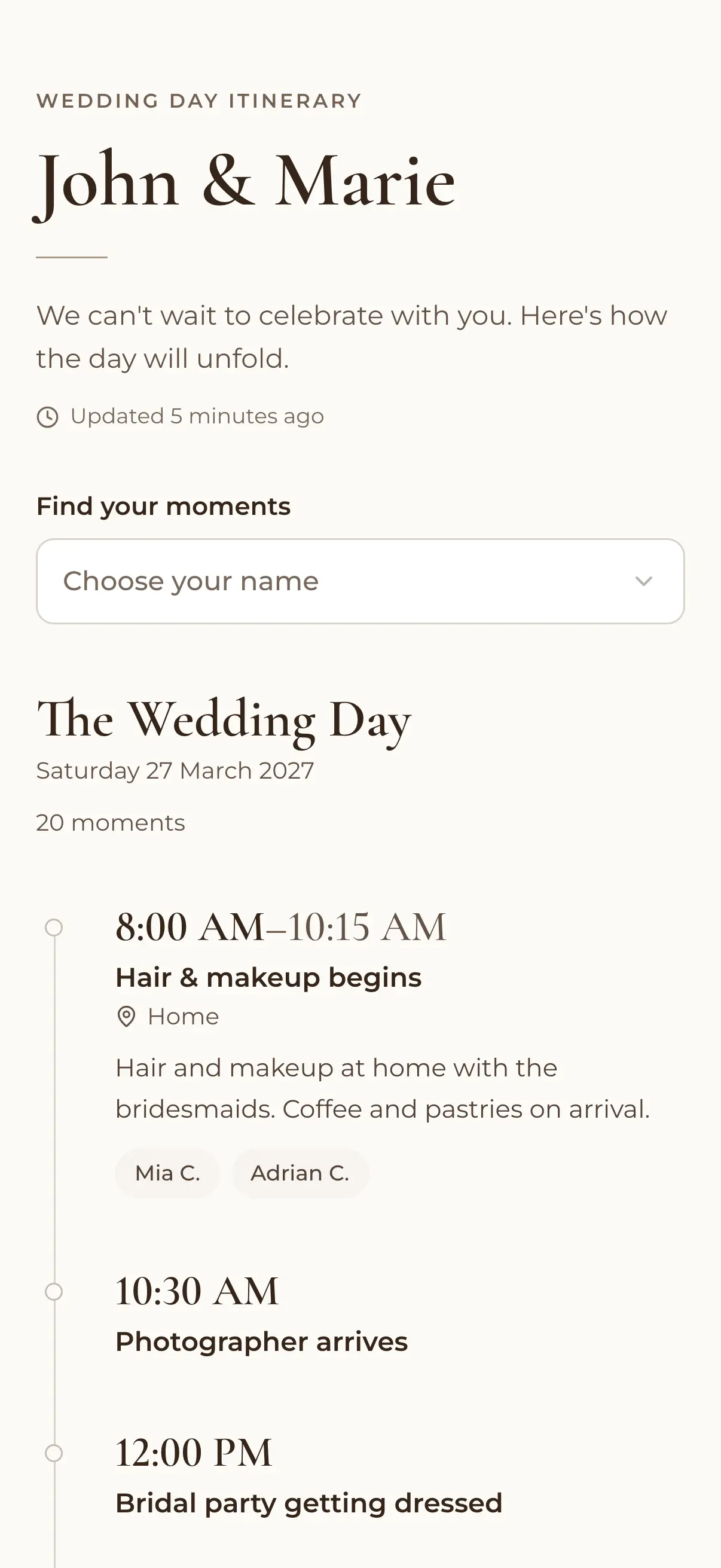
Event scheduleIncludedIncludedIncluded
Email campaignsIncludedIncludedIncluded
AI HelpIncludedIncludedIncluded
Budget plannerNot includedIncludedIncluded
Invoices & paymentsNot includedIncludedIncluded
Drag & drop seatingNot includedIncludedIncluded
Multiple seating plansNot includedIncludedIncluded
Visual room designerNot includedNot includedIncluded
Dietary table cardsNot includedNot includedIncluded
QR Find My SeatNot includedNot includedIncluded
Vendor comparisonNot includedNot includedIncluded
AI Wedding AssistantNot includedNot includedIncluded

Pay once, never a subscription. Standard and Pro last 2 years. 14-day money-back.

Start planning free

Questions

Good questions, short answers.

No. Every new account gets every Pro tool free for its first 7 days, with no card needed. You only pay if you choose to upgrade.

Read every FAQ

Ready when you are

Your whole wedding, in one place.

Put your website up tonight, send the link, and watch the replies fill your guest list. Add the seating chart when the yeses are in.Welcome back. Your guest list, budget and plans are right where you left them.

Free for up to 50 guests, with every Pro tool for your first 7 days. No card needed. Pay once if you upgrade, never a subscription.

Comparing florists on a phone: each with a score, a quote and a stage from Meeting to Quote received to Selected
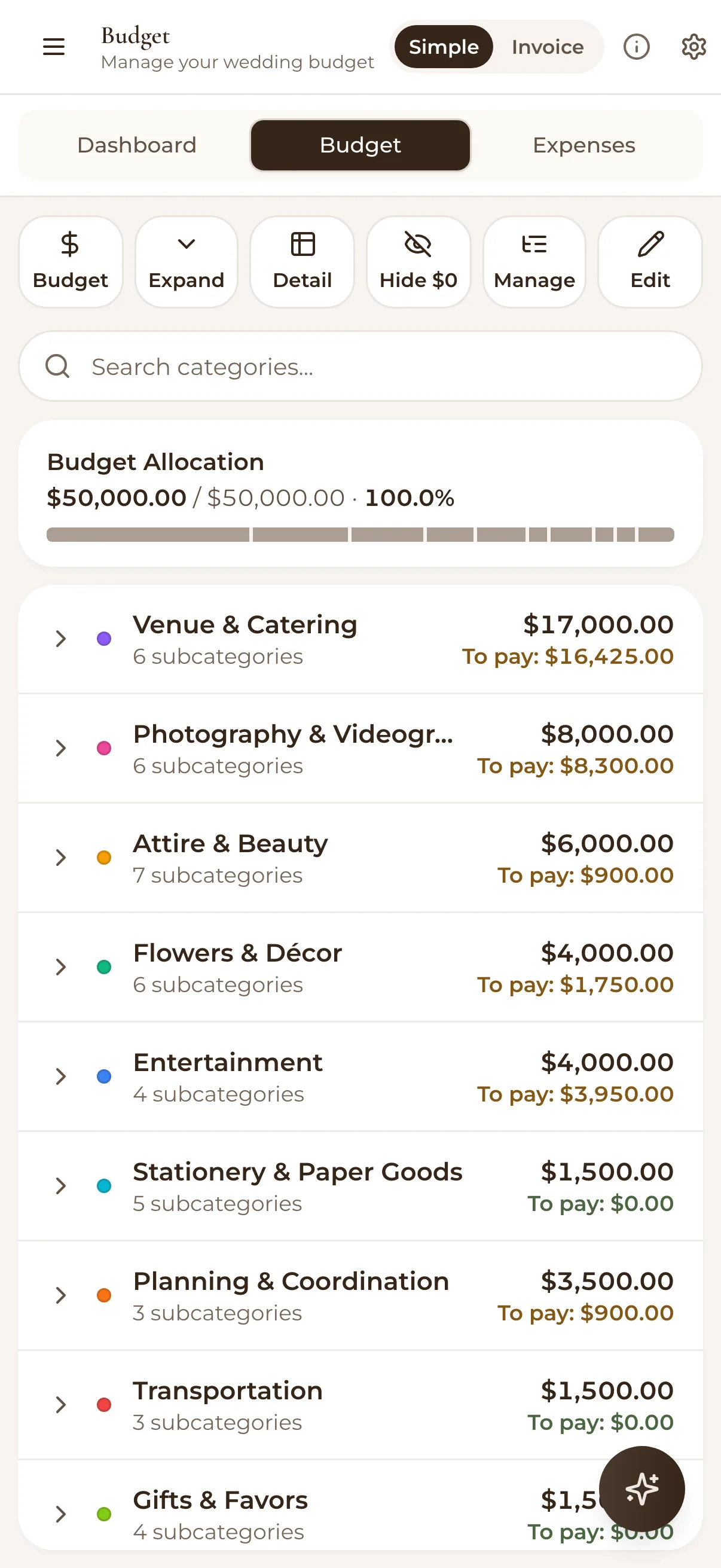
The budget planner on a phone: a $50,000 budget fully allocated across venue, photography, attire and more, with what is left to pay in each
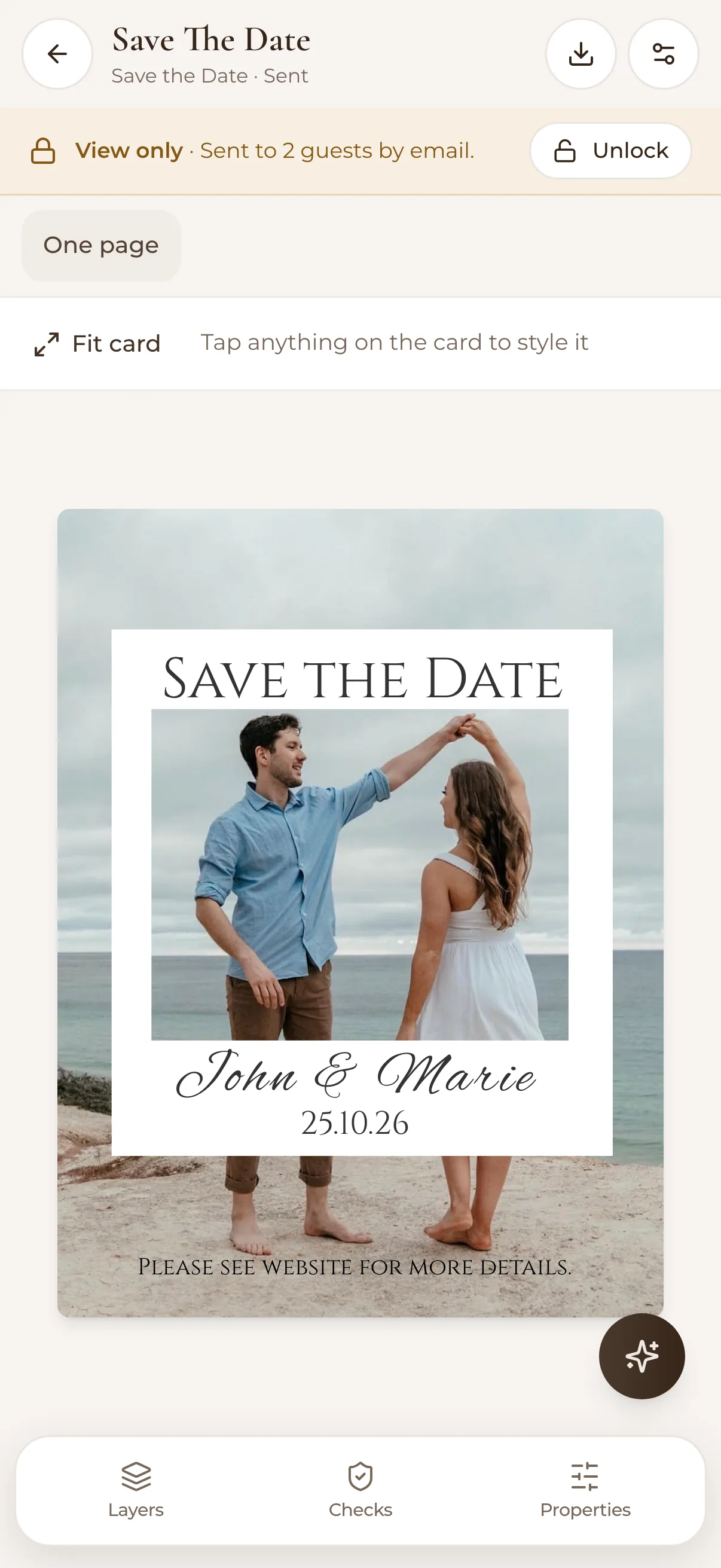
A Save the Date card for John and Marie, with their beach photo, open in the card designer on a phone