Vendor comparison

Compare wedding vendors like you actually mean it

Photographers, florists, caterers — side by side, on the criteria you care about, with a paper trail your future self will thank you for.

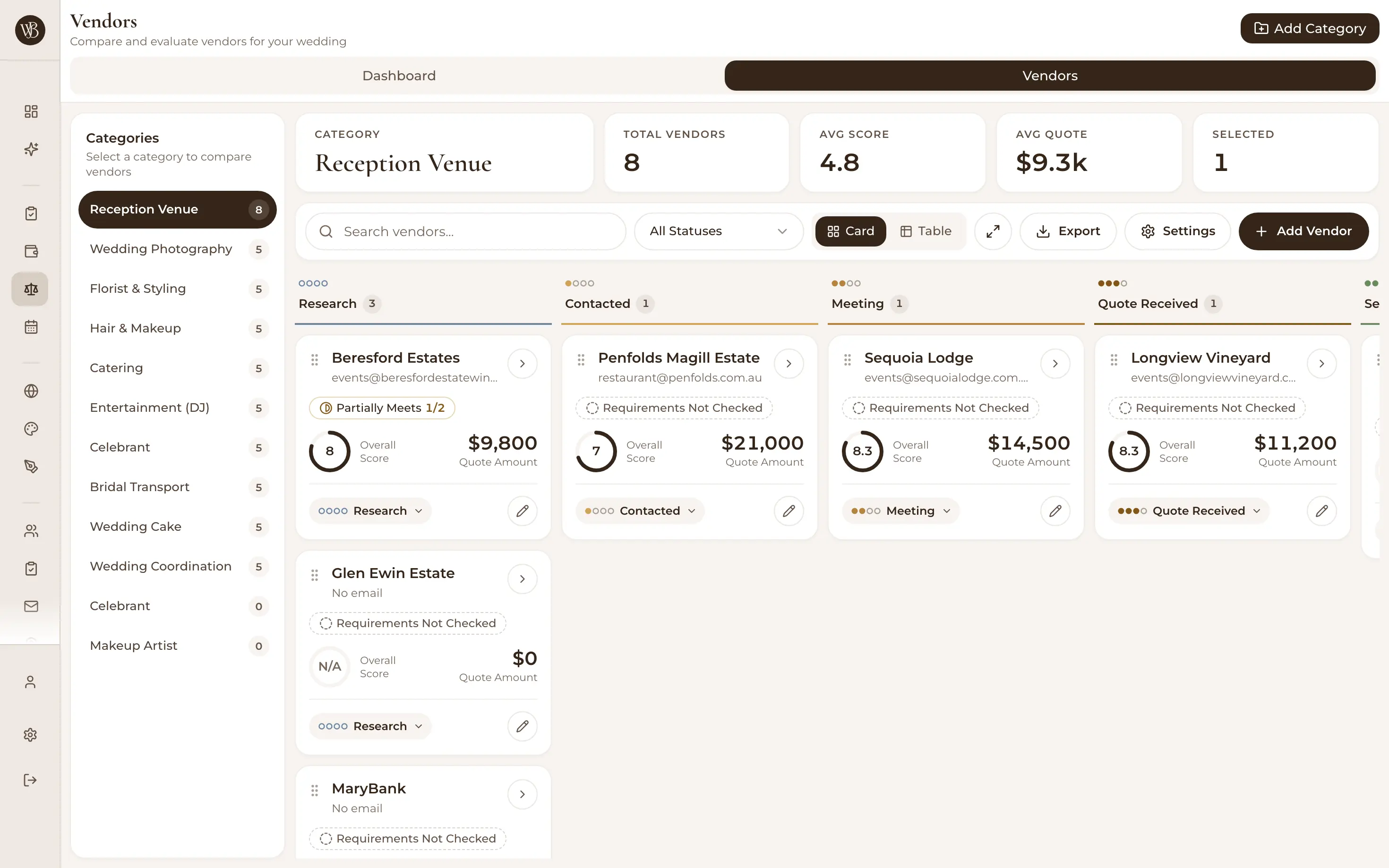
Wedding vendor comparison table with vendors side by side

Somewhere around the fourth photographer quote, every couple invents the same spreadsheet: names down the side, prices across the top, a column called 'vibe'. Two weeks later it has three tabs, conflicting numbers, and nobody remembers which florist said she'd waive delivery.

WedBuild's vendor comparison is that spreadsheet, done properly — organised by category, compared on your criteria, tied to your budget, and exportable when the family asks to weigh in.

Decision-grade comparisons, not vibes

Compare on the criteria you care about

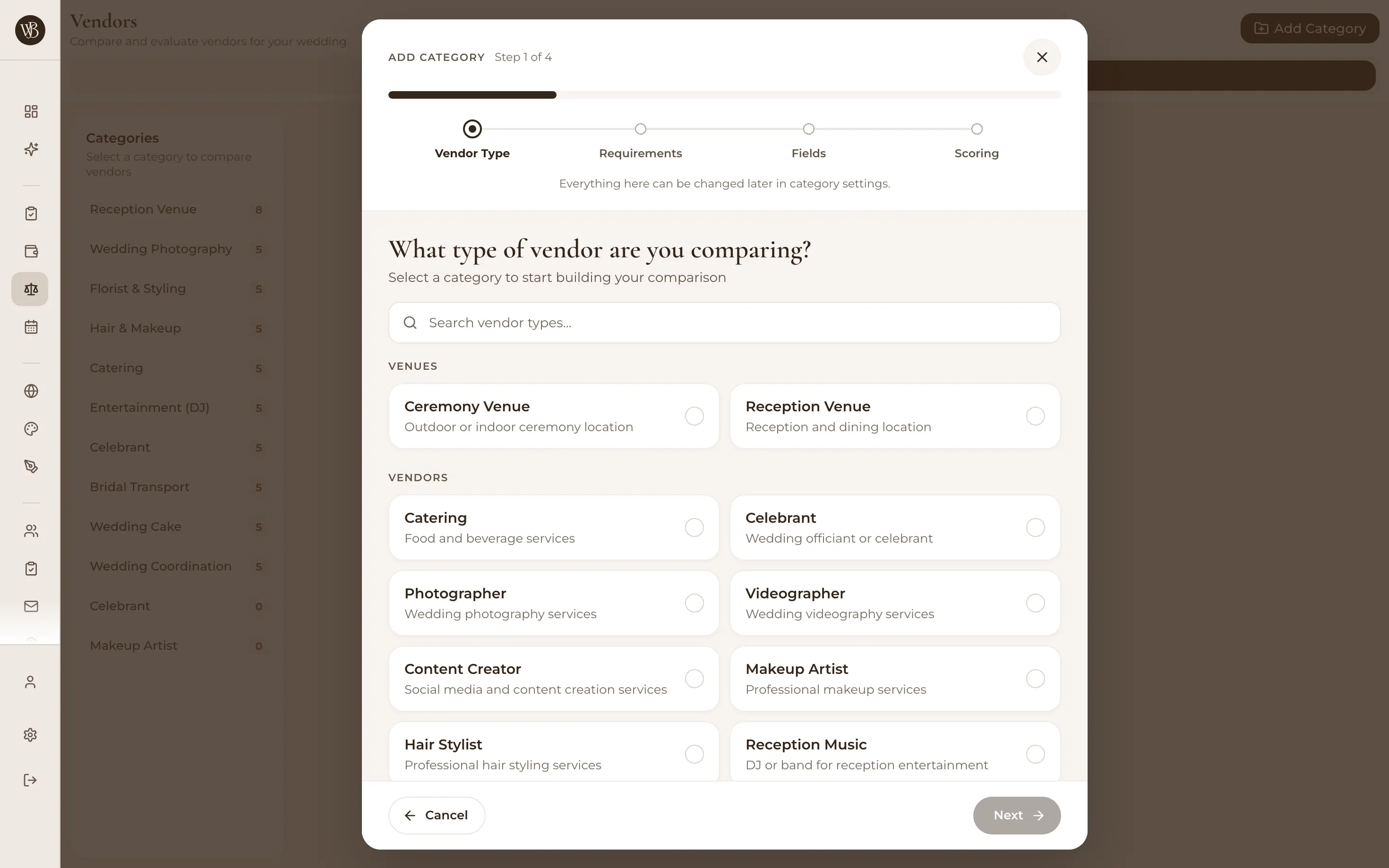
Every category gets its own custom fields — price, availability, style, travel fees, that indefinable 'gets it' factor. Score vendors side by side on what matters for that decision, instead of forcing florists and DJs into the same five columns.
Vendor comparison detail view with custom fields per category

Table, spreadsheet or cards — your call

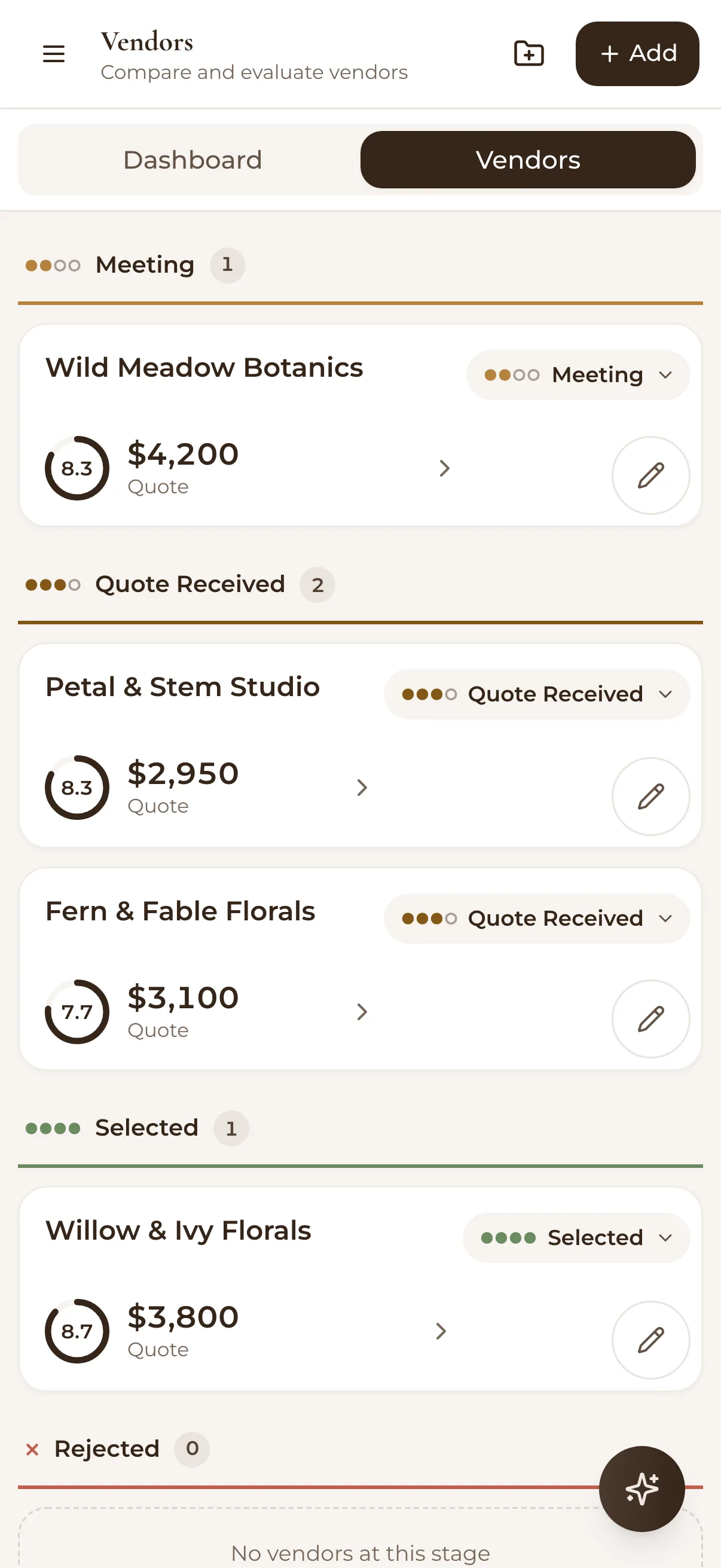
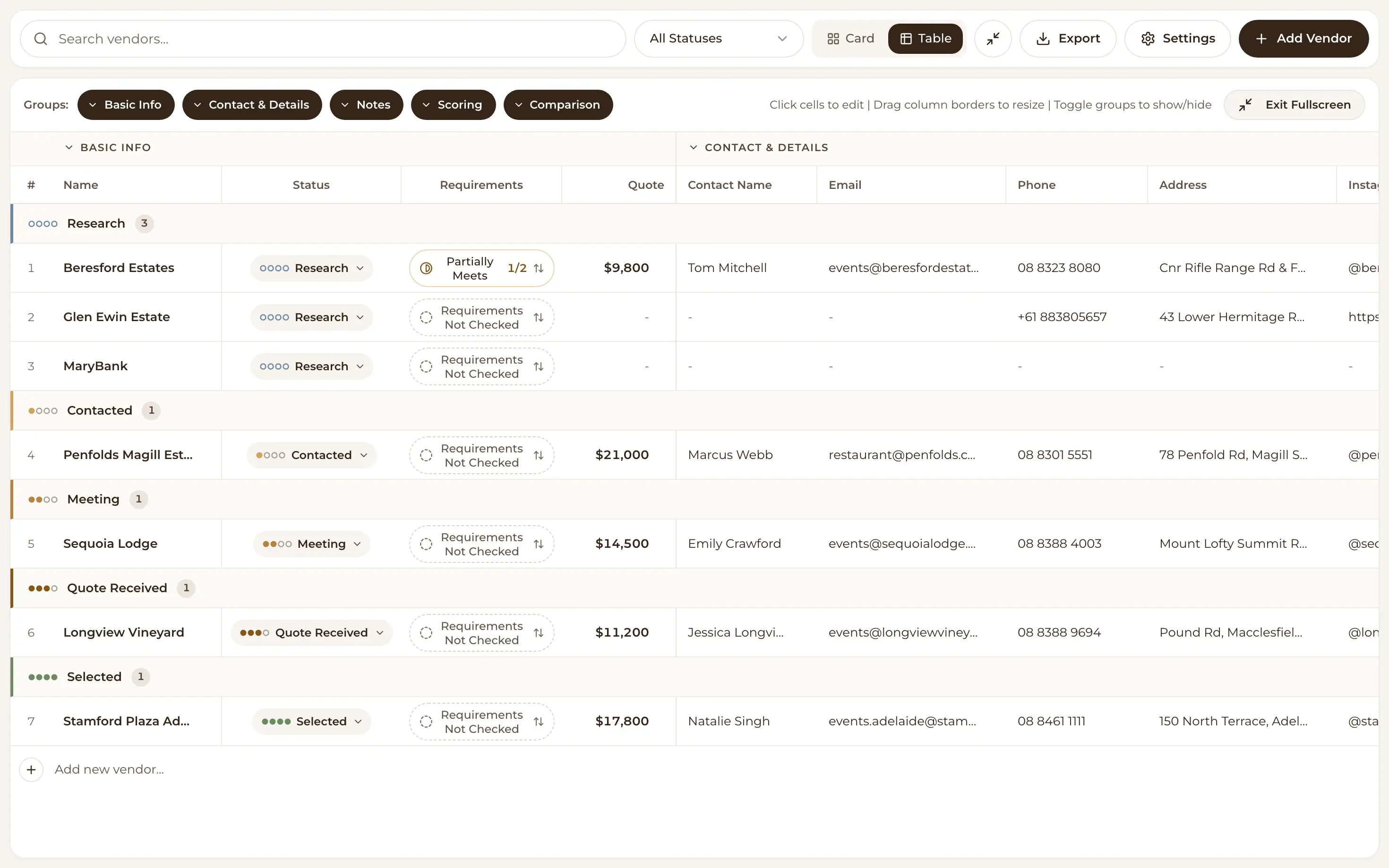
Switch between table, spreadsheet and card views depending on whether you're skimming or deciding, and go full-screen when the shortlist gets serious. Your preferred view is remembered, because you'll be back.

Full screen wedding vendor comparison spreadsheet view

Shortlisted, contacted, booked — tracked

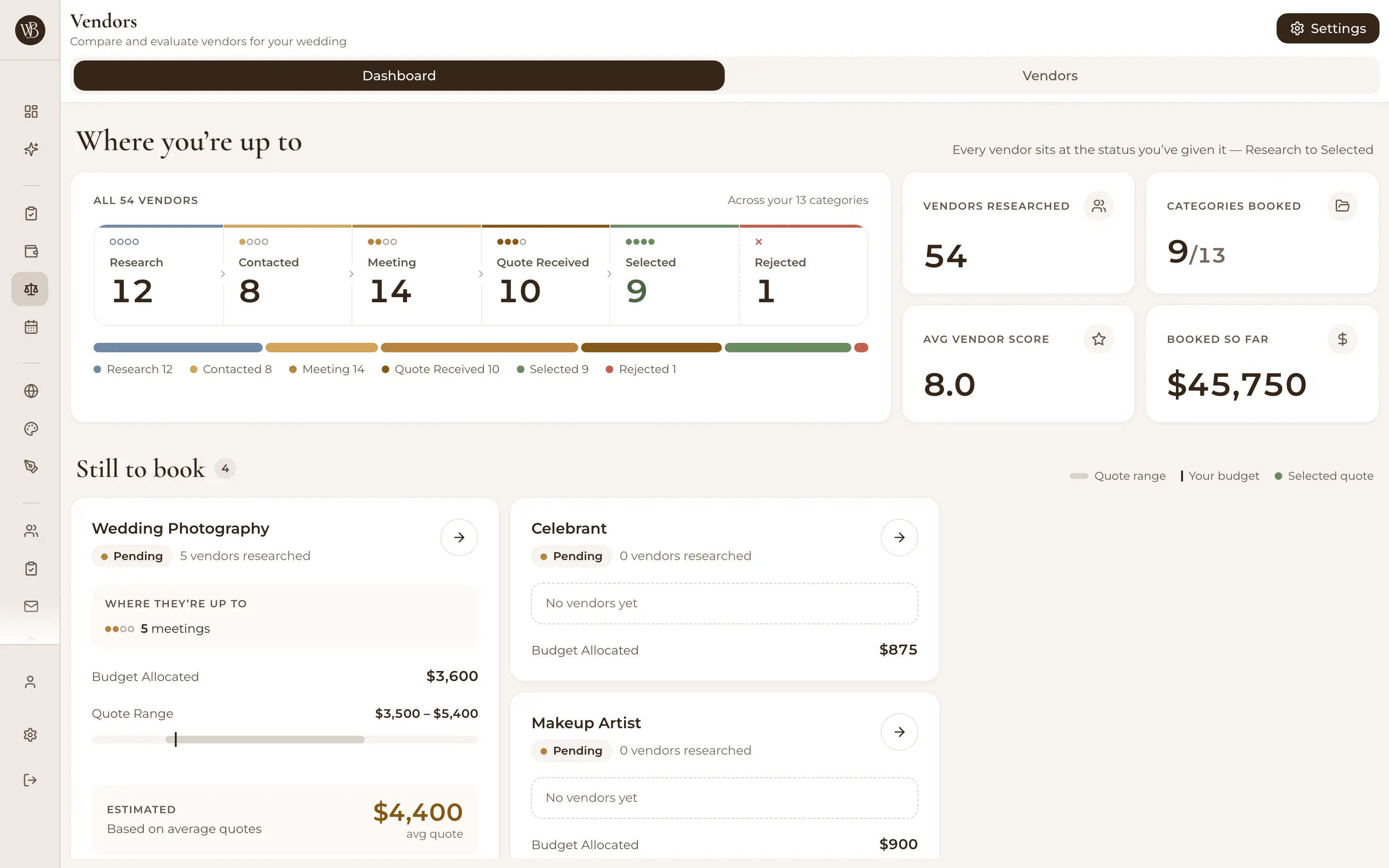
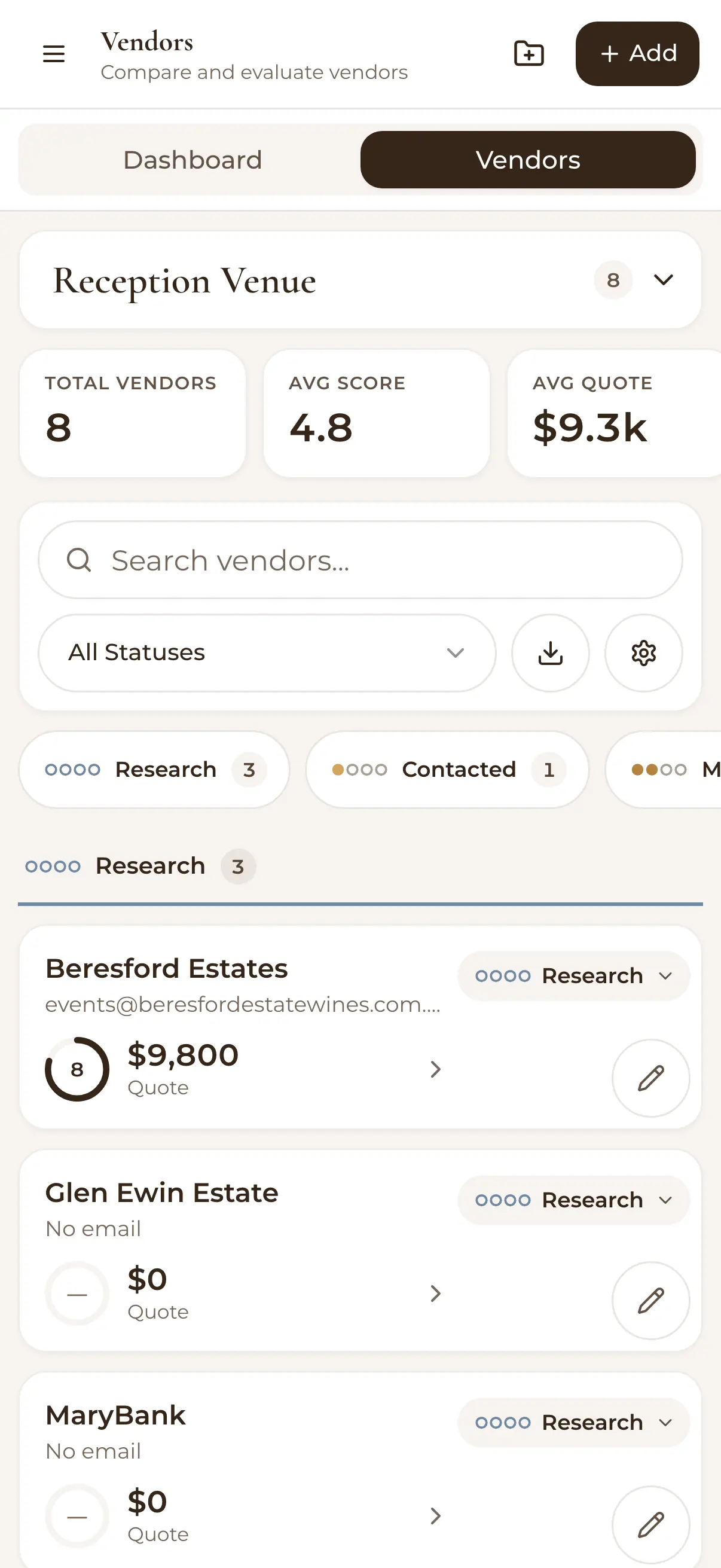
Give every vendor a status and filter by it, so 'who haven't we heard back from?' takes two seconds, not a scroll through your email. Search runs across every category, and the dashboard shows the state of play at a glance.

Vendor dashboard with categories, statuses and aggregate stats

Tied to your budget, exportable to Excel

Vendor spending flows into your WedBuild budget, so the quote you accept and the category it hits stay one number. Need outside opinions? Export any comparison to Excel and let your mum annotate to her heart's content.

Adding a wedding vendor with details and pricing

How it works

  1. Set up your categories

    Photographers, florists, caterers, celebrants — each with the comparison fields that matter for that decision.

  2. Add vendors as you find them

    Capture quotes, notes and details while they're fresh, and set statuses as conversations progress.

  3. Compare, choose, book

    Line the shortlist up side by side, pick your people, and let the booking flow into your budget.

The decision is half budget anyway

Vendor choices are budget choices — which is why vendor spending ties into the wedding budget tracker, and why your planning dashboard shows both side by side. Browse all the wedding planning tools to see the whole kit.

Loved by couples across Australia

Real weddings, brought together in one calm place.

Rated 5 out of 5 stars
Visual seating chart was a lifesaver — printed the dietaries straight for the caterer. 10/10.
Bill & Rachel
Adelaide, SA
122 guests
Rated 5 out of 5 stars
Vendor comparison made picking our photographer actually easy. Loved it.
Karlee & Jim
Adelaide, SA
160 guests
Rated 5 out of 5 stars
Guests scanned a QR code and found their seat. No chaos. Genius.
Ellie & Alo
Adelaide, SA
63 guests

Frequently asked questions

Retire the vendor spreadsheet

Start free with your guest list and website — vendor comparison is waiting in Pro when quote season hits.

Start Planning Free

7 days of Pro tools free · No credit card · 50-guest list