Wedding website

A free wedding website, with RSVPs that feed your planning

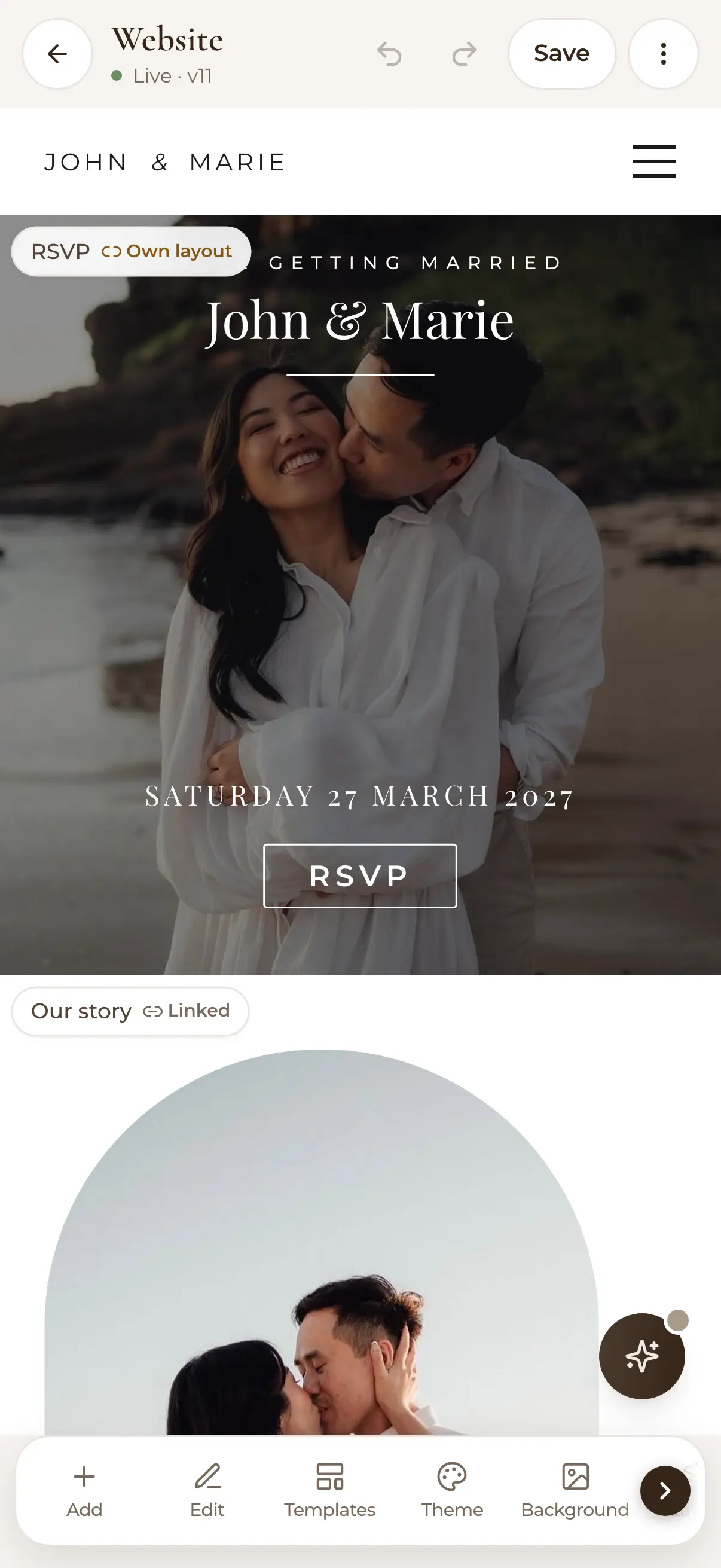
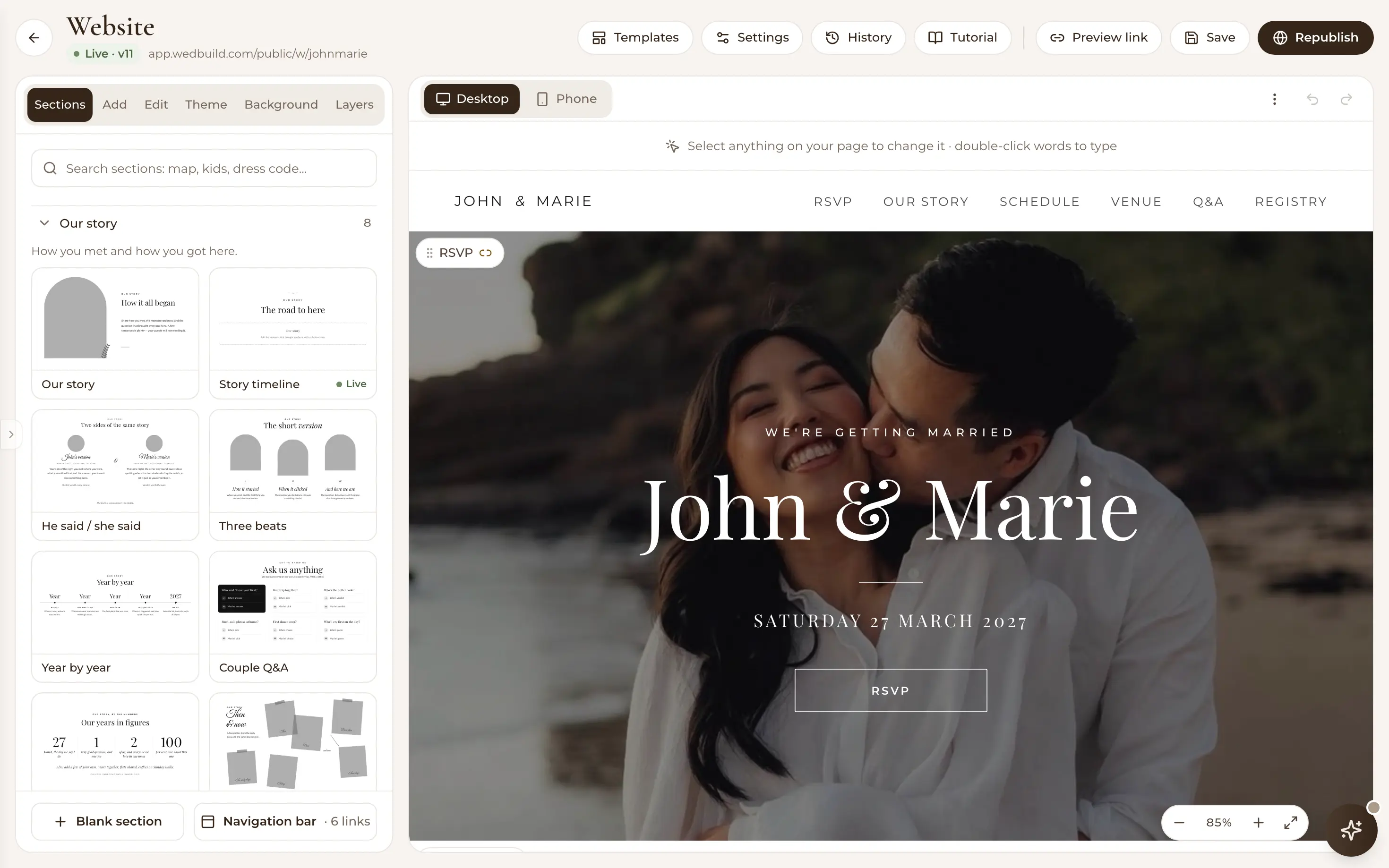
Editing John and Marie's wedding website on a phone: a full-bleed photo, Saturday 27 March 2027 and an RSVP button, with Add, Edit, Templates and Theme tools below
RSVPs built in

Pick a designer template, make it yours in an evening, and let the RSVP button do your data entry for you.

Free for up to 50 guests, with every Pro tool for your first 7 days. No card needed.

  • FreeWebsite, designer templates and RSVPs
  • ProYour own domain

Most wedding websites are a pretty brochure with a form bolted on the side. WedBuild's is the front door to your whole plan: guests get your story, schedule, photos and directions in one link. And every RSVP they submit lands straight in the guest list your seating chart and emails run on.

It's free, it looks designed rather than assembled, and it can be live tonight.

How it fits together

The front door to your whole plan

A WedBuild website isn't a silo: every RSVP updates your guest list organiser automatically, and those confirmed numbers are what your seating chart and headcounts run on. Explore all the wedding planning tools to see everything the one login covers.

What you can do

A whole website, free to keep.

Free on Essentials, with no time limit. Every new account also gets every Pro tool for 7 days.

EssentialsFree
  • Designer templates, each section drawn in your theme
  • A drag-and-drop editor, with no code
  • Fonts and colours set once, for the whole site
  • Your story, schedule, gallery, maps and countdown
  • RSVPs built in, filed against your guest list
  • A personalised address, a QR code and an optional password
  • Desktop and phone previews before you publish
Pro addsA$199 once
  • Connect a domain you already own

All of it is in your 7-day free Pro trial. No card needed.

Up close

A website that works as hard as it looks.

The website editor's Our story designs (an arch photo, a timeline, he said and she said, year by year), each drawn in the couple's theme

Designer templates, your styling

Start from a professionally designed template and make it yours with the drag-and-drop editor. No code, no fighting a page builder. Every section comes in a handful of designs, already drawn in your theme, so trying a new layout takes seconds. Set your fonts and colours once and they flow across the whole site, with desktop and mobile previews before you publish.

Browse the template gallery
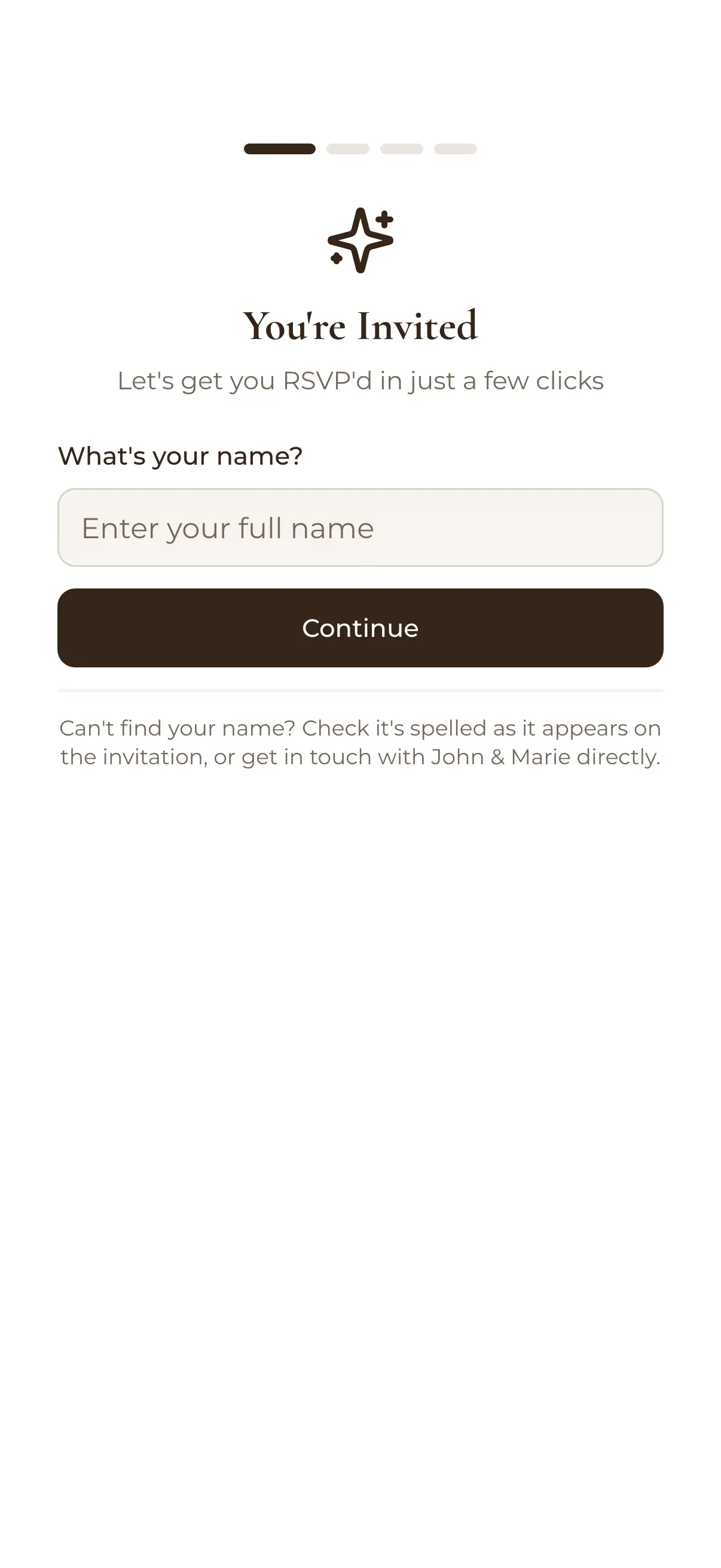
A guest's RSVP screen on a phone: You're invited, what's your name?
Their reply
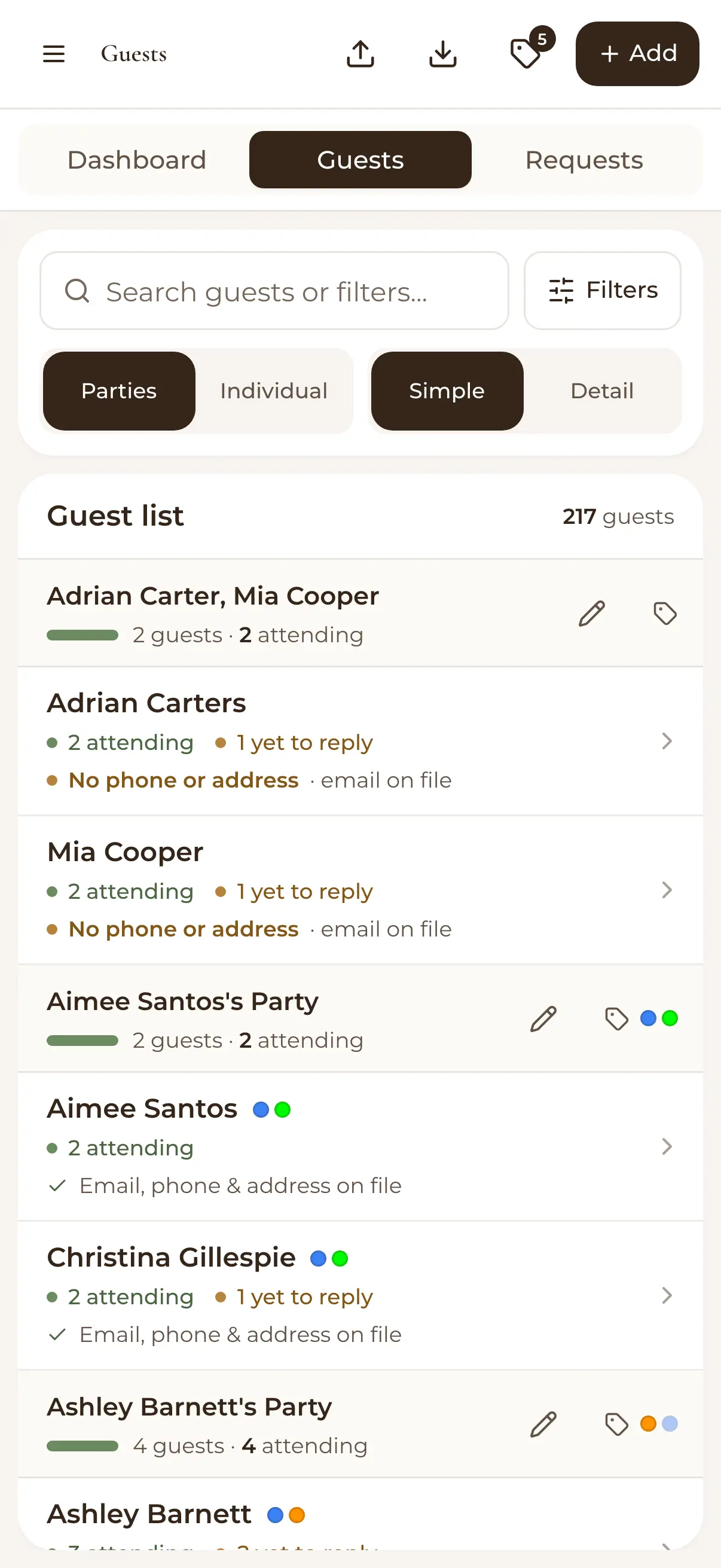
Guest list on a phone: each party showing how many are attending and who has yet to reply
Your guest list

RSVPs built in, not bolted on

The RSVP button on your site opens the forms you configured: per-event responses, meal choices, dietaries, song requests and custom questions. Every answer files itself against the right guest. No export-import shuffle between your website and your list.

See how online RSVPs work
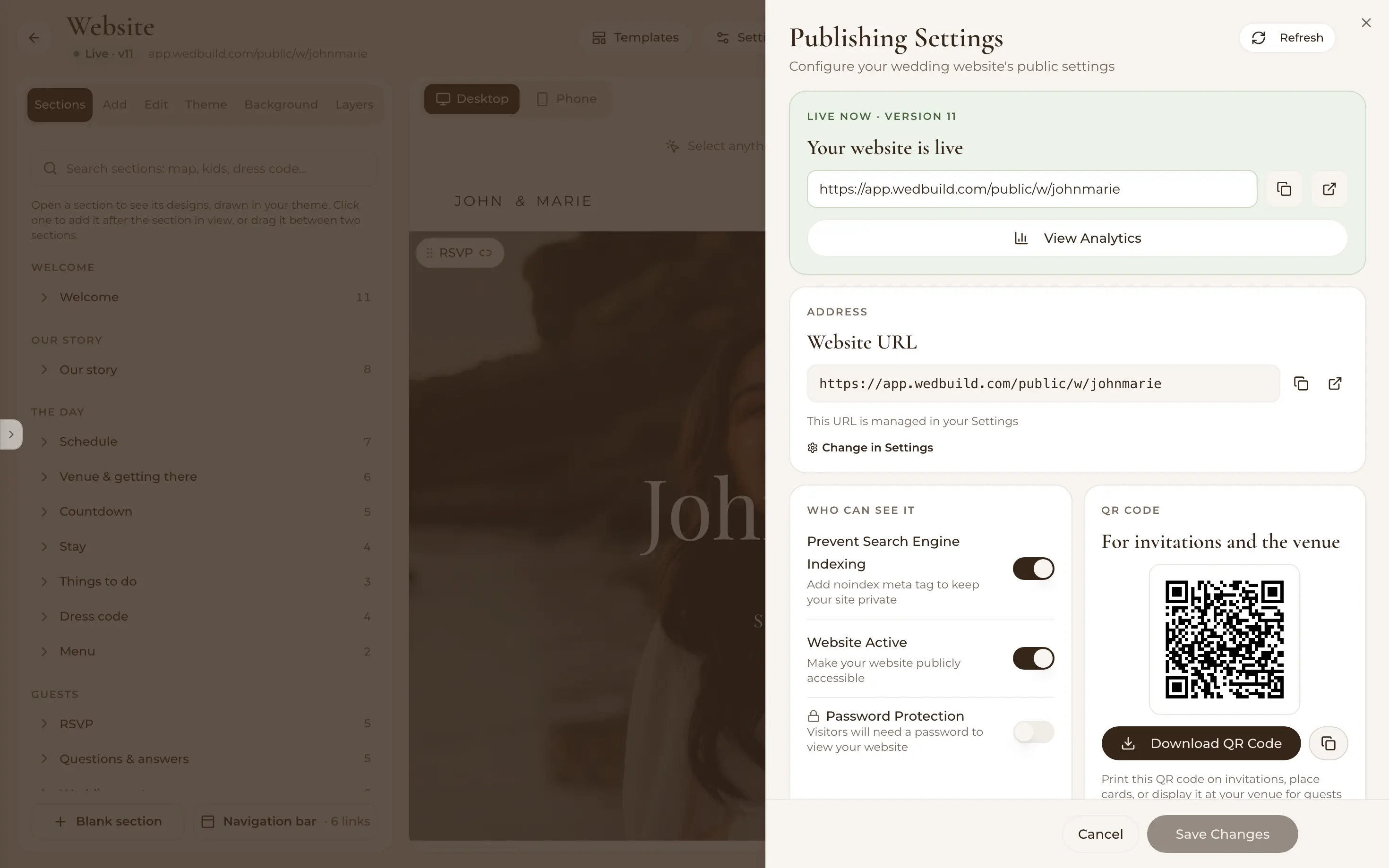
Wedding website publishing settings: the live address, search and privacy switches, password protection and a QR code for invitations

Everything guests need, one link

Your story, event schedule, wedding party, photo gallery, maps and countdown, all added as ready-made blocks. Publish with one click to a clean personalised address, password-protect it if you like, and print the QR code on your invitations. Update anytime; guests always see the latest version.

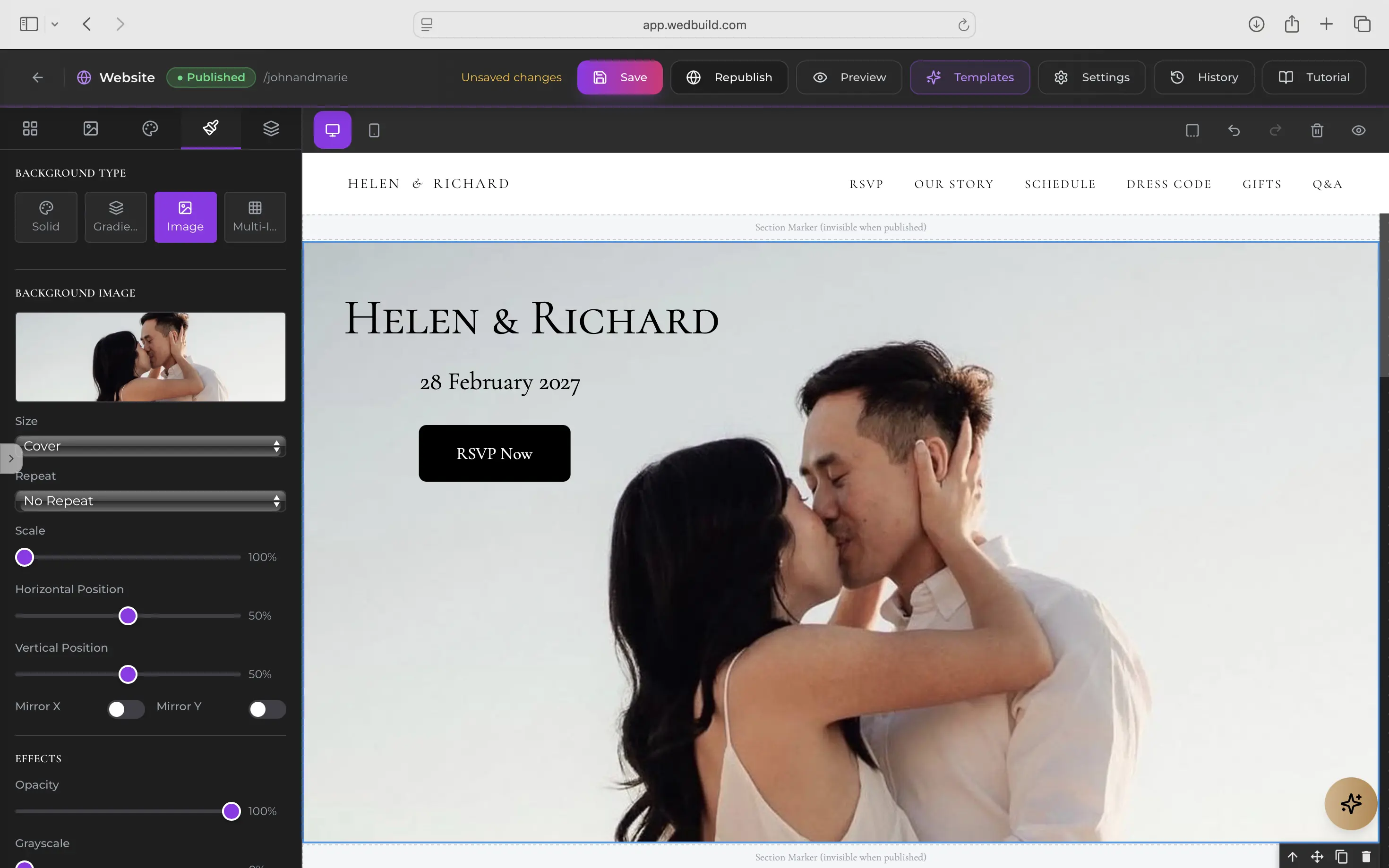
A couple's wedding website in the WedBuild editor, with a full-bleed photo and the Welcome section's designs, each drawn in their theme

Australian made, works anywhere

WedBuild was built by an Australian couple who planned their own wedding with it: practical tools shaped by a real wedding, not a product roadmap. Support comes from humans who actually answer, and the website works beautifully wherever in the world you're celebrating.

  • “Visual seating chart was a lifesaver. Printed the dietaries straight for the caterer. 10/10.”
    Bill & RachelAdelaide, SA, 122 guests
  • “Vendor comparison made picking our photographer actually easy. Loved it.”
    Karlee & JimAdelaide, SA, 160 guests
  • “Guests scanned a QR code and found their seat. No chaos. Genius.”
    Ellie & AloAdelaide, SA, 63 guests

How it works

Three steps to a site guests can use.

  1. Pick a template

    Choose a designer look from the gallery (elegant, minimal, romantic) and it arrives fully structured, ready for your details.

  2. Make it yours

    Swap in your story, schedule, gallery and maps with drag-and-drop blocks; set global fonts and colours; preview on desktop and mobile.

  3. Publish and share

    One click to go live on your personalised link, with a QR code for invitations, and RSVPs flowing into your guest list from day one.

Which plan has it

Free to start, and free to keep.

  • Essentials

    Freeno time limit, no card

    Website, designer templates and RSVPs

  • Pro

    A$199once, for 2 years

    Your own domain

Every new account gets every Pro tool for 7 days. No card needed. 14-day money-back guarantee on paid plans.

Compare every plan

Questions

Before you pick a template.

Is the wedding website really free?

Yes. The website builder, designer templates, online RSVPs and the guest list (up to 50 guests) are all part of WedBuild's Essentials plan, free with no time limit. Paid plans add planning tools like the budget tracker and seating charts, and lift the guest cap.

Can guests RSVP on the website?

Yes. RSVP collection is built in, not embedded from a third-party form. Guests respond per event with meal choices, dietaries and your custom questions, and every answer syncs to your guest list automatically (and flows through to seating once you're at that stage).

Can I use my own domain?

Yes, on Pro. Connect a domain you already own and your wedding website shows there. We'll show you the two settings to change at your domain provider, sort out the security certificate and tell you when it's live. Your wedbuild address keeps working too, so anything you've already printed still goes to the right place, and the same link powers your RSVP forms and Find My Seat page.

How is WedBuild different from Zola or Joy?

Those platforms are websites first, planning second. WedBuild is independent, Australian-made, and built around one connected plan: your RSVPs land in the same guest list your seating chart and budget work from, so the site you share with guests is wired into the tools you actually plan with.

Guides to go deeper

Read up, then plan.

Still deciding? Compare wedding planning apps in our guide to the best ones in Australia, WedBuild included.

A bride and groom kiss in the aisle as their guests throw confetti

Ready when you are

Your website could be live tonight.

Free Essentials plan, designer templates, RSVPs included. No credit card required.

Free for up to 50 guests, with every Pro tool for your first 7 days. No card needed.
Pay once if you upgrade, never a subscription.