Guest list

A wedding guest list organiser that isn't a spreadsheet

Households, plus-ones, dietaries, addresses and RSVPs — one live list that your wedding website, seating chart and emails all read from.

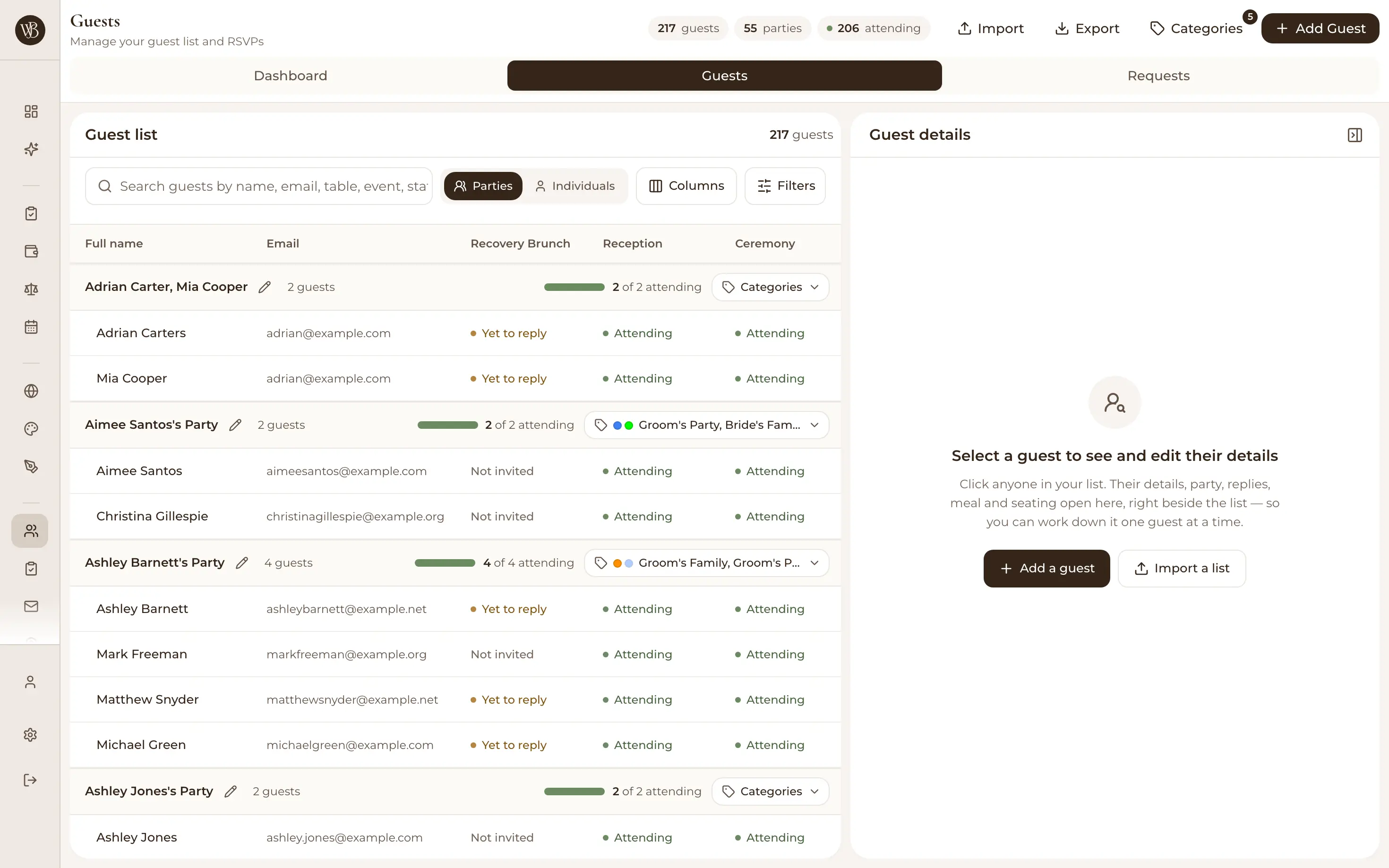
WedBuild wedding guest list organiser showing households, RSVP status columns and filters

Every wedding spreadsheet starts tidy and ends with seventeen columns, three conflicting copies and a tab called 'FINAL final v2'. WedBuild's guest list organiser gives every guest a proper home — with the details that actually matter on the day — and keeps one source of truth from first draft to final headcount.

And because it's the same list your RSVPs, seating chart and emails run on, updating it once updates everything.

One list, doing the work of five

Build the list fast — together

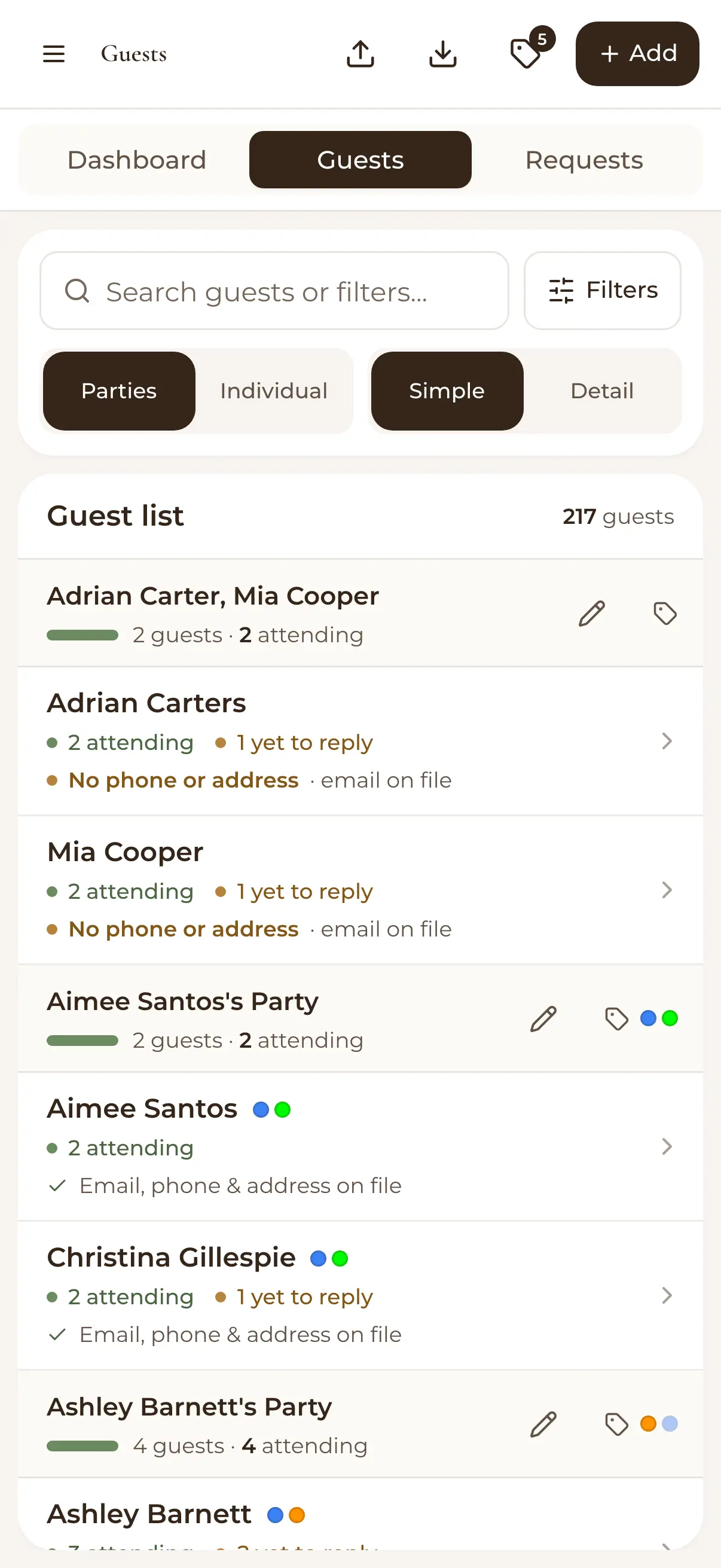
Bulk-import from Excel or CSV, or quick-add guests as you think of them. Group couples, kids and households into parties so families are managed (and later seated) together, and tag guests by category — family, friends, work — so you can filter and email the right people later. You and your partner can plan from the same account on any device, and every change saves instantly.
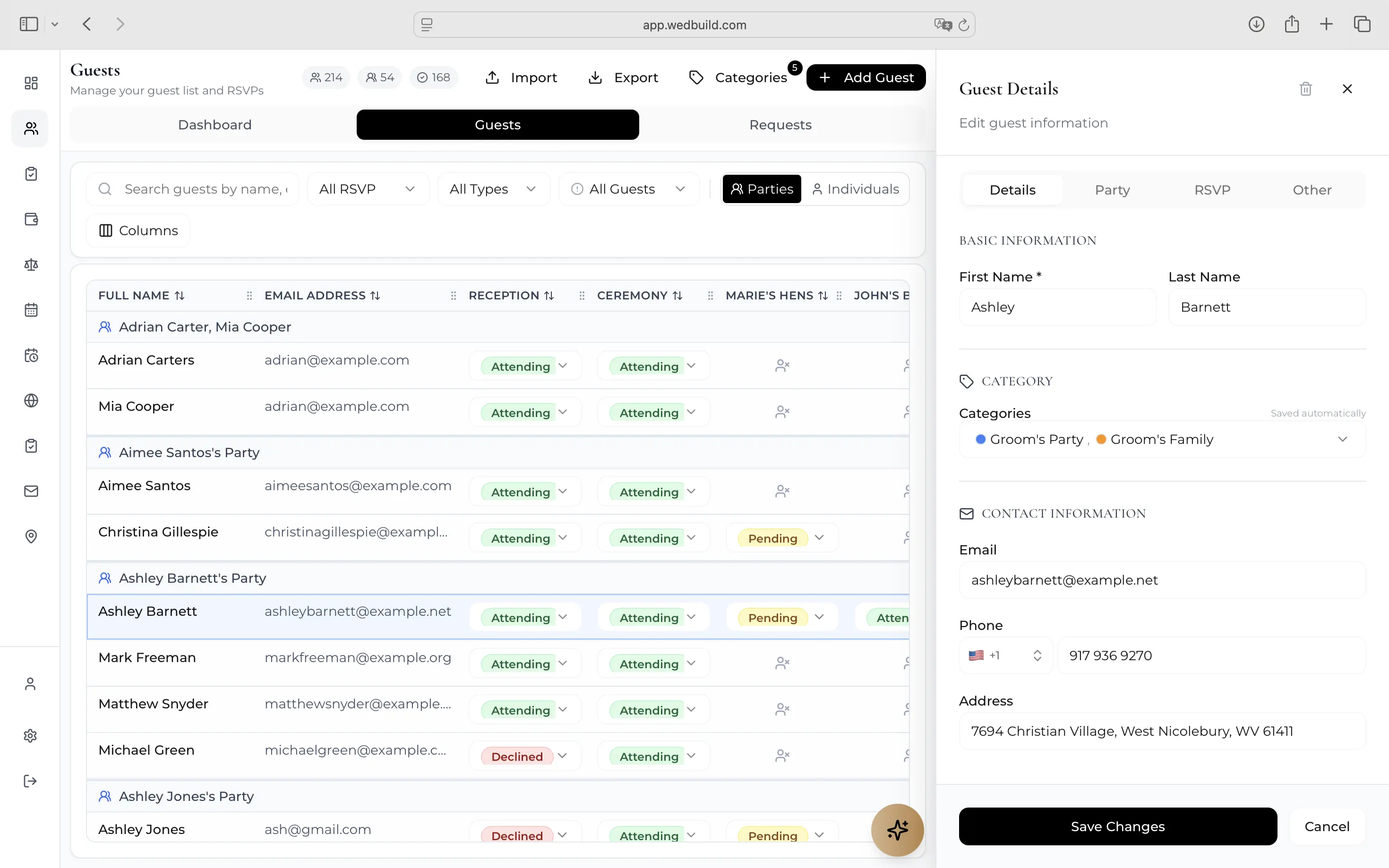
WedBuild guest list with a guest details panel open — parties, per-event RSVP columns, categories and contact fields side by side

Every detail on the guest — not in column Q

RSVP status per event, dietary requirements and meal choices, plus-ones, kids, contact details and mailing addresses — even your own custom form questions appear as columns in the list view. Open any guest and everything about them is in one place, ready for the caterer, the celebrant or the thank-you cards.

Wedding guest list on mobile showing party grouping and RSVP status

Live numbers you can actually trust

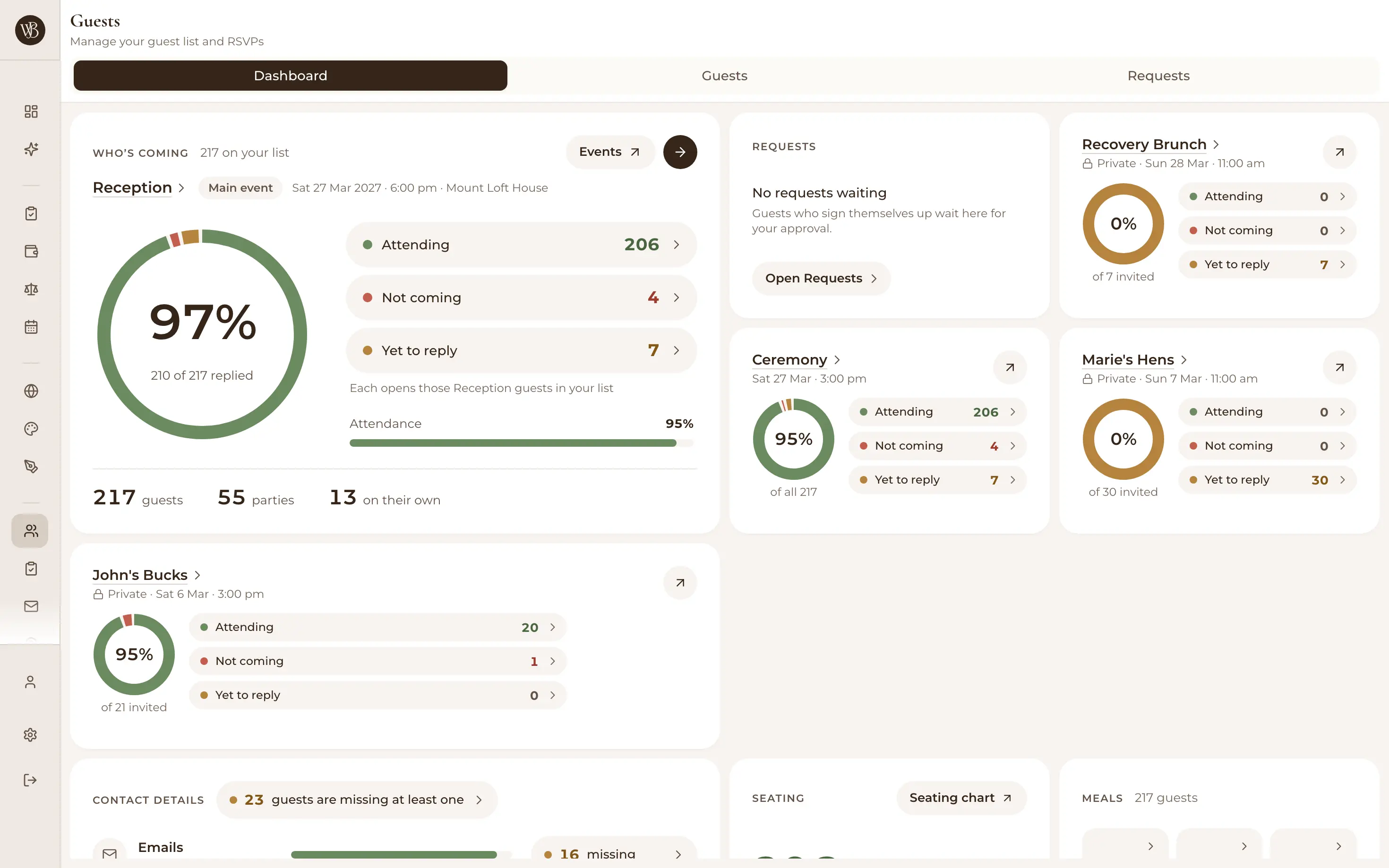
The guest dashboard tracks acceptances, declines, dietary breakdowns and category splits as responses arrive — so 'how many are we at?' always has a current answer. Export to Excel whenever your venue or caterer asks for the list.

Guest dashboard with attendance stats, contact collection and meal breakdown

No more chasing — RSVPs come to you

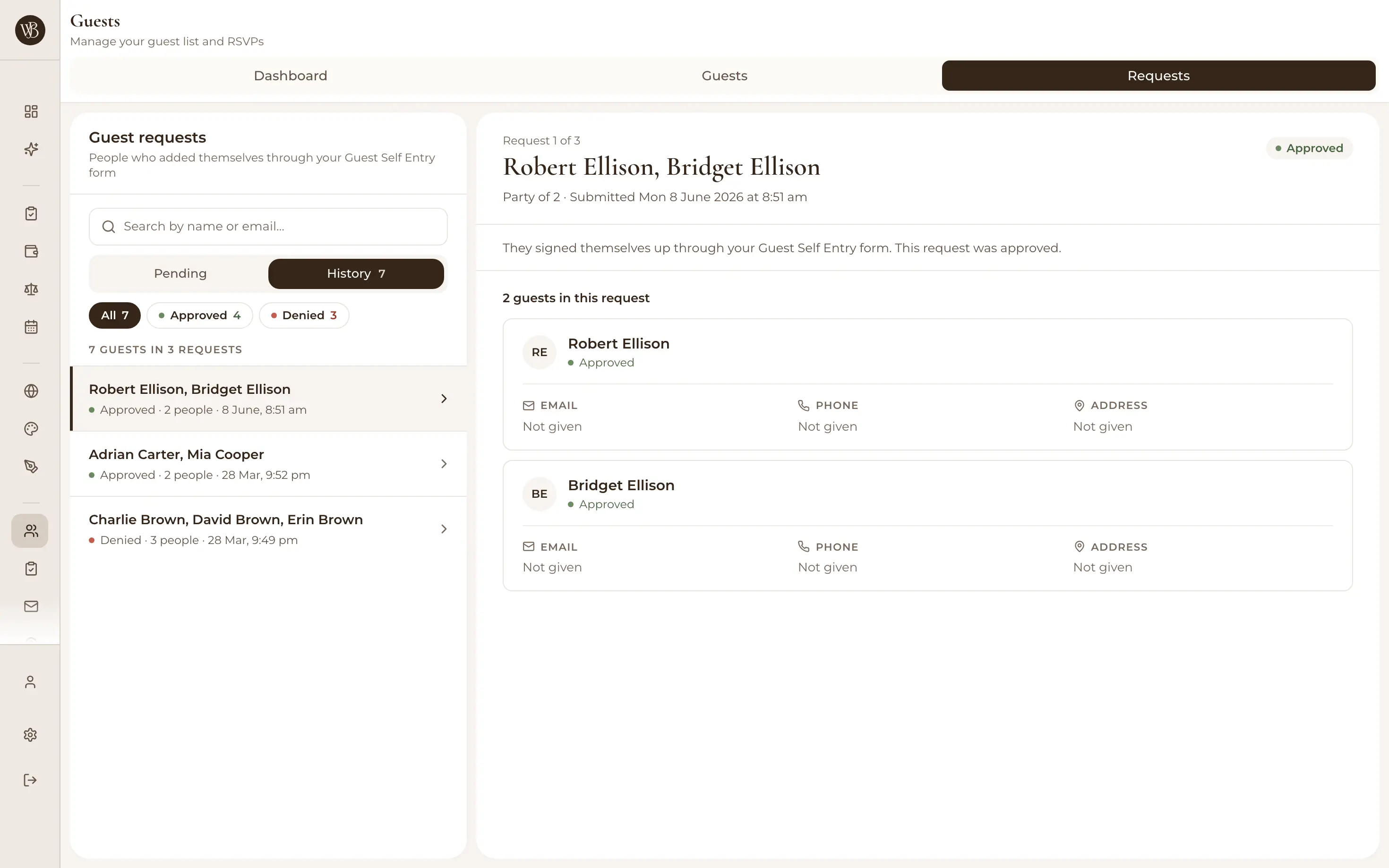
Guests respond through your free WedBuild wedding website and their answers land against the right guest automatically. Names you don't recognise wait in an approvals queue, so nothing sneaks onto the list without your say-so — and you can see who hasn't replied, then send them a friendly reminder email.

Guest approvals queue showing self-registered guests awaiting confirmation

How it works

  1. Import or add your first guests

    Bring in a spreadsheet in one go, or quick-add names as you think of them — grouped into households and categories from the start.

  2. Share your wedding website

    Guests RSVP online with meals, dietaries and your custom questions — every answer files itself against the right person.

  3. Watch the list keep itself current

    Dashboard totals update as responses arrive, and your list is ready for seating, catering exports and thank-you cards.

The spine of the whole plan

Your guest list is where everything else begins: online RSVPs fill it in without you lifting a finger, and when the numbers firm up, the seating chart seats the same list — no re-typing, no reconciling copies. See all the wedding planning tools to trace the whole chain.

Loved by couples across Australia

Real weddings, brought together in one calm place.

Rated 5 out of 5 stars
Visual seating chart was a lifesaver — printed the dietaries straight for the caterer. 10/10.
Bill & Rachel
Adelaide, SA
122 guests
Rated 5 out of 5 stars
Vendor comparison made picking our photographer actually easy. Loved it.
Karlee & Jim
Adelaide, SA
160 guests
Rated 5 out of 5 stars
Guests scanned a QR code and found their seat. No chaos. Genius.
Ellie & Alo
Adelaide, SA
63 guests

Frequently asked questions

One list, zero spreadsheet archaeology

Free for up to 50 guests — import your draft and watch it organise itself.

Start Planning Free

7 days of Pro tools free · No credit card · 50-guest list