AI assistant
The AI wedding planner that actually knows your wedding
Not generic advice from the internet — answers from your real guest list, budget and seating chart. Ask 'am I over budget?' and get your number.

Every AI can recite wedding advice. Ask a chatbot 'how many guests haven't RSVP'd?' though, and you'll get a paragraph about the concept of RSVPs. WedBuild's assistant is different for one simple reason: it lives inside your plan. Your guest list, budget, vendors, checklist and seating are right there, so its answers come with your numbers in them.
And for everyone — free plan included — it's the fastest way to learn the app: ask how anything works and get a straight answer, right where you're standing.
Advice is cheap. Answers are Pro.
Ask about your wedding, get your answer
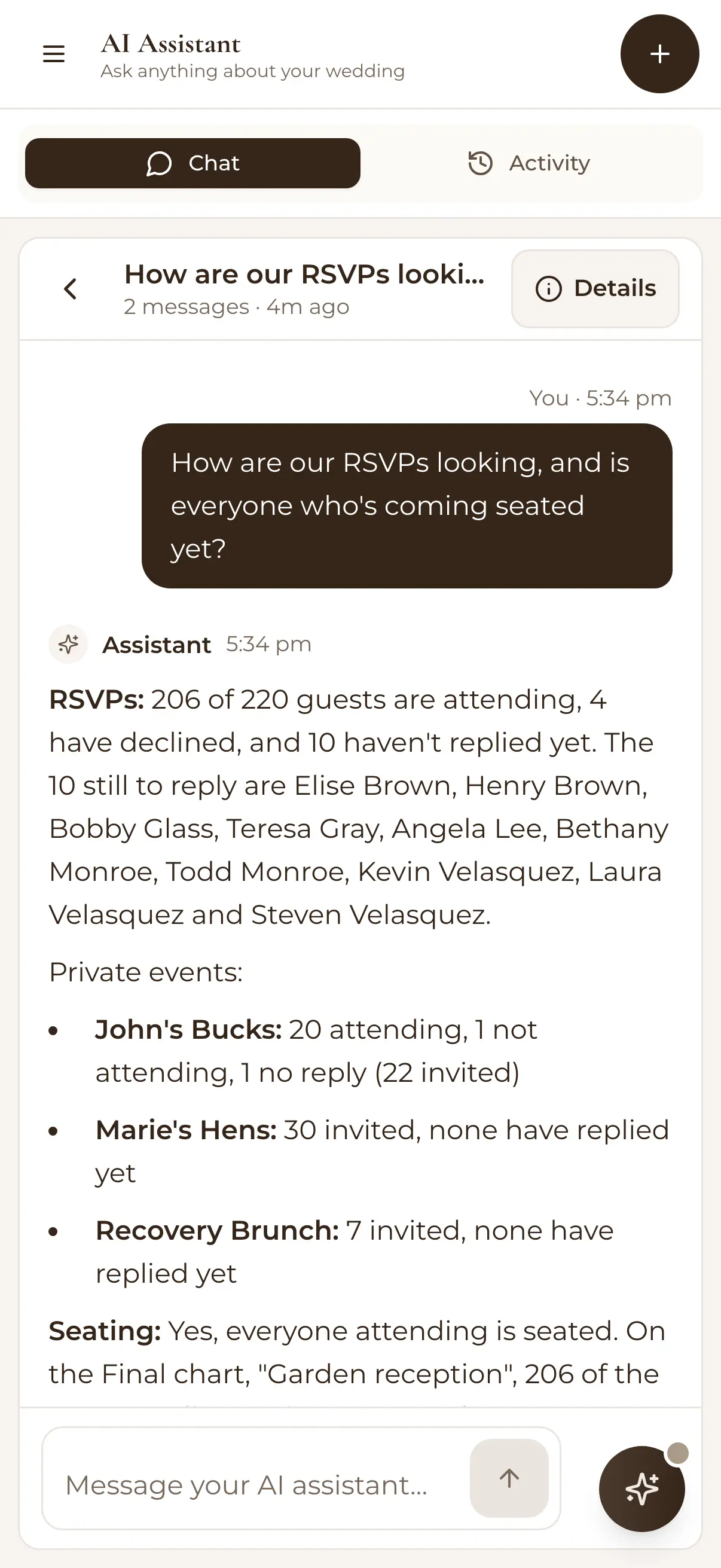
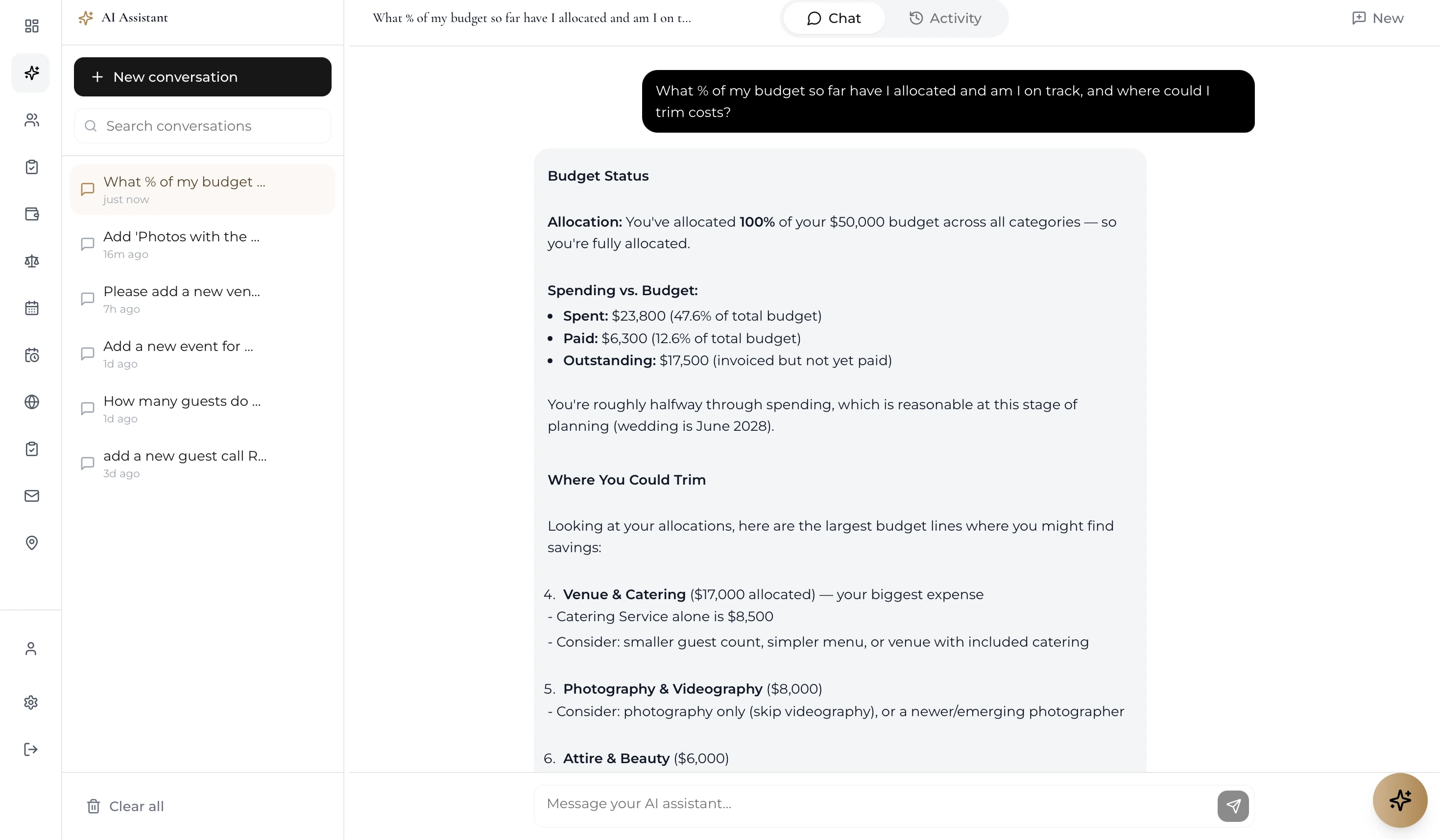
On the Pro plan the assistant reads your actual plan — guests, budget, vendors, checklist, seating — and answers personally: 'Am I over budget?', 'Which confirmed guests aren't seated yet?', 'What should I focus on this week?'. Answers arrive with link buttons that jump you straight to the screen where you can act.
Everywhere you are, one shortcut away
A chat bubble floats over every screen — drag it wherever you like, or summon it with Cmd/Ctrl + K. It knows what you're looking at, too: on the Guests screen you get one-tap starter questions like 'Pending RSVPs' and 'Dietary needs'; on Budget, 'Over budget?' and 'Invoices due'.
Free for every 'how do I…?'
AI Help is included on every plan, no purchase needed: ask how RSVPs work, how to set up your budget, how to publish your website — or tap 'Explain this screen' for a plain-language tour of wherever you are. It's the manual, minus the reading.
A real workspace, not a goldfish
Pro also unlocks the full AI Assistant page — a roomier, ChatGPT-style workspace where every conversation is saved. Search old threads, rename them, pick up Tuesday's budget discussion on Saturday. Rate any answer with a thumbs up or down, and flag bugs or ideas straight from the chat.
How it works
Open the bubble
It floats on every screen — tap it or press Cmd/Ctrl + K, then type, or fire a one-tap starter question.
Ask in plain English
How-to questions are answered free for everyone; on Pro, questions about your plan come back with your actual numbers.
Jump straight to the fix
Answers include link buttons into the right screen — from 'three guests are unseated' to the seating chart in one tap.
Smart because everything's connected
The assistant is only as useful as the data it can see — which is the point of one platform. It reads the same numbers as your planning dashboard and the same ledger as your budget tracker, so its answers and your screens never disagree. Explore all the wedding planning tools it draws from.
Loved by couples across Australia
Real weddings, brought together in one calm place.
“Visual seating chart was a lifesaver — printed the dietaries straight for the caterer. 10/10.”
“Vendor comparison made picking our photographer actually easy. Loved it.”
“Guests scanned a QR code and found their seat. No chaos. Genius.”
Frequently asked questions
Guides to go deeper
AI wedding planning guide
Where AI genuinely helps a wedding plan — and where it can't.
Read the guide →Wedding planning checklist
The tasks the assistant helps you prioritise, week by week.
Read the guide →Free vs paid wedding planning apps
What free tiers cover, and when Pro tools earn their keep.
Read the guide →Ask your wedding a question
Start free and AI Help is there from your first click — the full assistant joins in when you go Pro.
Start planning free