Dashboard
One dashboard for the whole wedding
RSVPs, budget, checklist, website, seating — the state of everything, on one screen, before your coffee goes cold.

Planning across five apps means five places to check before you know where you stand — and the thing that bites you is always in the tab you didn't open. WedBuild puts the whole plan on one screen: what's on track, what's waiting on you, and how many sleeps to go.
It's the screen you open on a Sunday night to answer one question: are we okay? (Usually: yes.)
The state of play, without the tab tour
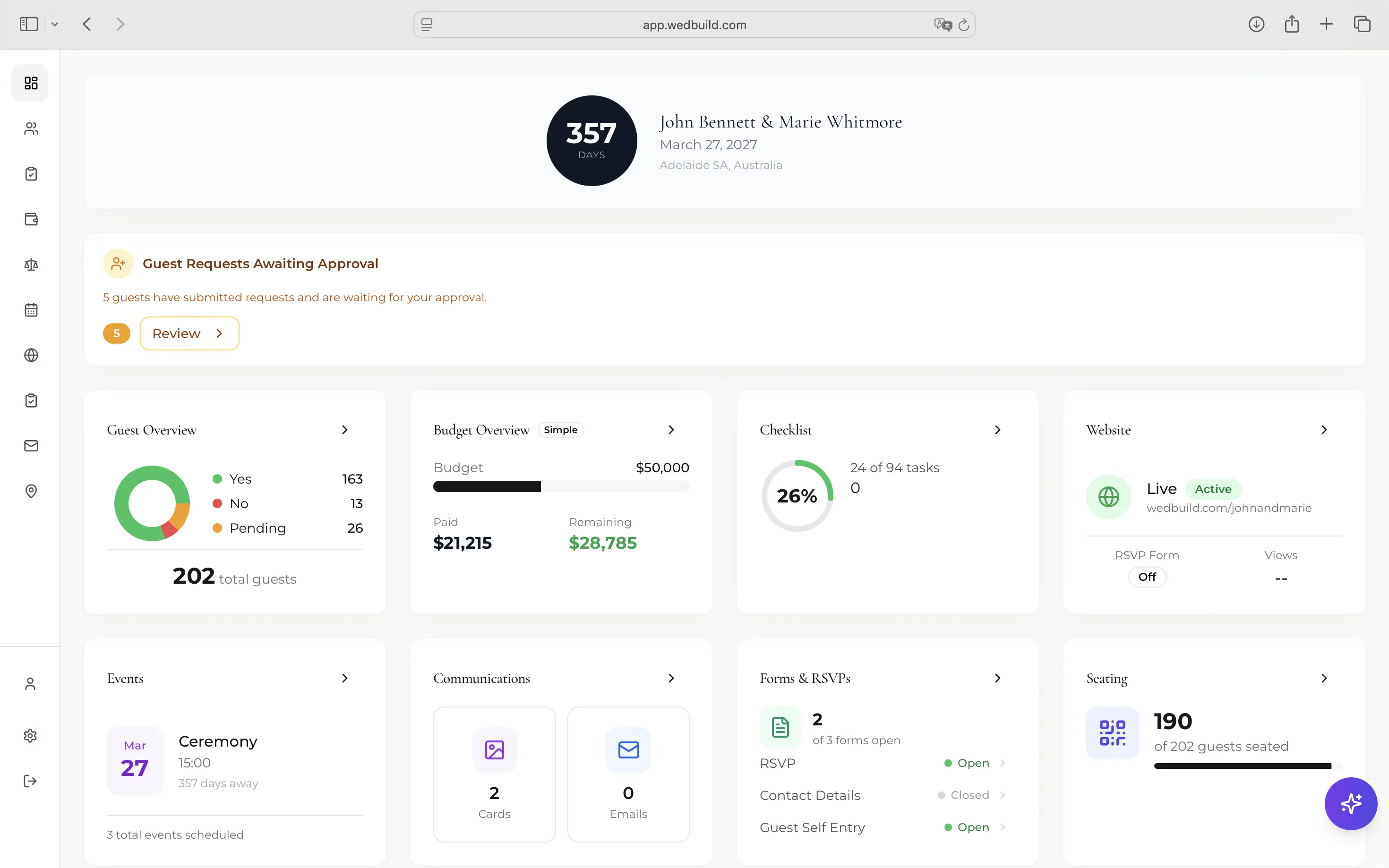
Countdown and key numbers, together
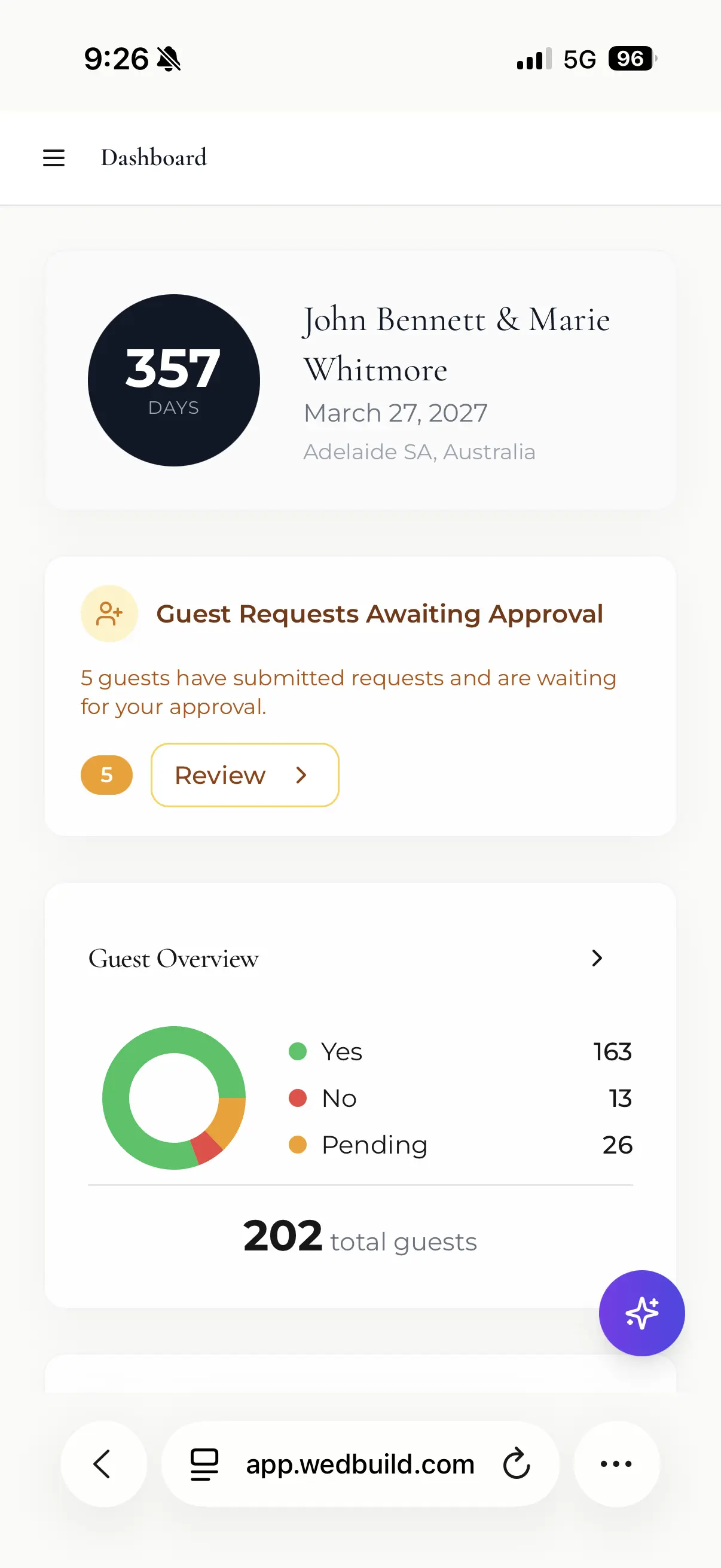
Days until the wedding, guest and RSVP stats, budget spent versus remaining, checklist progress, website status, seating progress and your upcoming events — pulled from every tool into one calm overview. No tab-hopping to assemble the picture yourself.
Urgent things float to the top
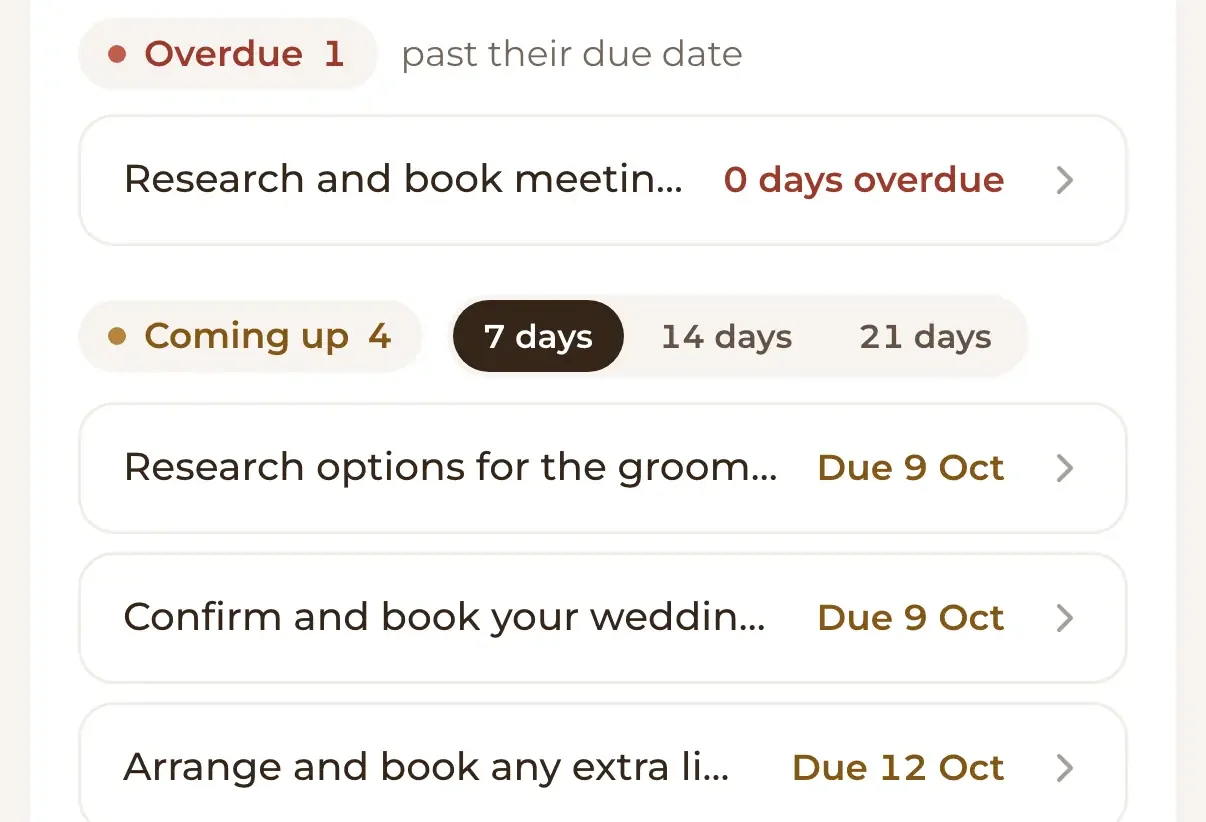
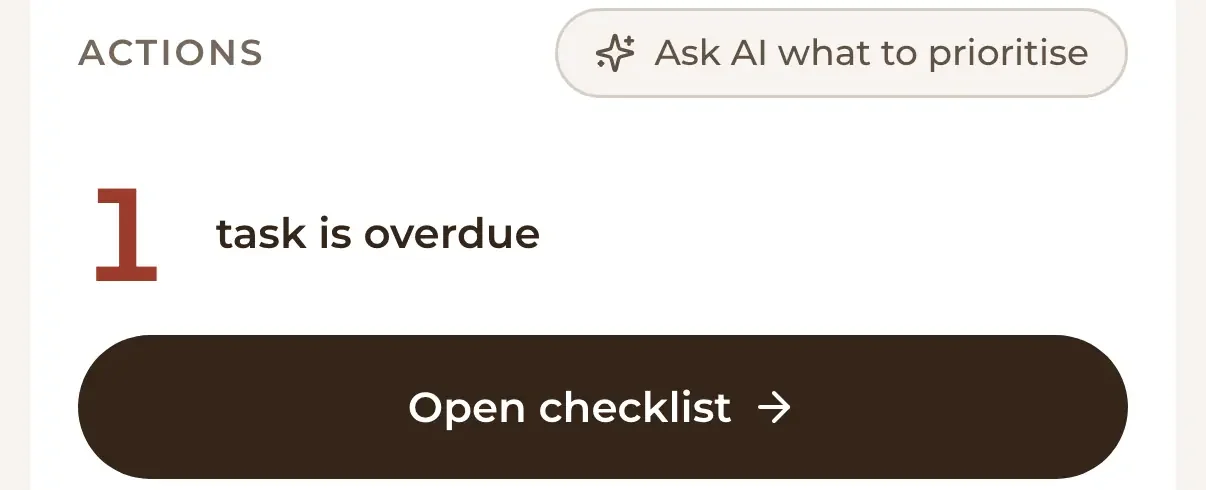
Overdue tasks, upcoming deadlines and pending guest requests surface automatically, so the dashboard isn't just a scoreboard — it's a to-do triage. If something needs a decision from you, it's waiting at the top, not buried three screens deep.
Live from the tools, not a summary you maintain
Every number on the dashboard is read straight from the tool that owns it — an RSVP landing on your website moves the guest chart, a payment logged in the budget moves the spend. There is nothing to update, sync or reconcile; the overview is simply true.
Made for the phone-check
The dashboard works beautifully on your phone, because most 'how are we tracking?' moments happen on the couch, at lunch, or in the car outside a venue. Open it, breathe out, carry on with your day.

How it works
Plan in the tools
Guest list, budget, checklist, website — work wherever the job is, the way you already do.
Open the dashboard
Everything reports in automatically: numbers, progress bars, and anything urgent at the top.
Act on what surfaces
Overdue task? Pending guest request? One click takes you from the alert to the fix.
A dashboard is only as good as its sources
The overview works because the sources live here too: the RSVP chart reads your guest list, the spend snapshot reads the budget tracker, and the progress bars read your checklist. See all the wedding planning tools feeding it.
Loved by couples across Australia
Real weddings, brought together in one calm place.
“Visual seating chart was a lifesaver — printed the dietaries straight for the caterer. 10/10.”
“Vendor comparison made picking our photographer actually easy. Loved it.”
“Guests scanned a QR code and found their seat. No chaos. Genius.”
Frequently asked questions
Guides to go deeper
Wedding planning checklist
The tasks behind those progress bars, in one sane order.
Read the guide →Free vs paid wedding planning apps
Why one connected app beats five disconnected free ones.
Read the guide →AI wedding planning guide
Where AI genuinely helps your planning — and where it doesn't.
Read the guide →Know where you stand, always
Start free and the dashboard starts working immediately — guest list, website, checklist and all.
Start planning free