Invitations & emails

Save the dates, invitations and thank-yous — designed, sent, and actually read

Design a card once, email it to the right guests in minutes, and know exactly who's opened it — no stationery lead times, no stamps, no guessing.

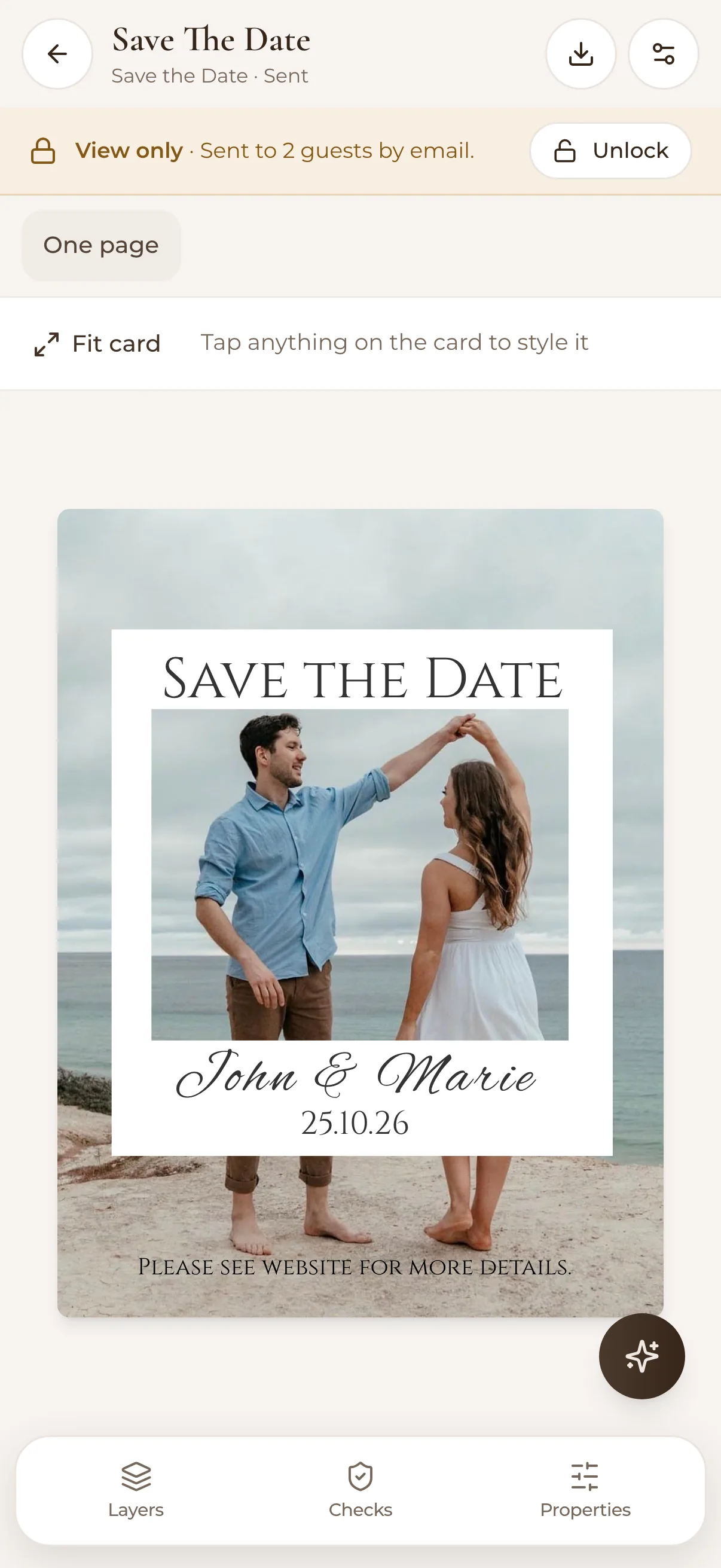
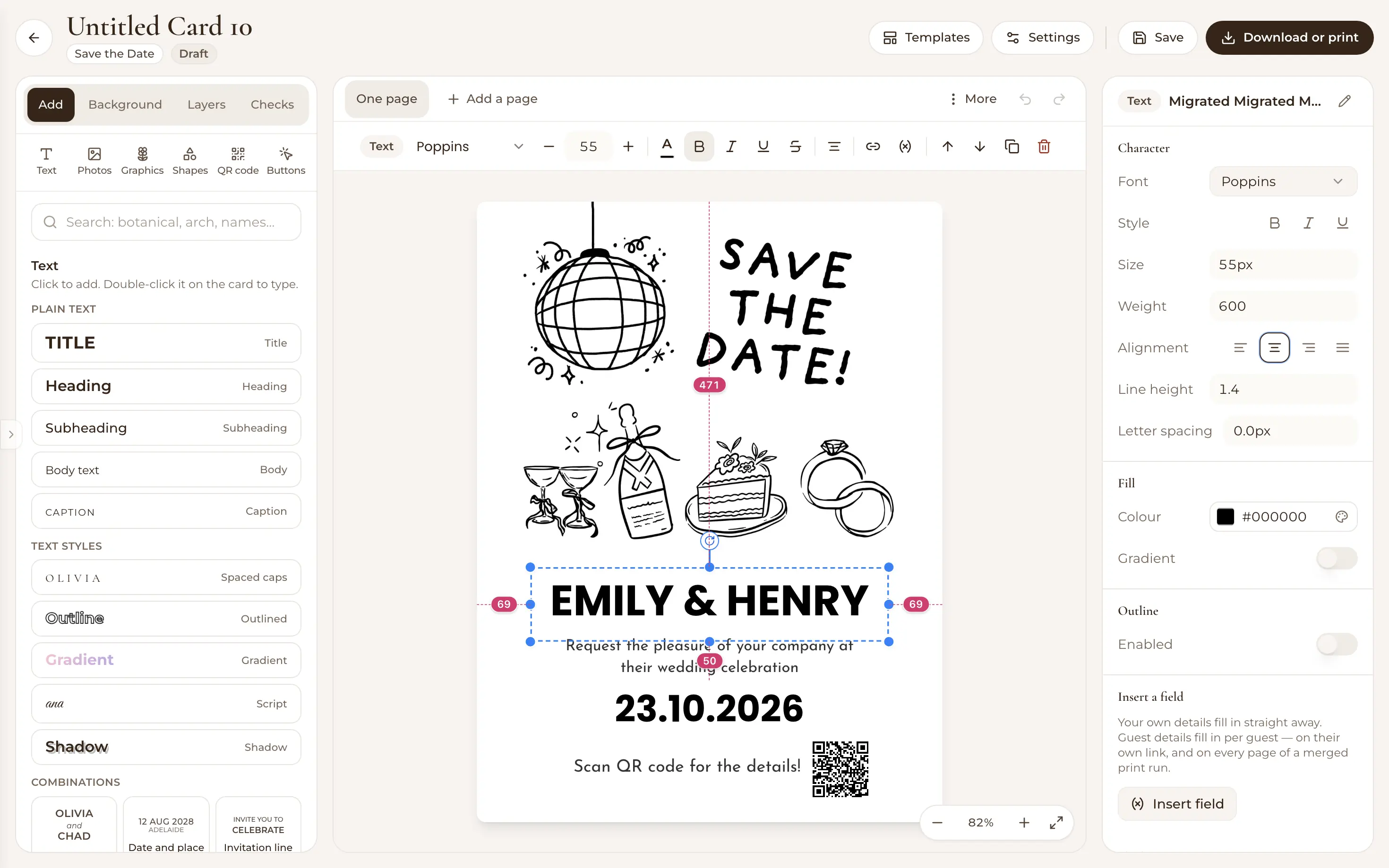
Designed wedding announcement card in WedBuild's communications tool

Paper invitations are beautiful, and also: six-week lead times, address wrangling, and no idea whether Aunty Sue ever opened the envelope. Digital doesn't have to mean a plain email with a date in it — WedBuild gives you a proper card designer, a guest-list-aware sender, and the delivery receipts stationery never could.

Use it for everything paper used to do — save the dates, invitations, day-before details, thank-yous — or pair it with printed invites and let the emails handle updates and reminders.

From blank canvas to opened inbox

Design cards on a visual canvas

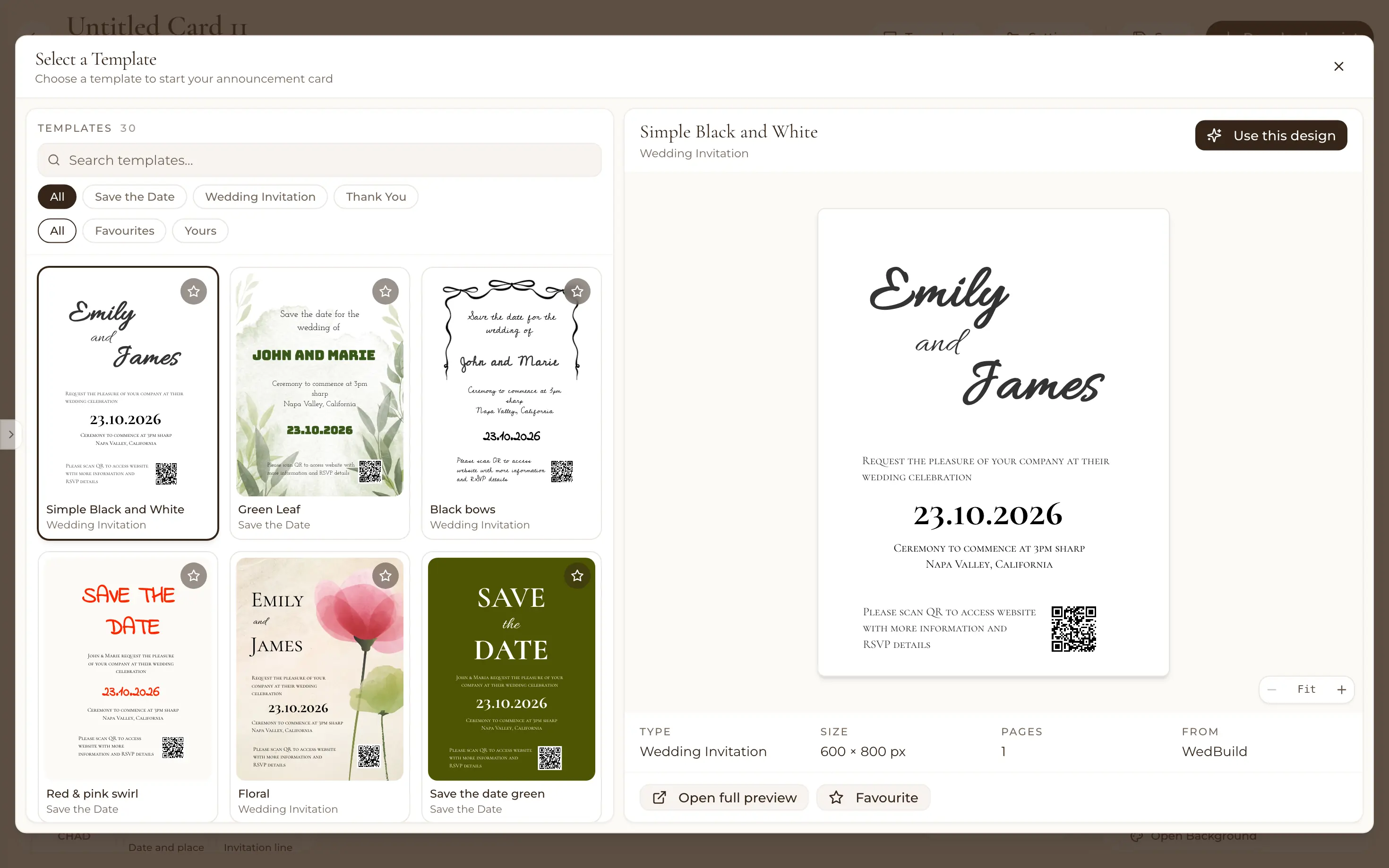
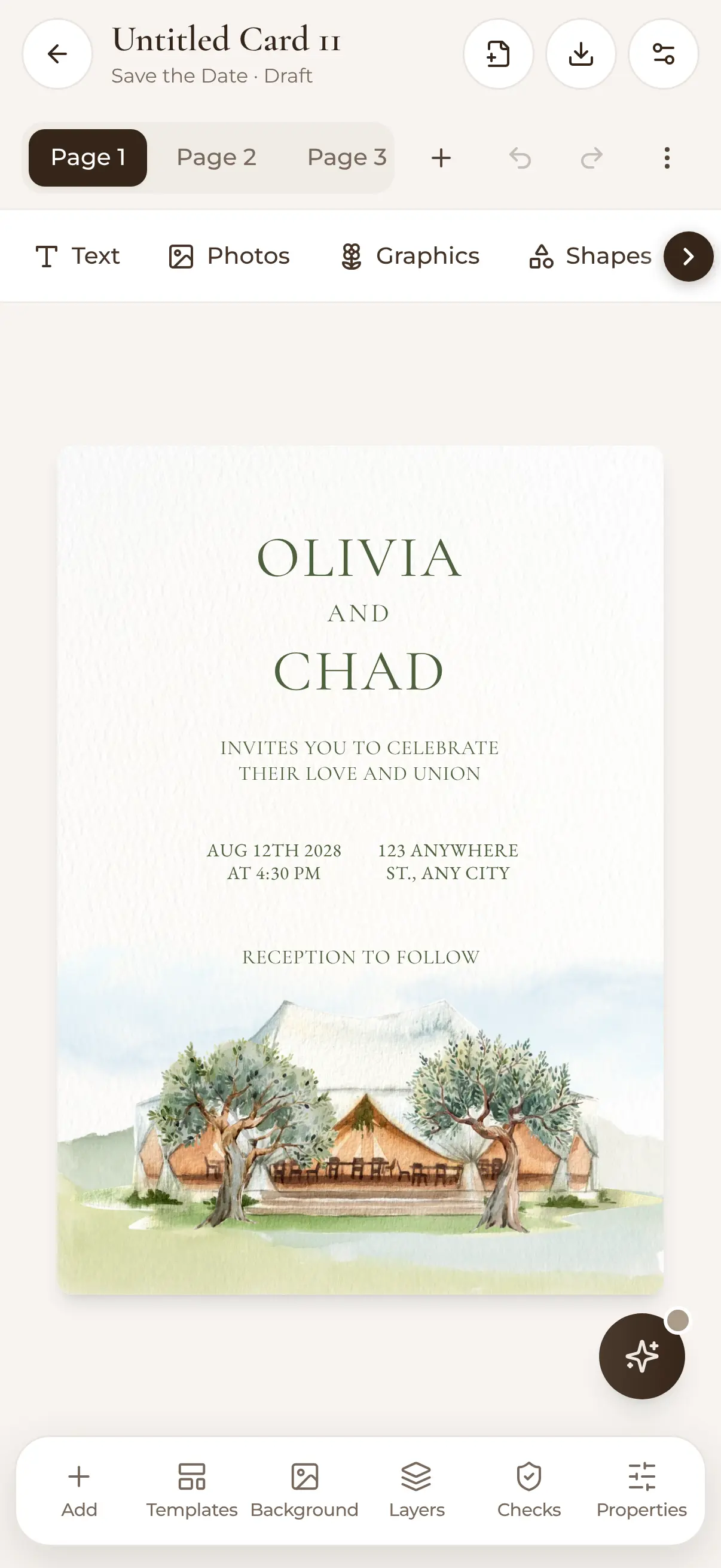
Build save-the-dates, invitations and thank-you cards on a canvas editor — text, images, shapes and QR codes, arranged exactly how you want. Start from a template or a blank page, and keep multiple designs on the go for different moments.
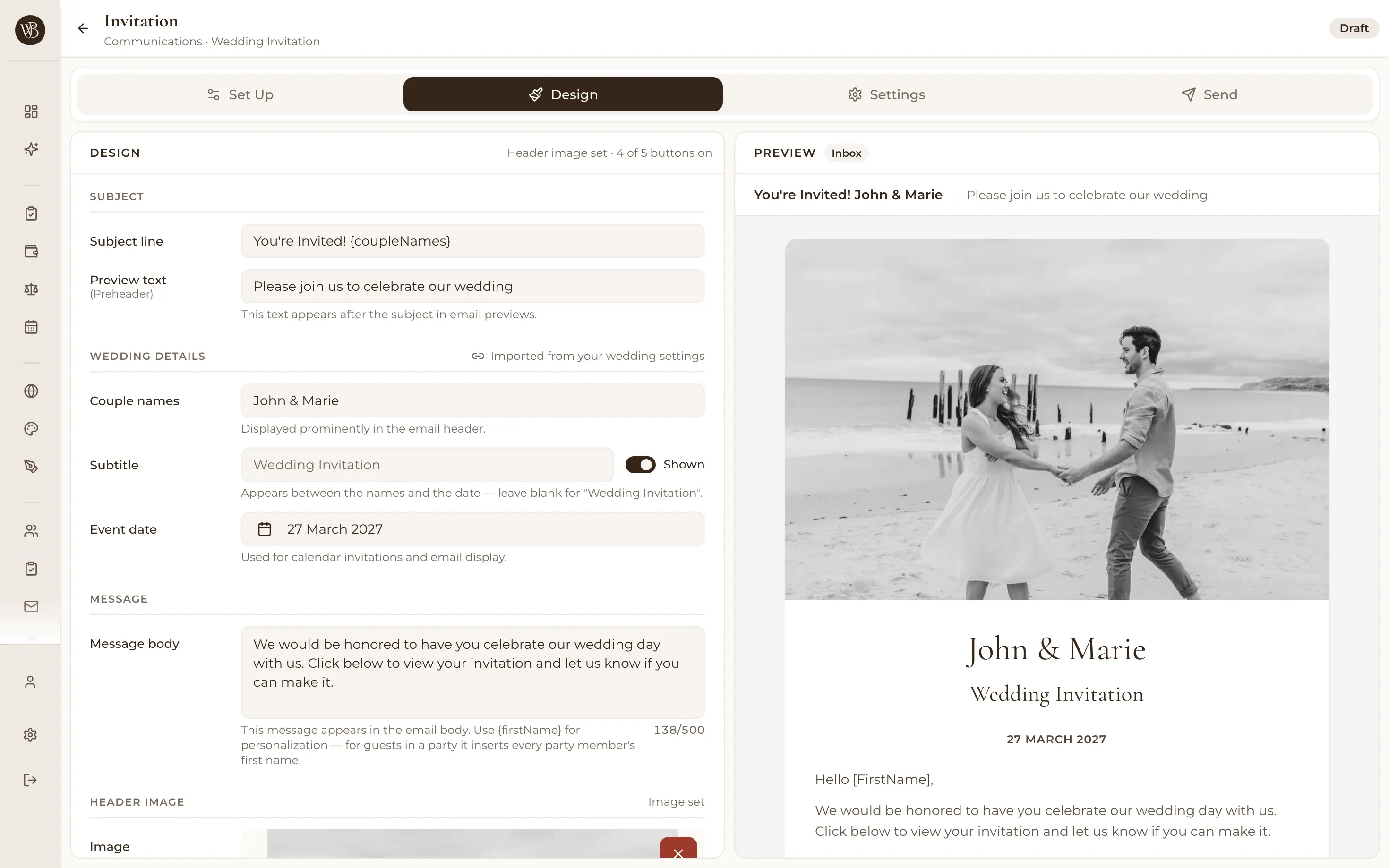
Visual canvas editor designing a wedding invitation card

Send to your guest list, not a CSV upload

The email sender reads straight from your WedBuild guest list — pick everyone, a category, or hand-picked guests, and send personalised emails without exporting addresses into some other tool. Schedule sends ahead of time when you want the save-the-date landing at 7pm, not 3am.

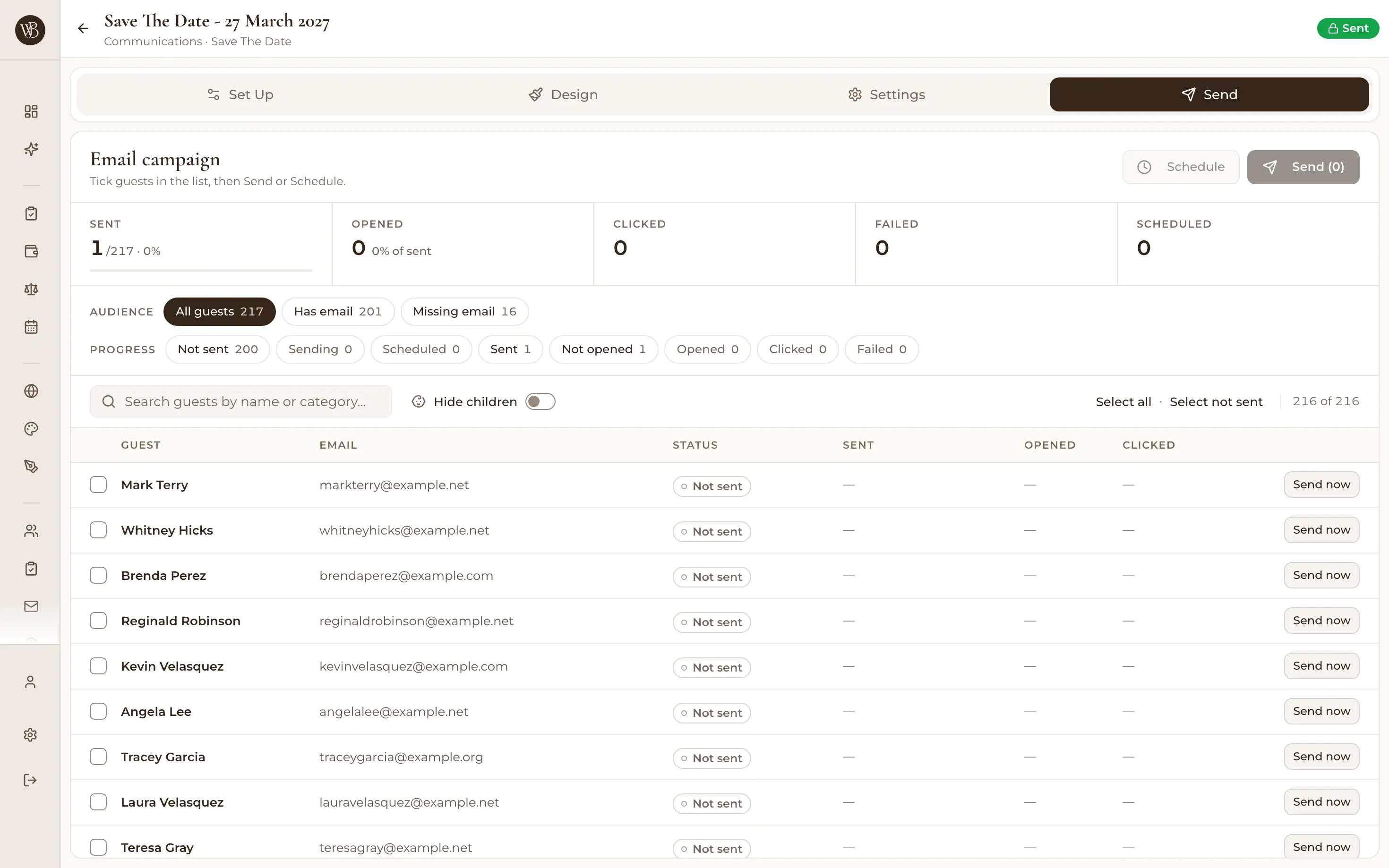
Sending a wedding email campaign to selected guests

Know who's opened and clicked

Every campaign tracks delivery, opens and clicks per guest — so before you chase anyone about RSVPs, you know who genuinely hasn't seen the invitation and who's seen it three times. Resend to individual guests without re-blasting everyone.

Email history showing opens and clicks per wedding guest

Share beyond the inbox

Every card can live as a public announcement page with its own link — drop it in the family group chat or on social media, and let guests download calendar files from it. Email-shy relatives get the same beautiful card, no inbox required.

Wedding announcement card templates gallery

How it works

  1. Design your card

    Pick a template or start blank — add your names, date, photos and a QR code straight to your wedding website.

  2. Choose who gets it

    Send to the whole list, a category, or selected guests — personalised, and scheduled for the moment you want.

  3. Watch the opens roll in

    Track delivery, opens and clicks per guest, share the public page link anywhere, and resend to the quiet ones.

Invitations that point somewhere useful

The best thing a digital invitation can do is carry guests straight to your wedding website — where the online RSVP takes a minute and lands in your guest list automatically. See all the wedding planning tools for the full loop.

Loved by couples across Australia

Real weddings, brought together in one calm place.

Rated 5 out of 5 stars
Visual seating chart was a lifesaver — printed the dietaries straight for the caterer. 10/10.
Bill & Rachel
Adelaide, SA
122 guests
Rated 5 out of 5 stars
Vendor comparison made picking our photographer actually easy. Loved it.
Karlee & Jim
Adelaide, SA
160 guests
Rated 5 out of 5 stars
Guests scanned a QR code and found their seat. No chaos. Genius.
Ellie & Alo
Adelaide, SA
63 guests

Frequently asked questions

Send something worth opening

Card designer, guest-list sender and open tracking — all in the free plan.

Start Planning Free

7 days of Pro tools free · No credit card · 50-guest list