Event schedule
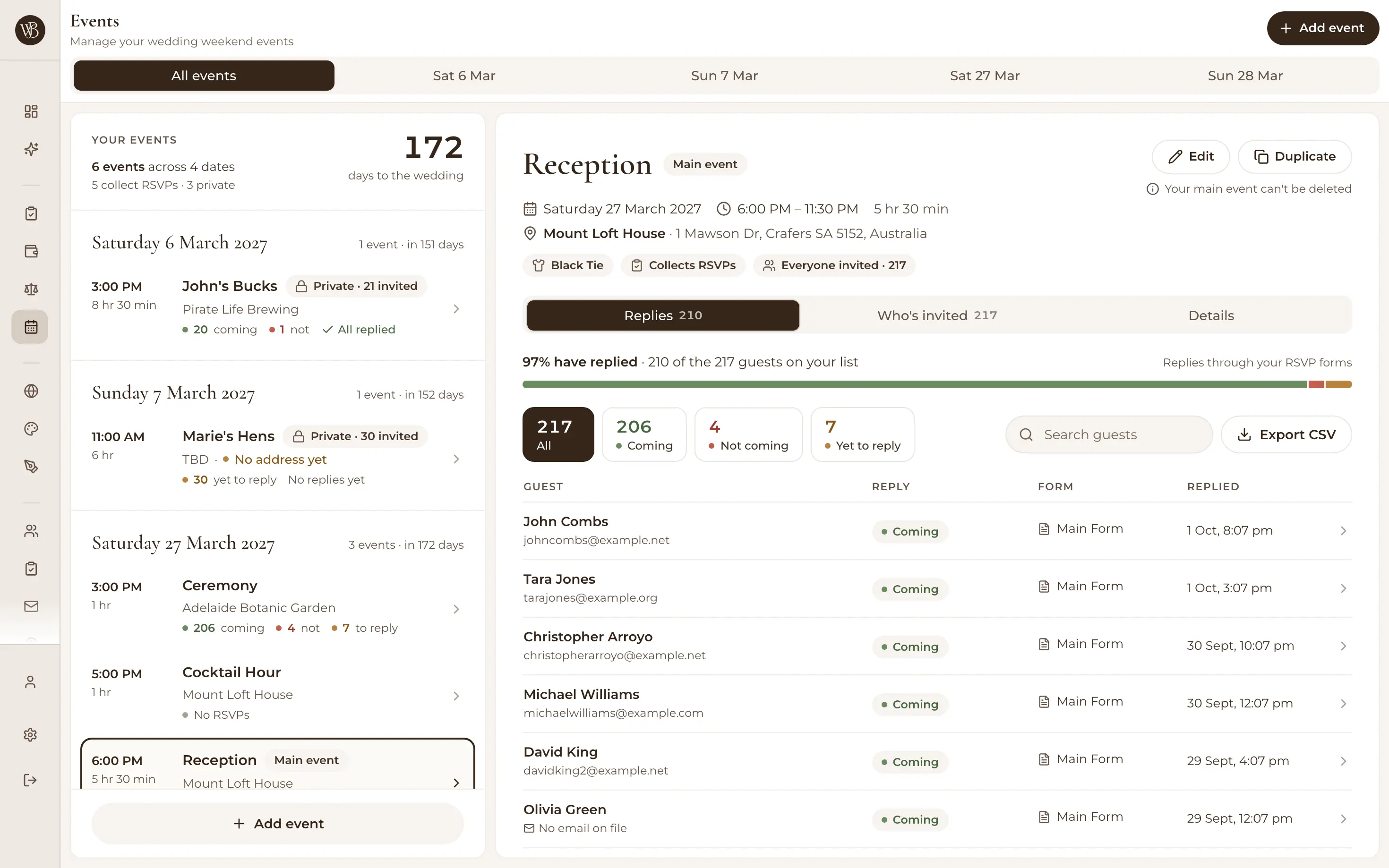
Plan the whole wedding weekend, not just the day
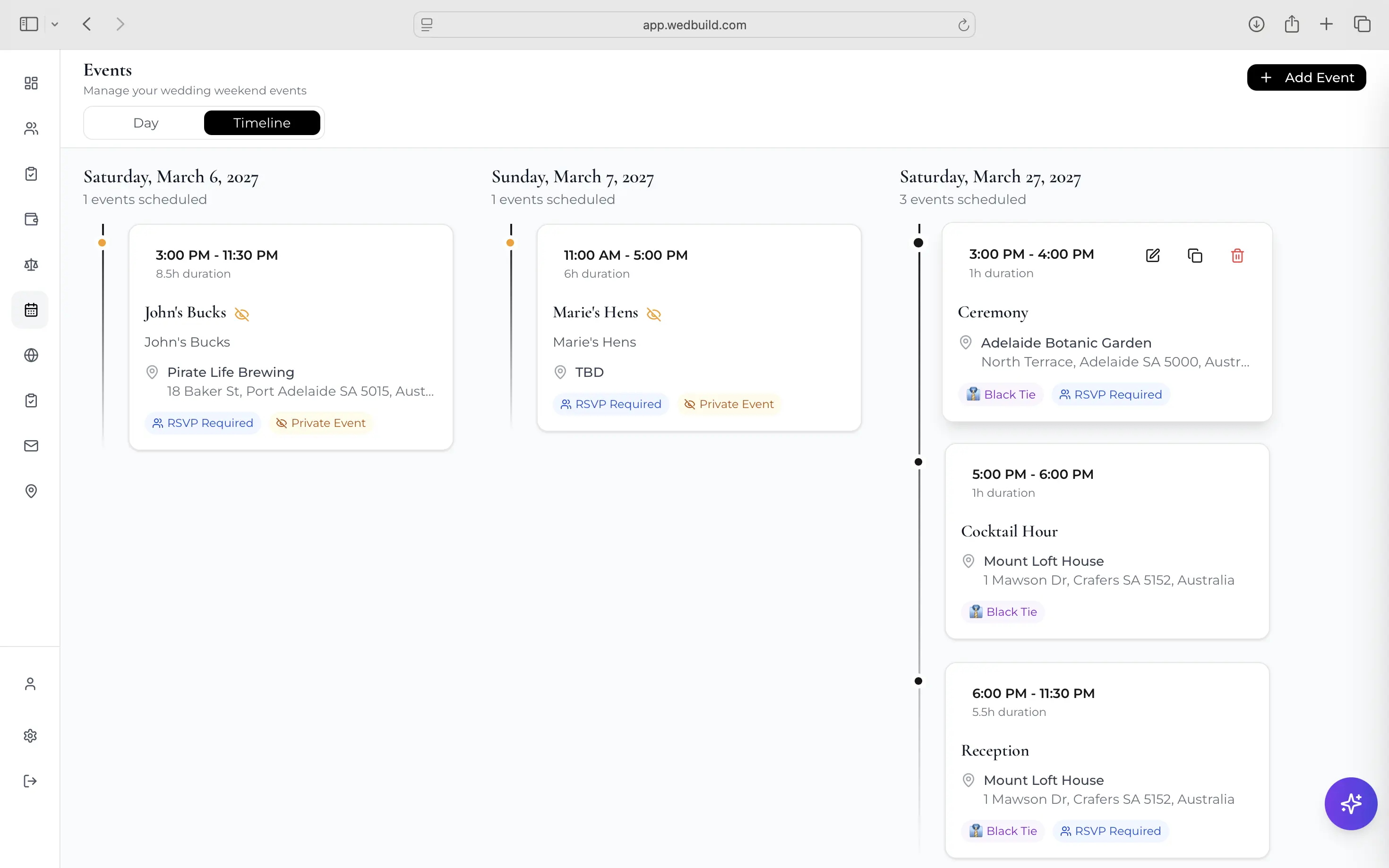
Ceremony, reception, rehearsal dinner, recovery brunch — one timeline, with the right guests invited to each and RSVPs collected per event.

Modern weddings are rarely one event. There's the rehearsal dinner, welcome drinks for the interstate crowd, the day itself, and the brunch where everyone compares notes. Keeping five guest lists and five start times straight in a group chat is how people end up at the wrong venue.
WedBuild's wedding schedule holds every event in one timeline — who's invited, who's confirmed, and what's where — and gives guests calendar files so their phone remembers for them.
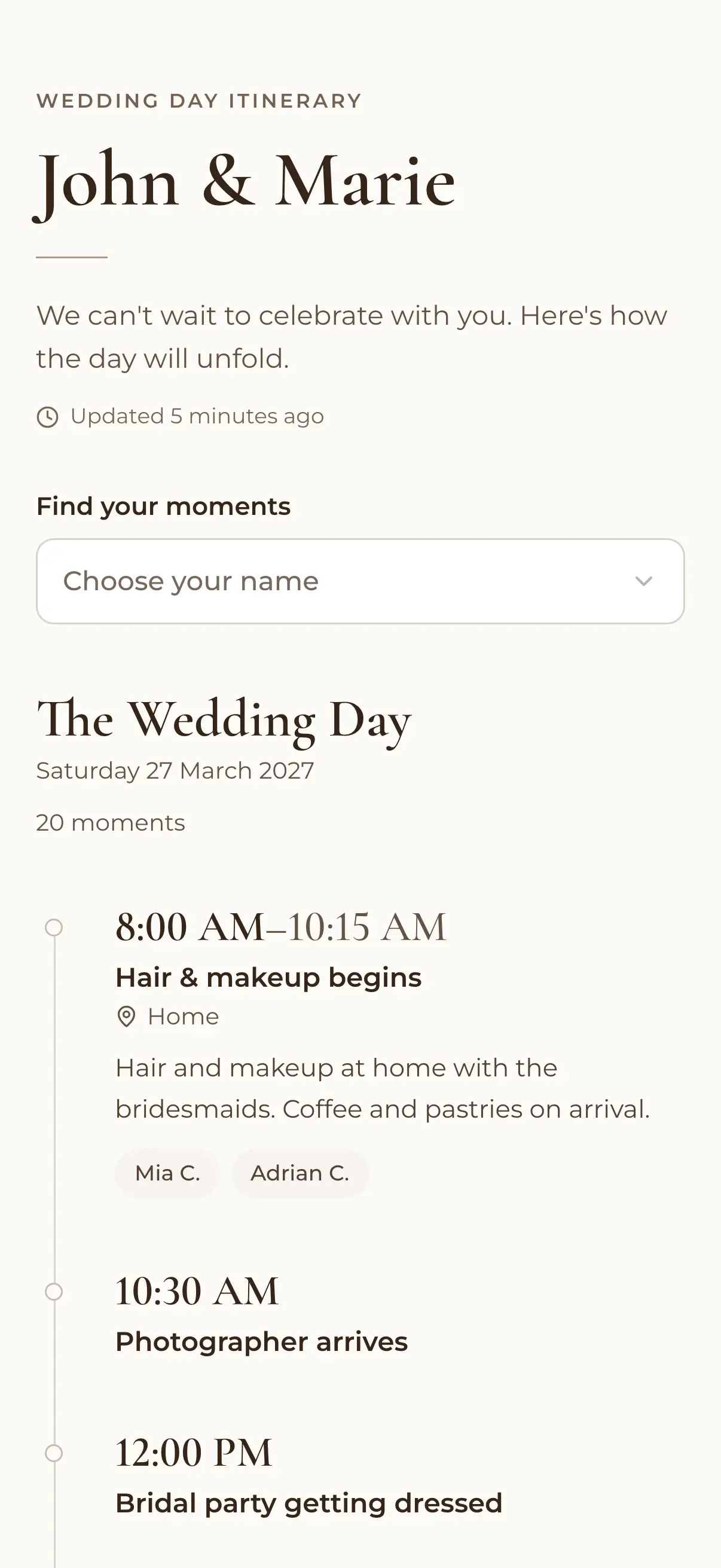
One timeline for the whole celebration
Day and multi-date views
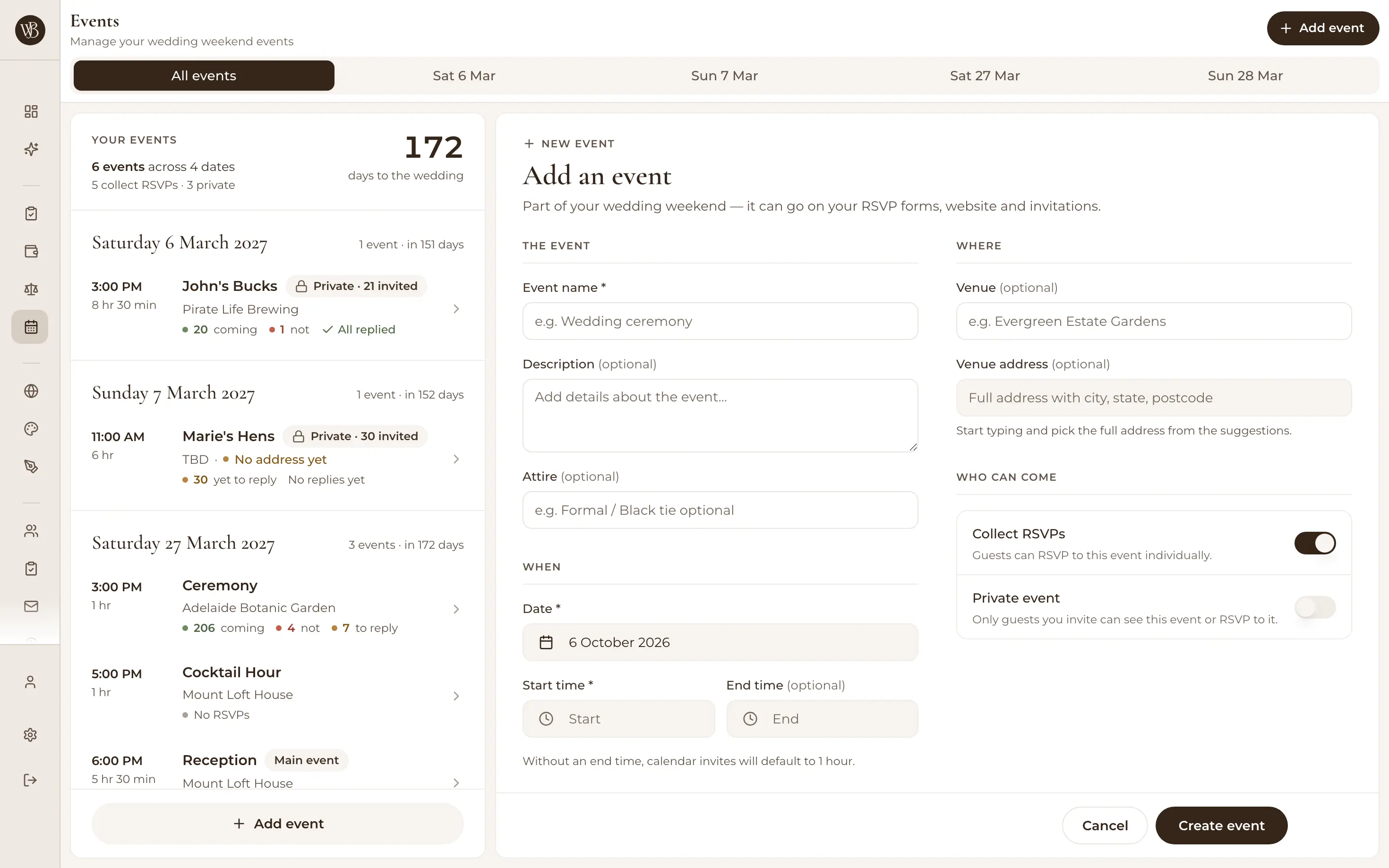
See a single day hour by hour, or zoom out to the full wedding weekend in a multi-date view. Create, edit and duplicate events freely — set up 'Welcome drinks' once and clone it for the after-party instead of retyping the details.
The right guests at each event
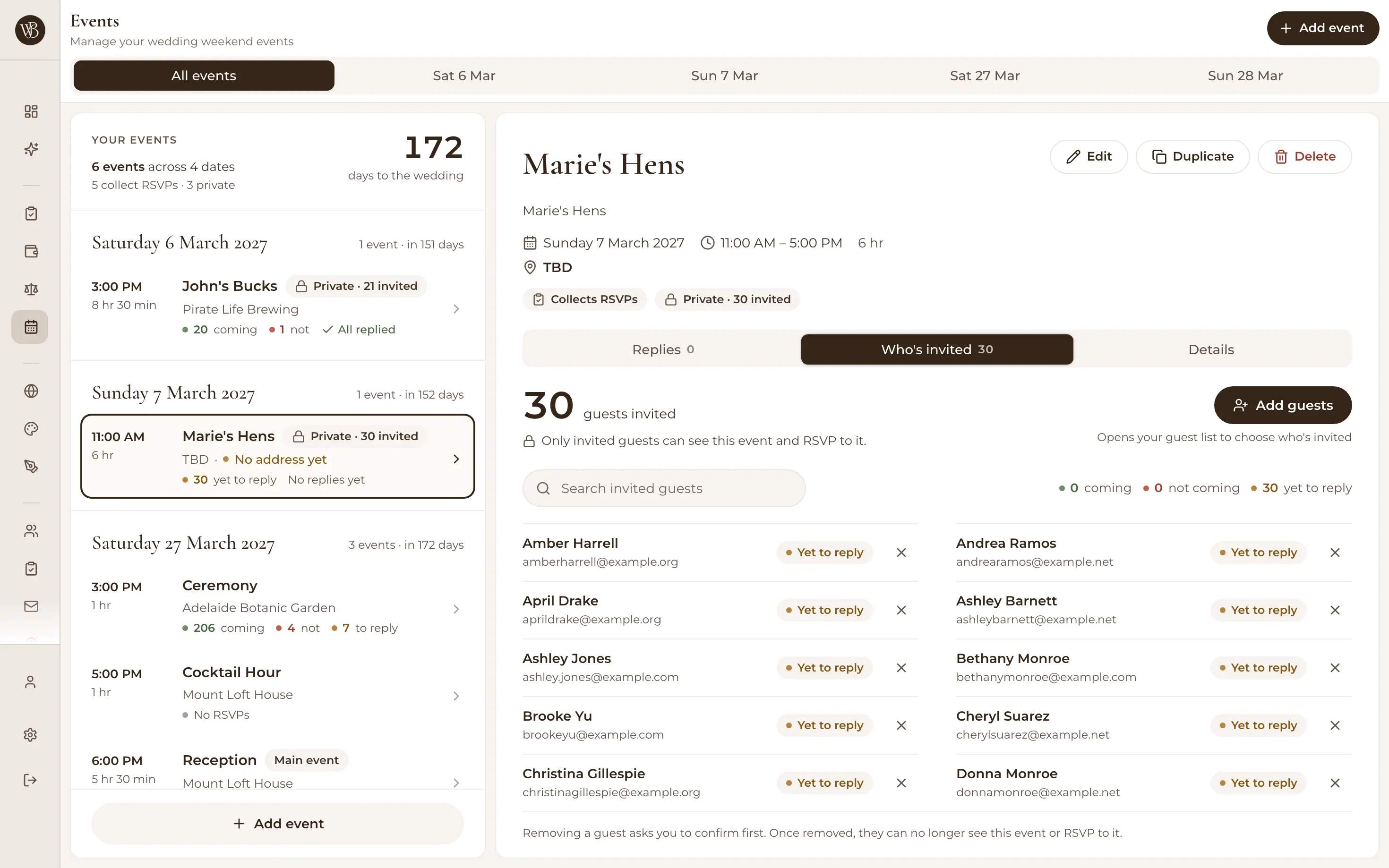
Mark events as private and choose exactly who's invited — everyone comes to the ceremony, but maybe only the bridal party gets rehearsal dinner. Each guest only ever sees the events that are theirs, so there are no awkward 'am I invited to this?' conversations.

RSVPs per event, not per wedding
Guests confirm each event separately, so you know the brunch headcount is forty even though the wedding is a hundred and twenty. Responses land against each guest in your list — numbers per event, always current.

Straight into guests' calendars
Every event offers a downloadable calendar file (.ics), so guests add the ceremony to their phone in one tap — with the right time, address and no transcription errors. Fewer 'what time does it start?' texts in the final week.

How it works
Add your events
Ceremony, reception, rehearsal, brunch — with times, locations and details. Duplicate similar events instead of retyping.
Choose who's invited to what
Keep some events open to all and others private to a chosen list — each guest sees only their own itinerary.
Collect per-event RSVPs
Guests confirm each event separately and download calendar files, so your headcounts and their phones stay right.
Events are where your lists earn their keep
Per-event invitations only work because your guest list already knows everyone — and per-event responses arrive through the same online RSVPs guests use for the main day. Browse all the wedding planning tools to see how it fits together.
Loved by couples across Australia
Real weddings, brought together in one calm place.
“Visual seating chart was a lifesaver — printed the dietaries straight for the caterer. 10/10.”
“Vendor comparison made picking our photographer actually easy. Loved it.”
“Guests scanned a QR code and found their seat. No chaos. Genius.”
Frequently asked questions
Guides to go deeper
Wedding day timeline guide
Build a running order with buffers that survive real life.
Read the guide →How long everything takes
Photos, speeches, service — realistic durations for each block.
Read the guide →Wedding planning checklist
The tasks that get you to the weekend with nothing forgotten.
Read the guide →Give the weekend one source of truth
The event schedule is free — map the weekend tonight and let guests' calendars do the remembering.
Start planning free