Seating
Wedding Seating Chart: Simple Seating Plan Guide
How to build a wedding seating chart that actually works, from room layout to the last awkward table. Step-by-step for 2026.
By Elise Schofield
· 9 min read
A wedding seating chart is the plan that tells every guest which table they sit at: usually a sign or escort cards at the reception entrance, backed by a table-by-table list for your venue and caterer. You build one in nine steps, starting with locked numbers and a room layout, then anchor seats and guest groups.
Few things cause as much quiet stress as the wedding seating chart. It looks innocent enough… until you’re dragging names around at midnight trying not to start a family feud.
The good news: your wedding seating plan doesn’t have to be perfect, it just has to be thoughtful and practical. Once you have a simple structure and somewhere sane to manage it, the whole thing gets a lot less painful.
This is a simple, realistic seating plan guide you can actually use, and it ties in nicely with your guest list, wedding day timeline and digital wedding planner if you’re using something like WedBuild.
What Is a Seating Chart at a Wedding?
A seating chart assigns each guest to a table (and sometimes a specific seat) for the reception meal. Guests see it as a printed sign, escort cards or a digital lookup; your caterer and venue use the same plan to serve dietaries and set tables. Most Australian receptions assign tables rather than individual seats, which keeps the job manageable.
Step 1: Get Your Guest List and Numbers Locked (Enough)
A seating chart can’t save a chaotic guest list.
Before you start placing people:
- Finalise who’s actually invited
- Get RSVPs to a point where numbers are mostly clear
- Confirm which guests are only coming to the ceremony vs reception
Your wedding guest list is the backbone of your seating plan. If you haven’t built that properly yet, it’s worth sorting that first so you’re not building a wedding seating chart on top of guesswork.
Step 2: Understand Your Room Layout Before You Place People
A wedding seating chart is only as good as the room it’s sitting in.
Before you obsess over who sits with who, get clear on:
- How many tables you have
- How many seats per table (realistically)
- Whether you’re doing long banquet tables, rounds or a mix
- Where key things are: dance floor, bar, entrance, bathrooms, speeches spot
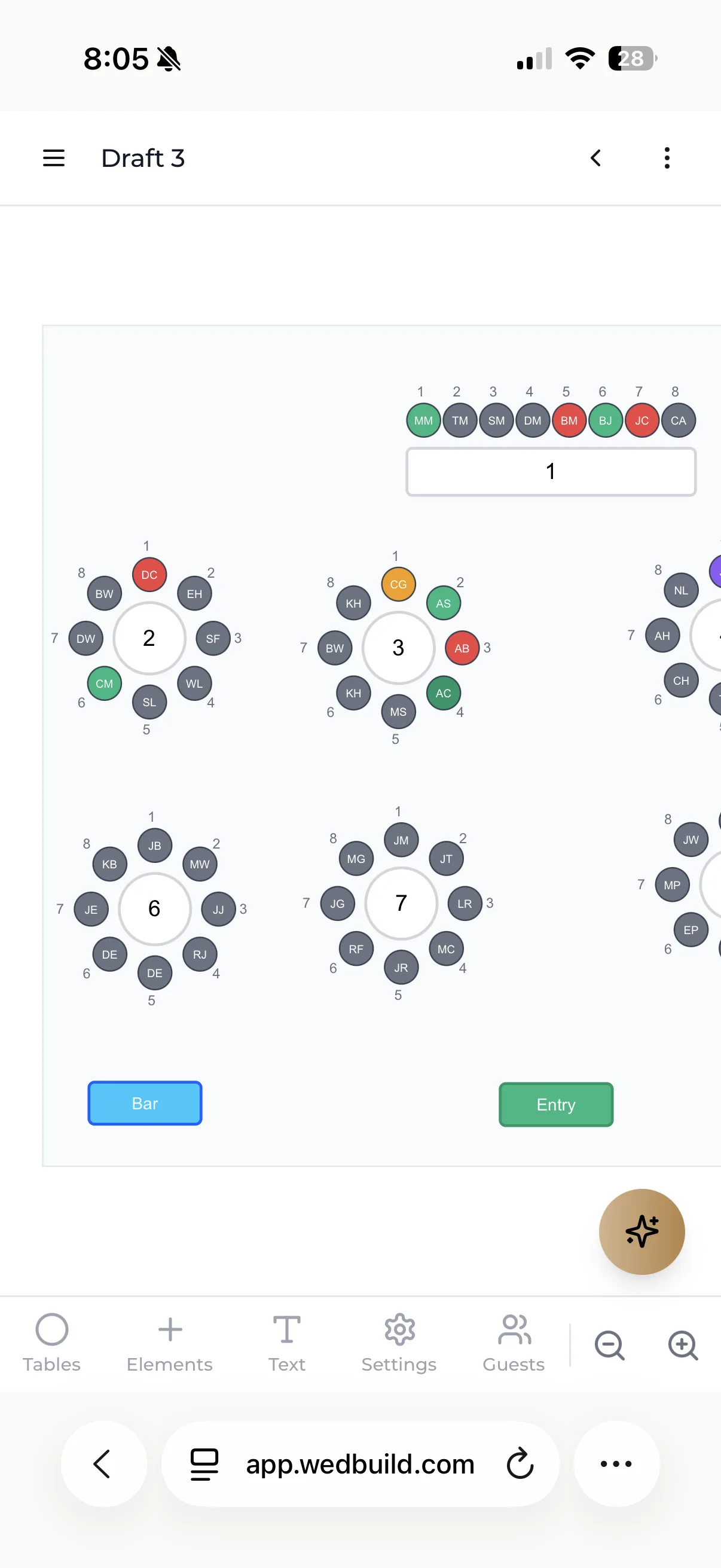
Even a rough sketch helps. WedBuild's Pro plan includes a visual room designer, so you can see your wedding seating plan laid out visually, not just as a list.
Step 3: Anchor the Room with Your “Fixed” Seats
Start with the spots that aren’t really negotiable:
- You as a couple
- Wedding party (if they’re sitting with you)
- Any parents or key family
- People giving speeches (so they’re not hidden in the back corner)
Decide:
- Are you sitting at a sweetheart table (just the two of you)?
- A wedding party table?
- Or at a normal table with friends/family?
Our table seating guide covers the head table vs sweetheart table decision in detail if you're still weighing both options.
Once those anchor points are decided, the rest of the seating chart has something to orient around.
Step 4: Group People by Relationship, Not by Who “Kind Of Knows Each Other”
A simple rule for an easier wedding seating plan: group people by how they know you or each other, not by who you’re vaguely hoping will become friends.
Think:
- Family (your side, partner’s side, mixed where it makes sense)
- Uni or school friends
- Work friends
- Mutual social groups
- Older guests who might want a quieter spot
You don’t have to get it perfect. You’re just aiming for tables where people can sit down and think, “Okay, I recognise at least one person and this feels fine.”
Step 5: Use “Zones” to Place Trickier Guests
Every wedding has a few people who need a bit more thought: exes, relatives who don’t get along, VIPs who want to be close but not too close.
Instead of obsessing over exact seating immediately, think in zones:
- Closer to you vs further back
- Near the bar vs away from the noise
- Near the dance floor vs somewhere quieter
Once your zones are roughly mapped, you can place specific people within each area.
This is where a digital planner helps a lot: dragging names on a screen is much easier than redoing a paper chart every time you change your mind.
Step 6: Factor in Accessibility and Comfort
A good wedding seating chart isn’t just about vibes; it’s also about comfort:
Consider:
- Anyone who needs easy access (mobility, prams, frequent bathroom trips)
- Older guests who might prefer being away from speakers
- Kids’ tables (if you’re having one) and their parents’ proximity
- Keeping people with allergies or specific needs somewhere staff can easily find them
This guide on planning an accessible wedding is a helpful read if you have guests with mobility needs. It walks through real couple experiences and what actually made a difference on the day.
These are small tweaks that make the night feel much smoother for the people they affect.
Step 7: Connect Your Seating Chart to Your Timeline and Catering
Your seating plan doesn’t live in a vacuum. It connects directly to:
- Your wedding day timeline (who needs to be where, when)
- Your catering (dietaries tied to actual seats)
- Your run sheet (who’s speaking and where they are in the room)
Once your wedding seating plan is mostly done, it’s worth checking:
- Does everyone doing a speech have a seat where they can get up easily?
- Are your VIPs easy for the photographer and videographer to find?
- Have you clearly marked dietaries per seat for your caterer?
Nearly one in five wedding guests has some kind of dietary need, which is why collecting that information early (through your RSVP form if possible) makes the handoff to your caterer so much cleaner.
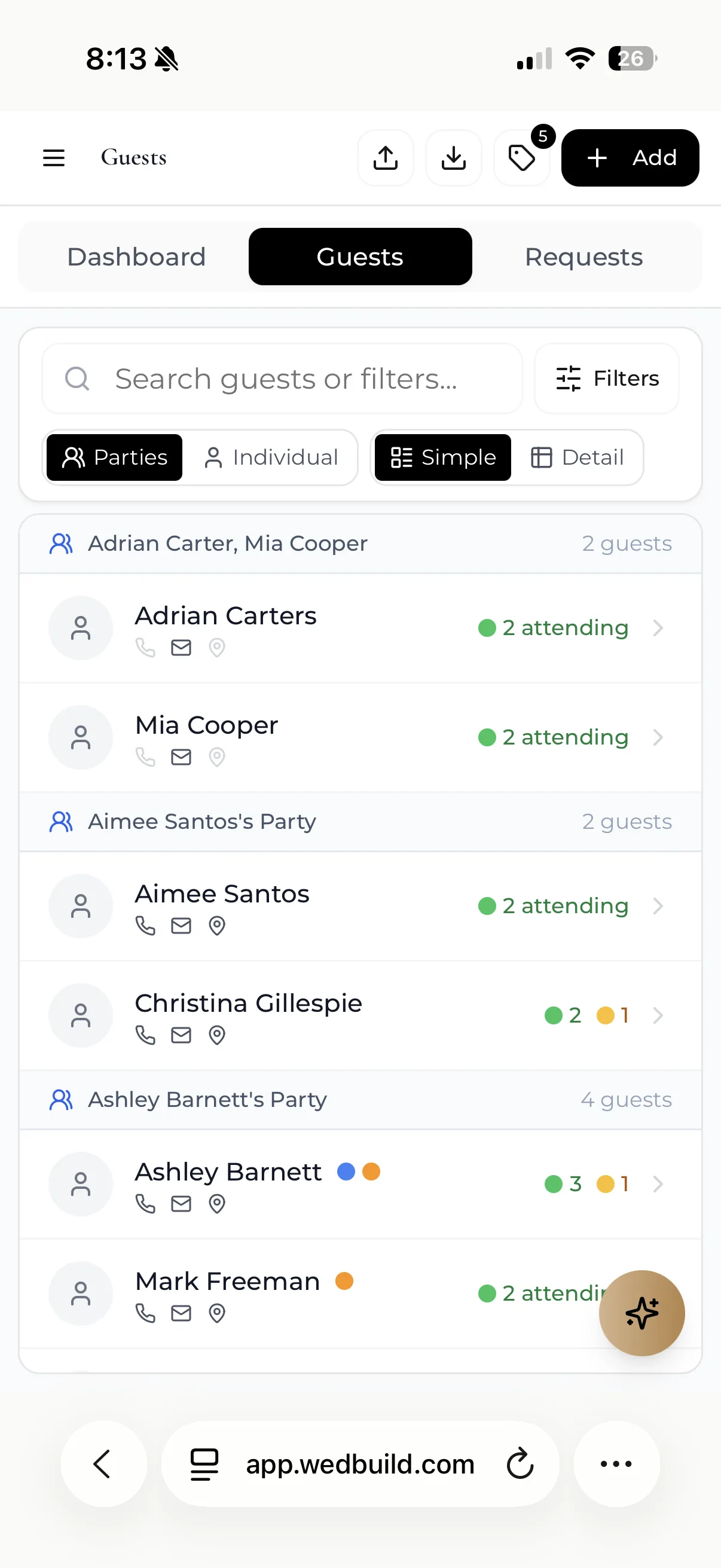
WedBuild keeps this information in one place: RSVP responses feed straight into the seating chart, so confirmations and dietaries aren't retyped across four different documents.
Step 8: Decide How Guests Will Find Their Seats
Your beautiful wedding seating chart only works if guests can actually use it.
Common options:
- Printed seating chart sign + place cards
- Escort cards (names and table numbers)
- Table numbers with place cards at each seat
- Fully digital options (like QR codes leading to a live seating layout)
If you're leaning towards a more digital approach, WedBuild's Pro plan includes QR Find My Seat, so guests can scan a code and find their table without crowding around one sign.
Step 9: Give Yourself a “Last-Minute Changes” Buffer
There will be changes. Someone gets sick, flights change, a plus one appears or disappears.
Build a buffer by:
- Leaving one or two seats flexible where possible
- Keeping your wedding seating chart in a digital format you can edit quickly
- Locking in your final version for the venue and caterer slightly later than your personal “ideal”
You’re aiming for a seating plan that’s robust, not fragile. It should survive a couple of last-minute adjustments without you needing to start again. Leaving a small buffer of unassigned flexibility (particularly at tables where you have a mix of newer or less certain guests) is one of the most practical things you can do in the final week.
Bringing It All Together
A wedding seating chart doesn’t have to be a drama saga. It’s just another part of wedding planning that feels much heavier when it’s done in five different places at once.
Start with:
- A clear guest list
- A room layout you understand
- Anchors (you, key family, wedding party)
- Simple groupings and a bit of common sense
Then keep the whole wedding seating plan somewhere that can move with you, instead of on a single piece of paper that’s out of date the second someone’s plans change.
If you've already worked through your guest list, budget and timeline, this is the natural next step. And if you're trying to connect all of those pieces into one system instead of a pile of spreadsheets, that's exactly what WedBuild is built for.
Keep reading
A seating chart works best alongside a locked guest list and a clear timeline. build your wedding guest list (without going crazy), create a wedding day timeline (without crying), and try WedBuild's visual seating chart.
Before you go
Frequently asked questions
When should I start working on the seating chart?
Two to three weeks before the wedding, after RSVPs have closed and dietary requirements are in. Starting earlier means you're seating people who haven't confirmed; starting later doesn't leave room for the inevitable last-minute swaps.
How long does a seating chart take?
The first pass takes longest, because that's when you're making the real decisions about who sits together. A visual seating chart tool makes it faster, since moving a guest is a drag rather than a rewrite, and later revisions are quick.
Should we have assigned seats or just assigned tables?
Assigned tables are standard at Australian weddings; assigned seats are common only at formal head tables and for guests with accessibility needs. Most guests prefer to choose their own seat at their assigned table.
Can guests change their own seat?
Within their assigned table, yes. Between tables, no. Table balance and dietary distribution depend on it. Most 'I want to sit with my friend' requests can be solved before the day if you ask the question early.
What's the best digital seating chart tool?
For Australian couples, WedBuild covers it in two tiers: drag-and-drop seating with multiple saved versions on Standard (A$99 one-time), and a visual room designer plus a QR Find My Seat code for the day on the Pro plan (A$199 one-time). Neither is a subscription.
How do we handle last-minute changes?
Keep the chart digital until the final week. With QR Find My Seat on WedBuild's Pro plan, guests scan a code to find their table, so a late swap doesn't mean reprinting a laminated chart the night before.

Written by
Elise Schofield
Co-founder, WedBuild
Elise is the co-founder of WedBuild and a newlywed who knows exactly what it’s like to be buried in wedding spreadsheets. Frustrated with outdated websites and messy planning tools, she helped build WedBuild so couples can plan their weddings with less chaos and more “this actually feels fun".