Private wedding website

A private wedding website, for your guests and no one else

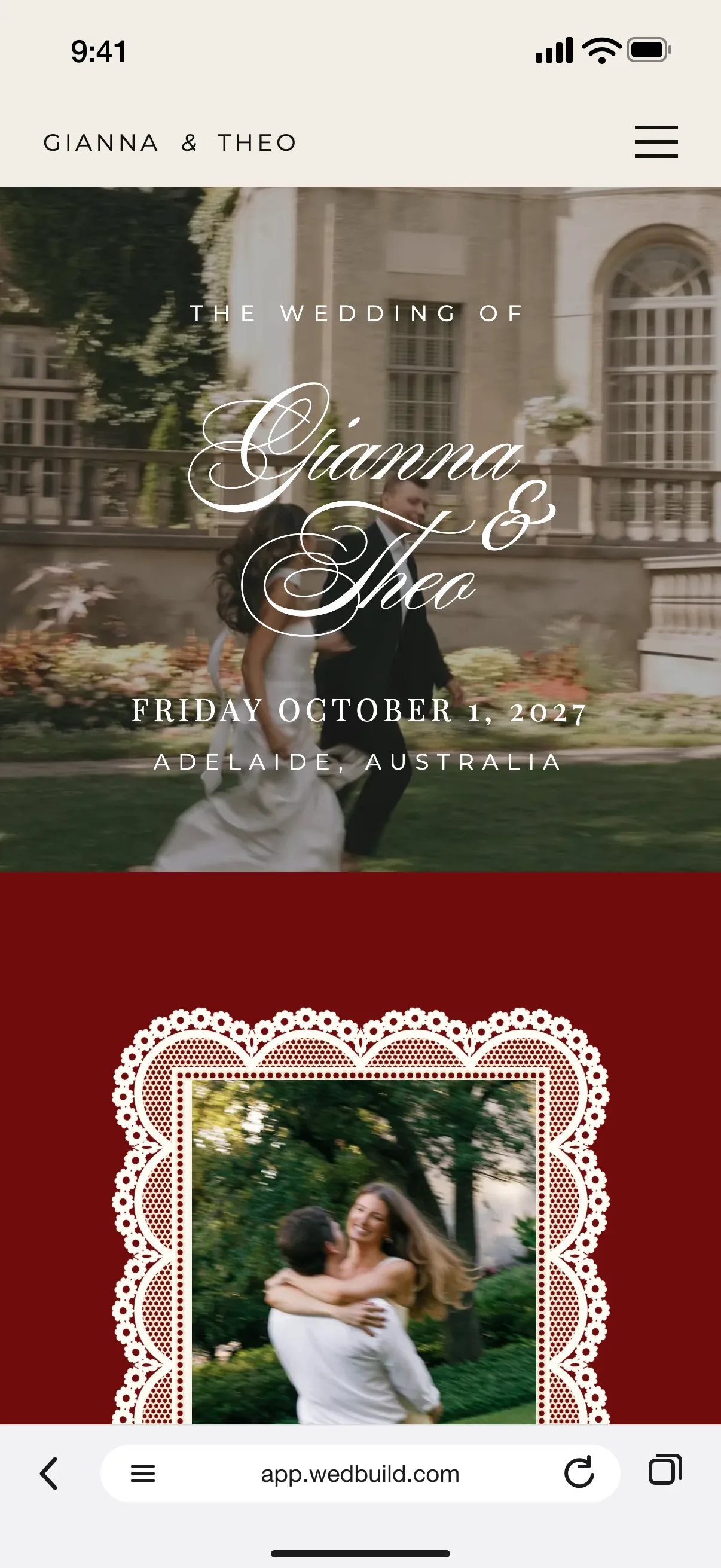
Gianna and Theo's wedding website on a guest's phone, opened from a personal link: The wedding of Gianna and Theo over a photo of the couple, Friday October 1, 2027, Adelaide, Australia, and a bar reading Hello, Jessica with Your reply
Personal links skip the password

Add a password guests can actually type, keep your site out of Google, and give each household a link that lets them straight in.

Every Pro tool and no guest limit, free for your first 7 days. No card needed.

  • FreeA password, hidden from Google and personal links

Your wedding website is for the people you invited, and WedBuild keeps it that way from the start. Every new site is kept out of Google and other search engines, and as you publish, WedBuild asks who should see it. All of it is free.

It matters more than it sounds. On r/weddingplanning, a post with 464 upvotes warned couples that some big wedding sites list your wedding on Google unless you find the privacy setting. Here, private is where you begin.

How it fits together

Private, and still part of your plan

A private site is still your whole free wedding website: guests behind the password reply through your online RSVPs, and every answer lands in your guest list. Personal links can go out by email or by text, from WedBuild or your own phone.

What you can do

Private from the start, free to keep.

Free on Essentials, with no time limit. Every new account also gets every Pro tool for 7 days.

EssentialsFree
  • Kept out of Google and other search engines from the start
  • Anyone with the link, or a password: you choose as you publish
  • Password ideas guests can read off a card and type
  • Personal links that skip the password
  • A check for home addresses and vendor names before you share
  • Take the site offline with one switch
  • Download all your data whenever you like

Up close

Easy for guests, closed to everyone else.

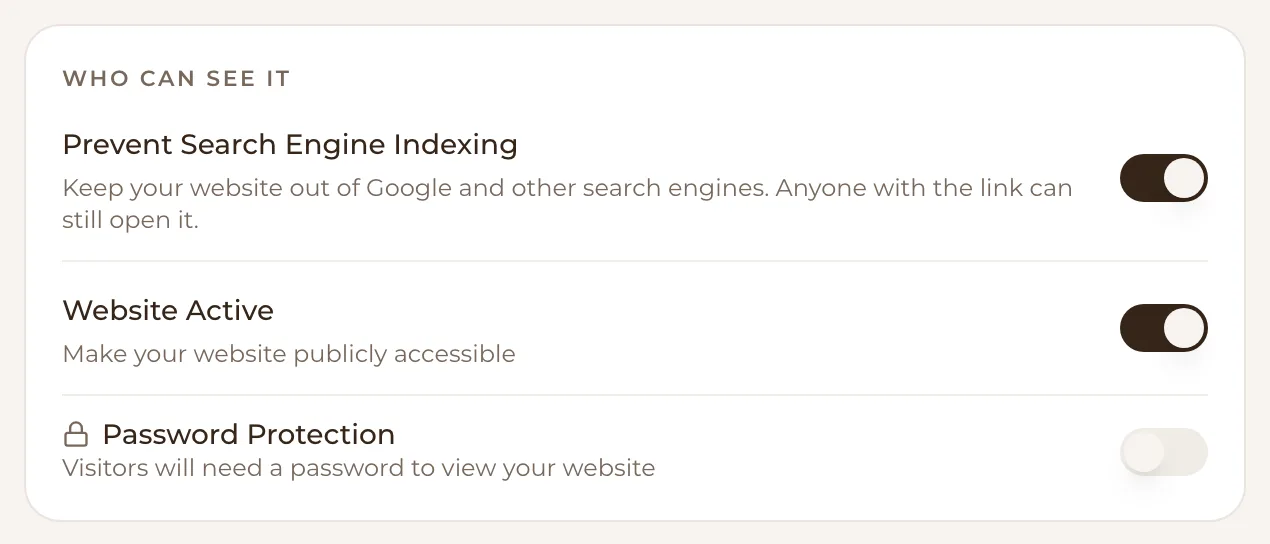
Who can see it: Prevent Search Engine Indexing switched on (keep your website out of Google and other search engines, anyone with the link can still open it), Website Active switched on and Password Protection switched off
Out of Google, still open to anyone with your link

Out of Google from day one

Every new WedBuild site starts with Prevent Search Engine Indexing switched on, so Google and other search engines leave it out. Anyone you share your link or QR code with can still open it. And if you ever want the site gone for a while, switch Website Active off and it's offline until you switch it back on.
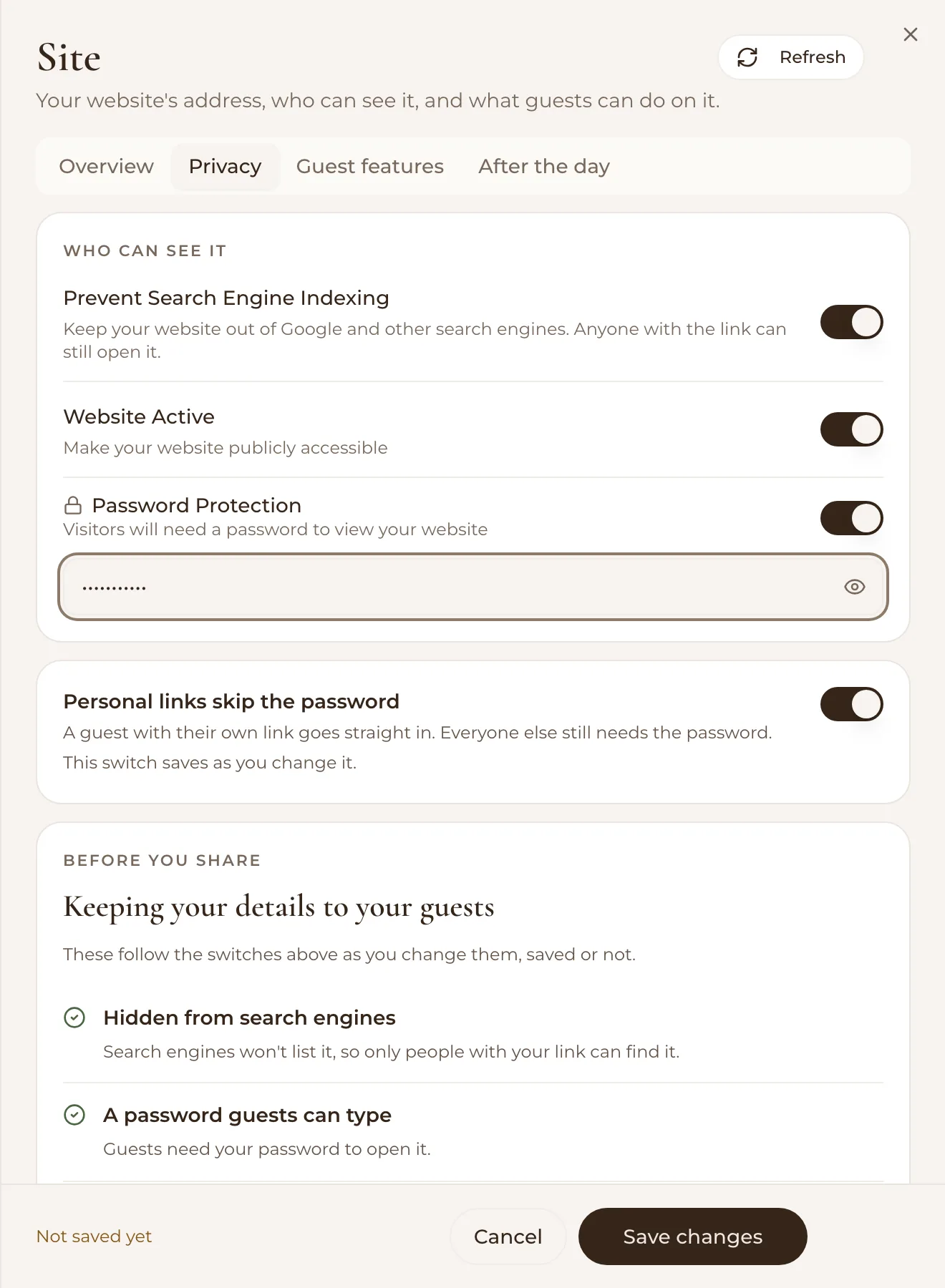
The Site panel's Privacy tab: Prevent Search Engine Indexing, Website Active and Password Protection switched on with a password typed in, Personal links skip the password switched on, and Before you share, Keeping your details to your guests, with Hidden from search engines and A password guests can type both ticked
Site, Privacy: the password, and a check before you share

A password your guests can actually type

As you publish, WedBuild asks who can see your site: Anyone with the link, or Add a password. It even offers a password idea, because a jumble like gh56k3 keeps out the very people it's for, often an older guest reading it off an invitation. A password that's short or hard to type gets a gentle word before you share.

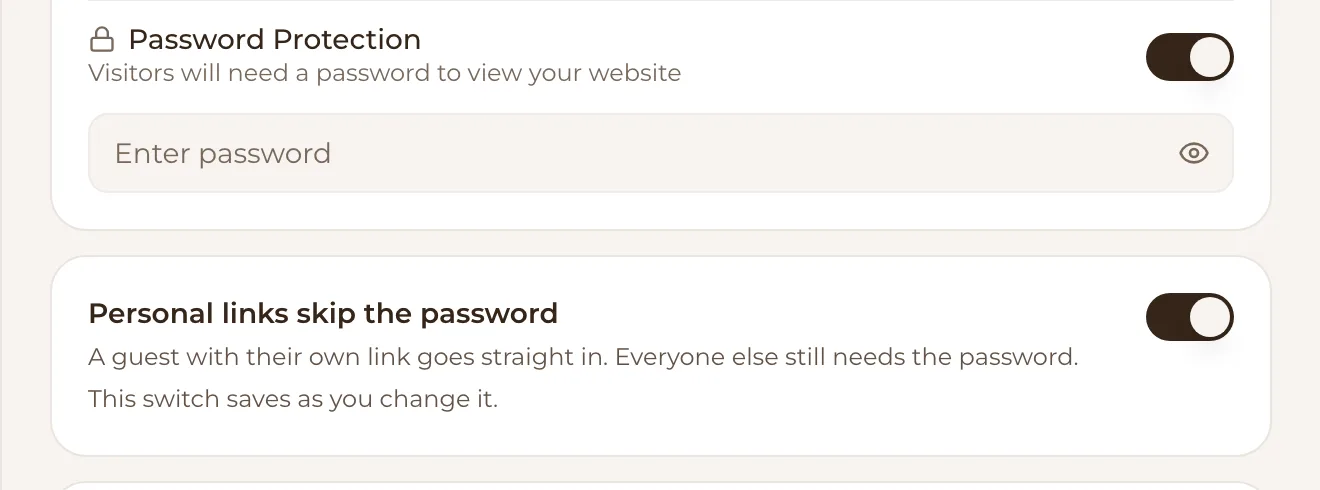
Password Protection switched on with a box to enter the password, and Personal links skip the password switched on: a guest with their own link goes straight in, everyone else still needs the password
A guest with their own link goes straight in

Personal links let your guests straight in

Give each household its own link and they go straight past the password, greeted by name, with their RSVP one tap away. Everyone else still needs the password. Email or text the links from WedBuild, or send them one by one from your own phone.

Send personal links by text

Your details stay yours

Before you share, WedBuild looks over your page for a street address that isn't one of your venues, and for any of your vendors named on it, and Show me takes you straight there. None of it stops you publishing. WedBuild never sells your details, your guests' pages say so, and you can download all your data whenever you like.

  • “Visual seating chart was a lifesaver. Printed the dietaries straight for the caterer. 10/10.”
    Bill & RachelAdelaide, SA, 122 guests
  • “Vendor comparison made picking our photographer actually easy. Loved it.”
    Karlee & JimAdelaide, SA, 160 guests
  • “Guests scanned a QR code and found their seat. No chaos. Genius.”
    Ellie & AloAdelaide, SA, 63 guests

How it works

Three steps to a site only guests see.

  1. Build your site

    Start from a template, a blank page or your own design. Search engines are switched off from the start.

  2. Choose who can see it

    As you publish, pick Anyone with the link or Add a password. Take a password idea, or type one your guests will manage.

  3. Share your links

    Give each household its own link that skips the password, or print one link and the password on your invitation.

Which plan has it

Free to start, and free to keep.

  • Essentials

    Freeno time limit, no card

    A password, hidden from Google and personal links

Every new account gets every Pro tool for 7 days. No card needed. 14-day money-back guarantee on paid plans.

Compare every plan

Questions

Before you share the link.

How do I make my wedding website private?

As you publish, choose Add a password under Who can see it?, and leave Prevent Search Engine Indexing switched on, which it is for every new site. Guests type the password when they open your link, and guests with their own personal link skip it.

Can I hide my wedding website from Google?

Yes. Every new WedBuild site starts with Prevent Search Engine Indexing switched on, which keeps it out of Google and other search engines. Anyone with your link can still open it, so add a password too if you'd like it fully private.

Will older guests manage the password?

That's what WedBuild plans for. As you publish it offers a password idea guests can read off a card and type, and it gives you a gentle word if yours is short or looks like a jumble of letters and figures. Guests with a personal link don't need the password at all.

Do guests with personal links need the password?

No, while Personal links skip the password is switched on. A guest with their own link goes straight in, greeted by name, and everyone else still needs the password.

Is a password protected wedding website free?

Yes. The password, hiding from search engines, taking the site offline and personal links are all part of WedBuild's free Essentials plan, with no time limit.

What does WedBuild do with our guests' details?

WedBuild never sells your details, and your guests' pages say so. You can download all your data whenever you like.

Guides to go deeper

Read up, then plan.

Still deciding? Compare wedding planning apps in our guide to the best ones in Australia, WedBuild included.

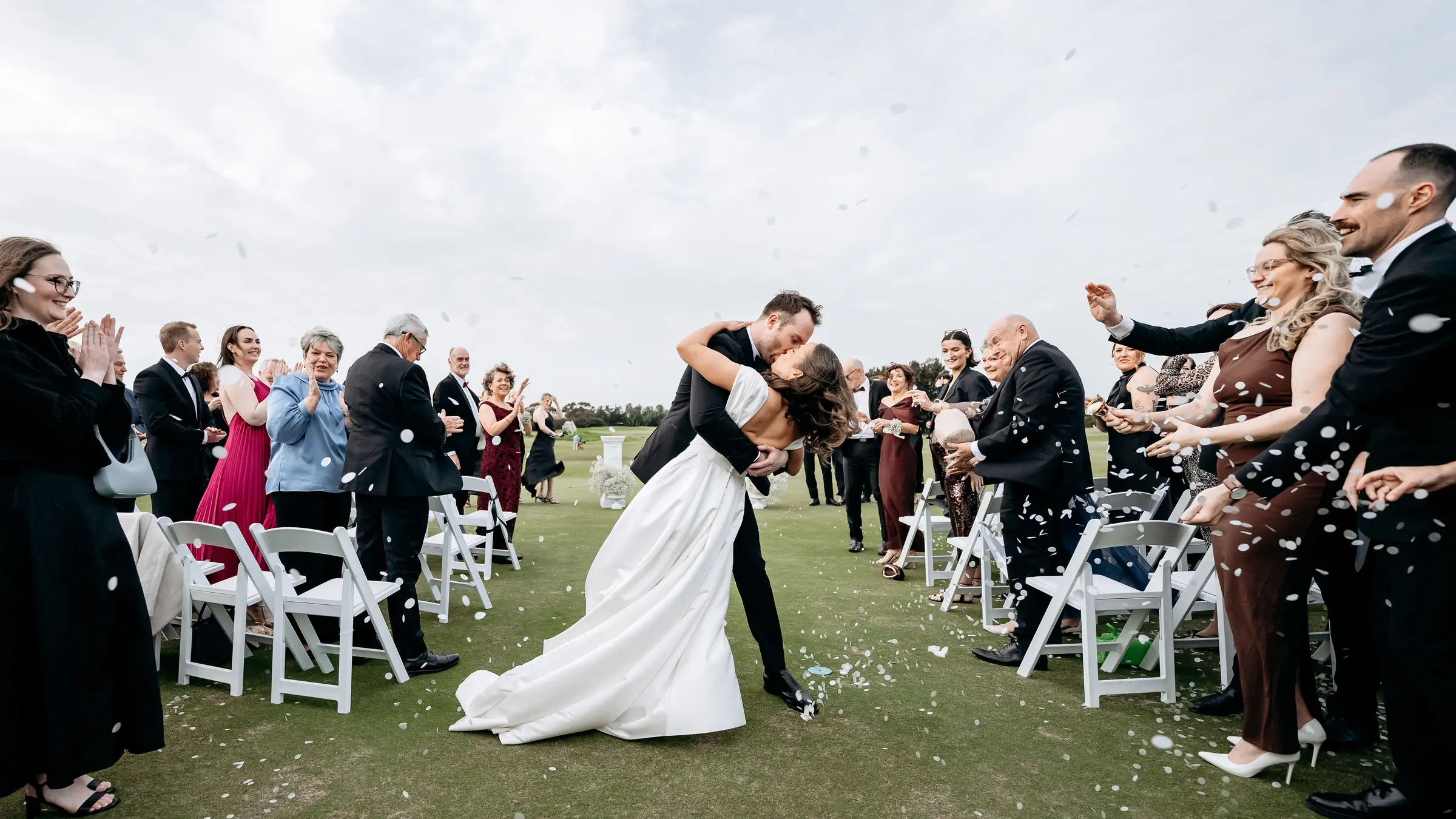
A bride and groom kiss in the aisle as their guests throw confetti

Ready when you are

Private from the start, free to publish.

Every privacy setting is part of the free Essentials plan, with no time limit. No credit card needed.

Every Pro tool and no guest limit, free for your first 7 days. No card needed.
Pay once if you upgrade, never a subscription.