Wedding Planning, 2026
The Best Wedding RSVP and Guest List Management Tools in Australia Ranked (2026)
WedBuild tops our ranking for linking RSVPs to seating and catering.
By Henry Schofield
· 10 min read
The best wedding RSVP and guest list tools in Australia in 2026 do more than collect replies. They use those replies to make seating plans and instructions the caterer can work from. WedBuild ranks first for that connected workflow, while specialist tools suit narrower needs, including professional check-in, formal digital invitations and custom-built websites.
Why confirmed guest numbers are a financial and logistical forcing function
Each extra guest adds to the wedding bill for catering, drinks, table settings and favours. A swing of dozens of guests can mean thousands of AUD, making confirmed headcount both a financial document and a social tally. The cost reaches beyond the meal itself. Florists, the teams that lay out the venue and rental companies also need to know the numbers before plans can be firm.
That creates a deadline for usable reply data. Caterers in Sydney, Melbourne, Brisbane and Perth typically require final numbers one to two weeks before the event. By then, attendance and dietary details need to be accurate and organised. Australian couples often invite fewer guests than they first planned, so the final count has to come from more than the wish list. Early tracking makes that gap visible before vendor deadlines force the issue.
The three problems a good RSVP tool actually has to solve
If a name must be copied from an RSVP tool into a seating chart and then into a caterer brief, the couple still has several lists to maintain. The form has collected an answer without removing the admin. Solving that problem means the RSVP system and seating chart use the same dataset, eliminating later reconciliation of separate versions.
A free-text box can gather notes that still need work before the caterer can use them. Caterers need guest names, attendance status, meal choices and dietary restriction notes, with each severe allergy linked to the name of the guest who has it. A count of allergies is not enough. Set options make the answers easier to sort, while notes with names keep the details of what each guest needs to eat.
Without automated reminders, the couple has to call or message each guest who has not replied just as final numbers are due. Guest friction compounds this problem. Older guests unwilling to create an account or verify an email may abandon a registration-gated form. Travel from other states and countries, along with separate plans for the ceremony, reception and after-party, gives couples another reason to keep replies and messages together.
The six criteria used to rank every tool in this article
Seating sync gets the greatest weight because a reply should reach the seating chart without someone retyping it.
Dietary capture is judged on whether it has set options, exports the caterer can use and allergy notes linked to each guest.
AUD pricing matters because converting from another currency changes the cost at checkout, but doing that once is less work than matching up data over and over.
Guest friction is judged on whether someone can reply without creating an account or verifying an email.
Plus-one and multi-event handling lets each extra guest have a name and their own dietary needs, and lets guests say which events they will attend.
Automated follow-up means reminders for guests who have not replied by the deadline, rather than leaving the couple to chase everyone manually.
WedBuild: the best overall option for Australian couples with real logistics
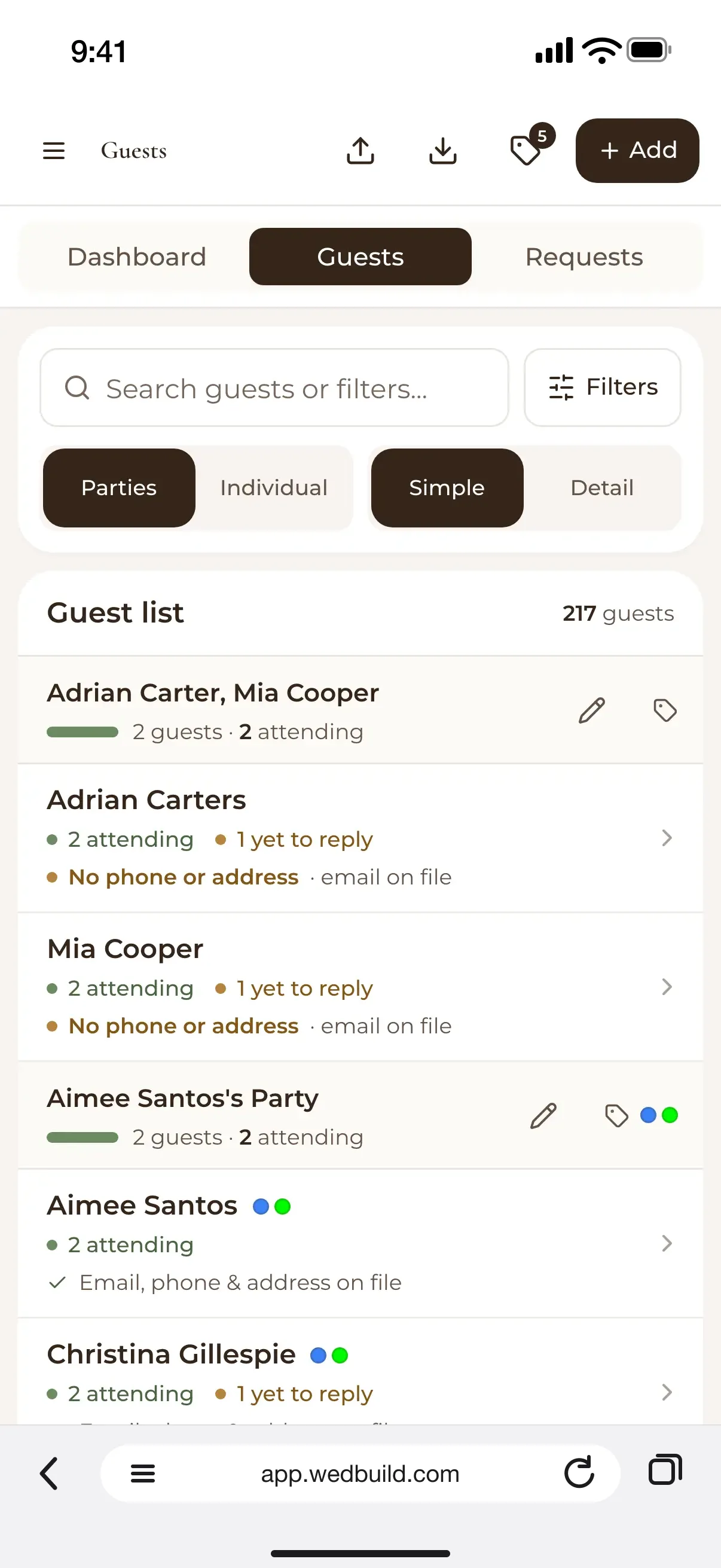
WedBuild takes the top position because its RSVP, guest list, dietary data and seating chart share one dataset. A yes with a plus-one and a gluten-free note appears in the guest list and seating chart without a CSV transfer. That removes a recurring handover between planning tasks. Its caterer-friendly dietary exports and non-responder reminders in the guest-list screen address the other two problems without creating another list.
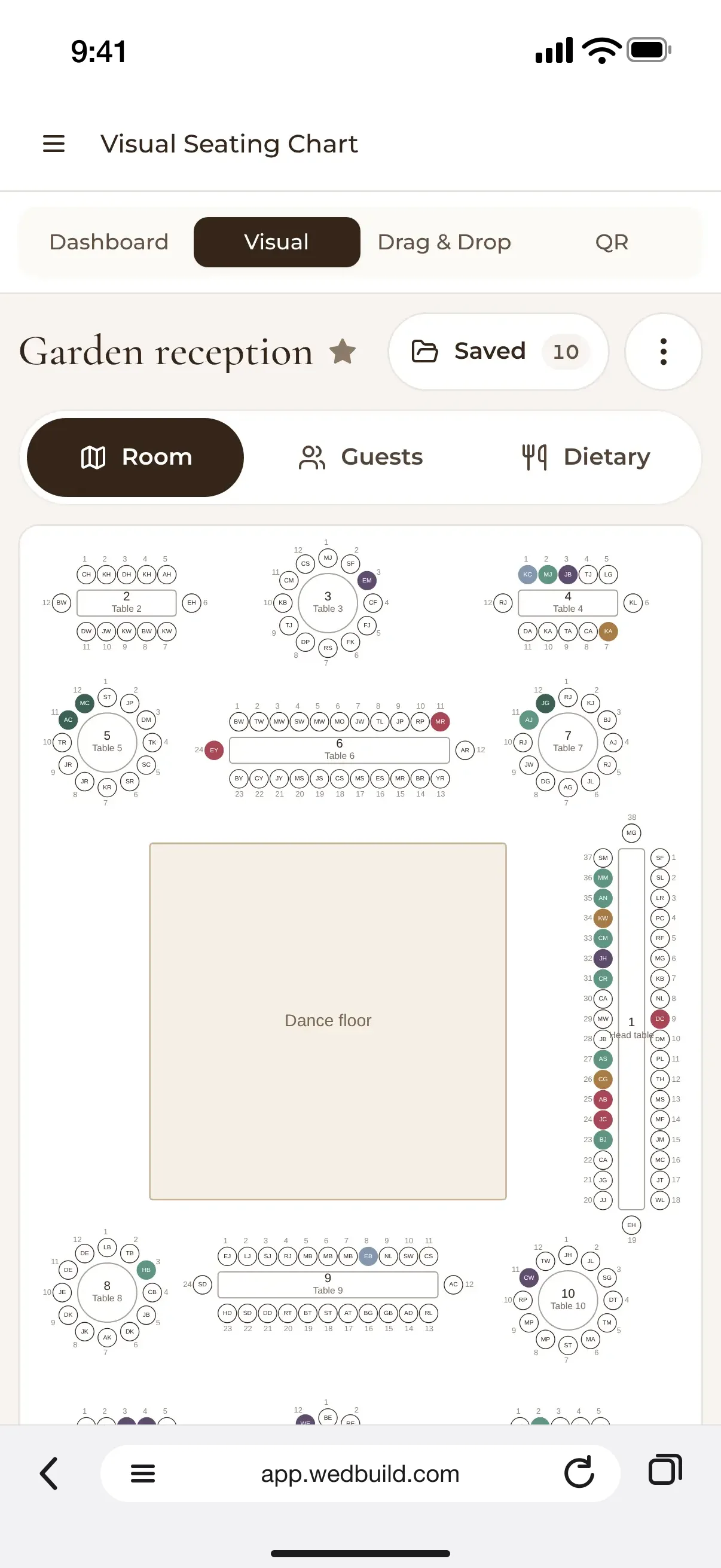
The guest experience is straightforward, too. Guests open a plain link, type their name, find their party and say whether they will attend, with no need for an account, password or email verification. If someone calls instead, the couple can enter the response through the same dashboard. Ceremony, reception and after-party RSVPs also sync into the guest list. The seating chart prints table cards with dietary legends, while QR-code “Find My Seat” lets guests locate their table without a printed seating board.
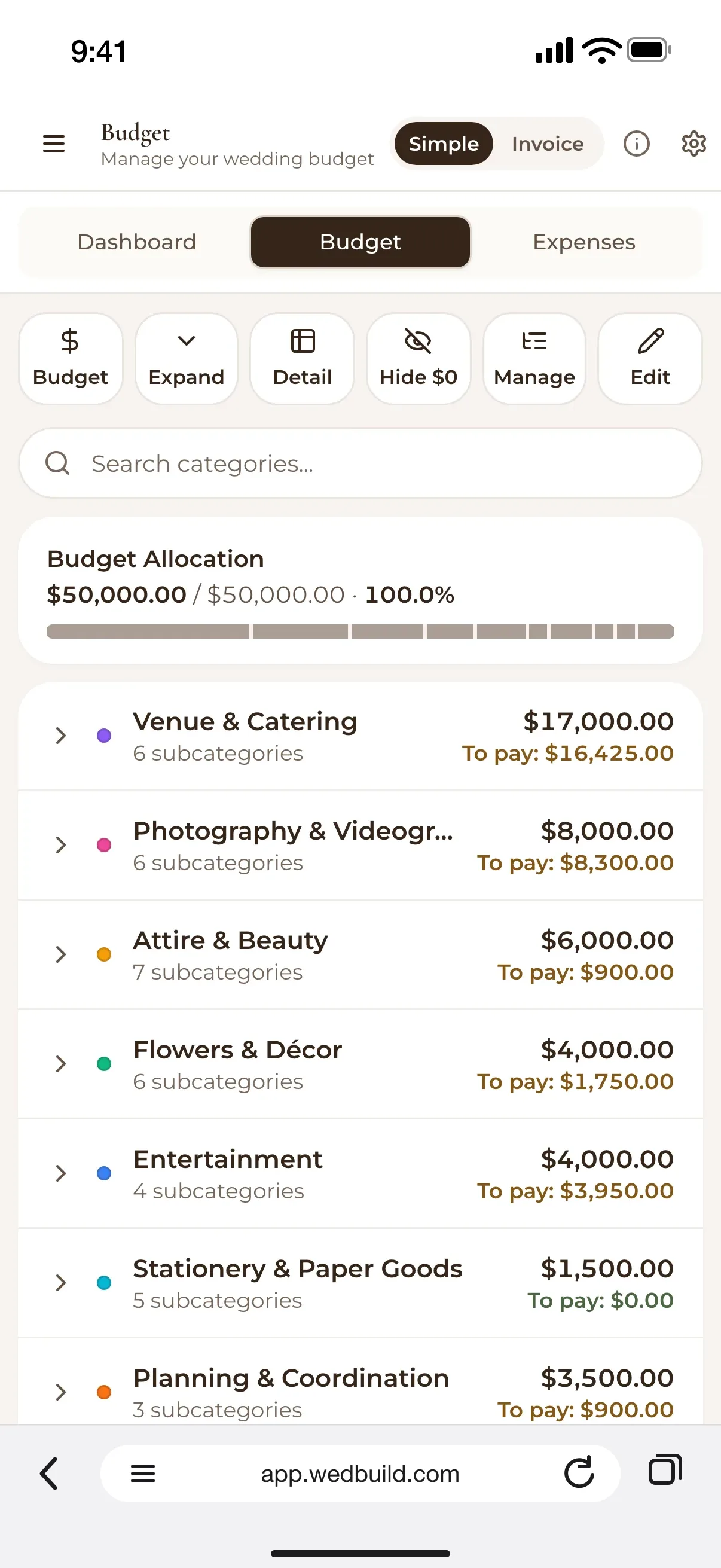
The free plan covers a website, online RSVP, guest list and checklist for up to 50 guests. Seating is not included in that tier. The budget planner and seating chart sit in paid plans, with Standard and Pro offered as one-time payments for two-year access. Pricing is in AUD, and a seven-day Pro trial requires no card. Both partners can use the same account to build the list, import guests in bulk from a spreadsheet, group them by household and add category tags.
There are limits to the all-in-one approach. The platform is web-based, with no native mobile app, and its seating tools are less deep than dedicated seating-only platforms. It helps compare vendors found elsewhere rather than providing a vendor directory, and its registry skews towards US retailers. It is Australian-made, which backs its local appeal, but the official documents supplied do not show whether it handles Australian date-format or multi-timezone needs.
GuestlistOnline: the strongest dedicated RSVP and day-of check-in tool
GuestlistOnline makes the strongest case for choosing a specialist. Its Wedding RSVP template supports named plus-ones with individual dietary requirements, per-course meal selection, automated reminders and caterer-formatted dietary exports. A gift fund powered by a payment processor also lets guests reply and contribute in one visit. Its distinguishing feature, however, is offline QR-code check-in through a team-scanner app. That is a different job from helping guests find their table.
For a large multicultural wedding or a high-traffic arrival, that check-in depth can justify a separate tool. The all-in-one objection is credible in this setting. Professional arrival management is not simply another box on a wedding planning checklist, and the supplied comparison gives this specialist an advantage over integrated platforms on that dimension.
The trade-off is the missing seating workflow. There is no full wedding website, seating chart visualiser or drag-and-drop floor plan, with guest tags used to group people by table. The free tier covers one event with up to 50 guests, while a one-time fee covers unlimited guests at a single event. Paid pricing is in euros, with no AUD pricing. For couples whose seating is already handled elsewhere, those limits may be acceptable. For a typical wedding, offline scanning is rarely the priority.
RSVPme.com.au: the local free-tier option worth knowing
RSVPme.com.au is Australian-built and lets couples get started without giving card details. Its weddings page describes a drag-and-drop website builder, emailed digital invitations with personalised RSVP links and a real-time dashboard for attendance, dietary requirements and plus-ones. Guest lists can be imported and exported for caterers. Ceremony, reception and after-party attendance is handled through separate sessions within one event, and a photo-sharing gallery is included.
The uncertainty lies beyond that core workflow. The material supplied does not show what paid plans cost or how much more they do than the free tier. It also does not establish a seating chart visualiser or a direct connection between replies and seating. The presence of those features remains unverified in the supplied evidence. The platform suits couples who want a local free starting point and have seating arrangements simple enough to manage separately.
RSVP Events: the Australian consultation-based service option
RSVP Events belongs in a different category from self-serve software. The Sydney-based service creates custom event pages and RSVP forms through consultation, design and setup, then launch and management. Its offering includes a custom link per guest, maps, schedules, accommodation details, digital and printable invitation designs, photo sharing, and live streaming with recording.
Couples have to get in touch to discuss their needs and pricing, with no published tiers to choose from, so the service does not suit those who need to start right away. It is a fit for a professionally set-up event page, with seating sync and automated dietary exports unverified in the supplied material and couples whose priority is real-time dietary and seating integration needing another option.
Greenvelope: when the RSVP needs to live inside a formal digital invitation
Greenvelope suits couples who want the invitation to be the main experience. Its envelope-opening presentation and letterpress-inspired typography sit in front of RSVP and guest management tools, including custom questions and meal selection. The stationery is the starting point here. Its help centre lists delivery through email, SMS, WhatsApp, Facebook Messenger and a shareable link, so the invitation need not depend on a wedding website.
Pricing is per mailing by guest count or through an annual membership. Australian buyers are charged in AUD based on their geographic location, so there is no inherent currency friction at checkout. That local-currency detail distinguishes it from foreign-priced alternatives. However, the supplied material does not establish seating chart integration, making it a narrower choice for couples who value a cohesive invitation experience over a connected seating and catering workflow.
ouRSVP: the embeddable widget for couples with a custom-built website
ouRSVP answers the question of how to add RSVPs to an existing wedding website without rebuilding it. Its embeddable widget suits sites built on Squarespace, Wix, Webflow, Canva or WordPress, with design control to match the existing site and a low monthly subscription. It is not a full planning platform. No seating chart or caterer dietary export is established in the supplied material, so its role stops at collection. That makes it useful for couples committed to their site, rather than couples starting fresh who need the whole planning chain.
The integration trade-off that every other decision depends on
A specialist is worth the extra handover only when its deeper feature solves a genuine need. A beautiful front end cannot reconcile two guest lists.
The strongest exception is a large, complex wedding with 300-plus guests where offline QR check-in is an operational requirement. At that scale, arrival management can justify separate seating arrangements. At a 90-person reception, most couples need an accurate dietary brief, making the connection between attendance, seats and meals a higher everyday priority than nightclub-level check-in infrastructure for scanning at the door.
Under roughly 50 guests, a good free tier covers most couples, although free RSVP collection does not automatically include seating tools. Above that threshold, dedicated software is almost always worth the investment because dietary tracking, follow-up and reconciliation grow with the list. The handovers the software removes provide a better basis for spending than the number of features advertised.
Clear verdicts by couple profile
Best overall for Australian couples with dietary or multi-event logistics, WedBuild connects RSVP data to seating, offers one-time AUD pricing and keeps manually entered replies in the same dashboard.
Best free option for guest lists under 50, its free plan covers the website, RSVP collection and guest list, but couples have to pay for seating tools.
Best local free alternative for simpler needs, RSVPme.com.au is an Australian-built option for couples who are happy to start free and handle seating on its own.
Best for professional day-of check-in, GuestlistOnline provides offline QR scanning and a team-scanner app for large or high-traffic weddings where separate seating management is an acceptable trade-off.
Best for an existing custom-built website, ouRSVP adds an embeddable RSVP widget without a site migration, with a separate seating tool and manual data transfer needed for the wider workflow.
Best for a stationery-first experience, Greenvelope puts RSVP collection inside the formal digital invitation, with AUD checkout for Australian buyers and a separate seating workflow to plan.
Best for a done-for-you setup, RSVP Events offers consultation and custom design for couples who do not need same-day setup or real-time seating integration.
Before choosing, map where each reply goes. Does it reach the seating chart without someone typing it in again, and does the catering export have the guest name, attendance status, meal choice and dietary restriction notes? Severe allergies need names alongside totals.

Written by
Henry Schofield
Co-founder, WedBuild
Henry is the co-founder of WedBuild and a chartered accountant who's spent his career helping Australian businesses get their numbers right. After his own wedding budget sprawled across three different spreadsheets, he built WedBuild's budget planner: designed by an accountant, for couples who'd rather not become one.